
Do web browsers make a computer more useful, or does a computer make a web browser more useful? Back when I first wrote about this, I pointed to Google’s Chrome OS as proof the browser had basically swallowed the operating system. These days that argument barely needs making. Google has confirmed it’s merging Chrome OS into Android outright (some reports are calling the project Aluminum OS, though Google hasn’t locked in a final name), with the new unified platform expected to start rolling out sometime in 2026. Word processors, spreadsheets, video calls, even full photo and video editors, they all just live in a tab now and nobody thinks twice about it.
Then there’s the stranger turn nobody quite called a few years back: browsers that don’t just show you the web anymore, they act on it. Perplexity’s Comet, OpenAI’s Atlas, and a growing list of others can now click through websites, fill out forms, and complete multi-step tasks on your behalf while you do something else entirely.
None of that changes what I actually care about here, though. The browser you choose still says more about how much of your life you’re willing to hand over to a company than any AI trick bolted onto it does. So here’s an updated rundown of the best web browsers for Linux you can try right now, four picks that have all changed quite a bit since I last covered this. Happy reading!
1. Brave Browser
Brave is still one of the fastest browsers you can install, and it still blocks ads and trackers the moment you open it, no setup required. One correction from years back: Brave, like Chrome, Edge, and every other Chromium-based browser, runs on Google’s V8 JavaScript engine, not “Java,” which is a completely different thing. Small mix-up, but worth clearing up. What matters more is what that engine lets Brave do here: block the ad networks and data-mining trackers that would otherwise ship your browsing fingerprint back to Google or some third party you’ve never heard of.
Here’s the thing about browsers like Chrome that still holds up in 2026: you’re the product. Every so often your activity gets sent off to Google and its advertising partners, and that goes double if you’ve got a handful of extensions installed. People call it telemetry now instead of what it used to get called, and the pitch is always that it “improves the product.” Maybe. But a lot of that data changes hands with companies you never agreed to deal with, and that’s how you end up with leaks and stolen identities down the line.
So how is Brave actually different from Firefox plus an ad-blocker? For one, it’s still noticeably faster day to day. For another, there’s the Rewards program. It pays you in cryptocurrency for choosing to view ads on your own terms, cryptocurrency you can transfer straight to your bank. It’s Brave’s way of letting creators get paid without punishing readers who’d rather not be tracked. The Linux Stans website is part of the Brave Rewards program, so you’ll help us out just by visiting the site with Brave and letting a few ads through.
The bigger change since I last covered Brave is Leo, the AI assistant now built straight into the sidebar. It can summarize the page you’re on, answer questions about it, or translate it, and true to Brave’s whole pitch, it doesn’t require an account and doesn’t store your conversations to train anything. The free tier runs open models, and a paid Premium tier gets you access to stronger ones if you want them. You can also just switch the whole thing off if AI in your browser isn’t your idea of a good time.
In feature-set, Brave and Chrome are still close cousins, since Brave is built on Chromium, the open-source project Chrome itself is based on. Extensions install straight from the Chrome Web Store.
Get Rid of Prying Eyes (Social Media)
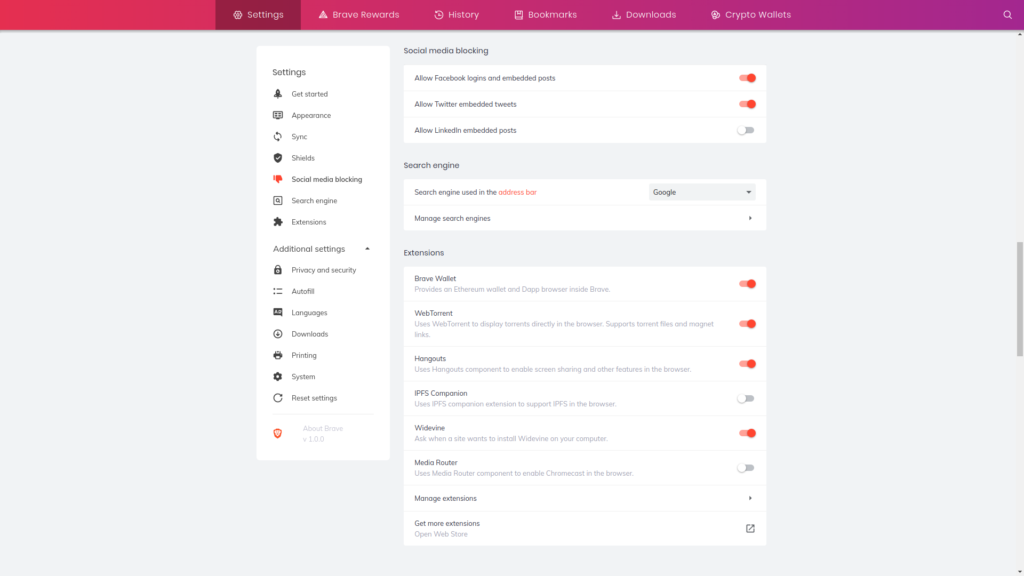
Brave does more than just “block ads.” It gives you granular control over what gets blocked, social media trackers included, as you can see in the screenshot above.
At the end of the day, Brave is still one of the more privacy-focused browsers you can install without hunting down extensions or flipping a dozen hidden settings. You’re a user here, not a product.
Brave Browser is Available For
All platforms: Android, iOS, Windows, Linux, and Mac.
2. Vivaldi Browser
Vivaldi is still the good-looking, endlessly tweakable browser from Vivaldi Technologies, and it still owes some of its DNA to Opera. That’s not a coincidence: Vivaldi’s co-founder, Jon von Tetzchner, also co-founded Opera back in the 90s.
What’s changed is that Vivaldi has picked a fight, and it seems to be paying off. While Chrome, Edge, and just about everyone else races to cram AI assistants into their browsers, Vivaldi made a public pledge to keep AI out of the core experience and stick to what it’s always done well: letting you bend the interface to your will. Von Tetzchner has been blunt about it in interviews, pointing to his own company’s polling that shows the vast majority of Vivaldi users simply don’t want it. That stance, combined with Vivaldi being an independent European company with no ad business to feed, appears to be working. Vivaldi passed 4 million users in early 2026, and the company credits a good chunk of that growth directly to being the browser that said no.
None of that changes why I liked Vivaldi in the first place, though. It’s still one of the most customizable browsers out there, from mouse gestures and mouse mapping to tab organization and behavior.
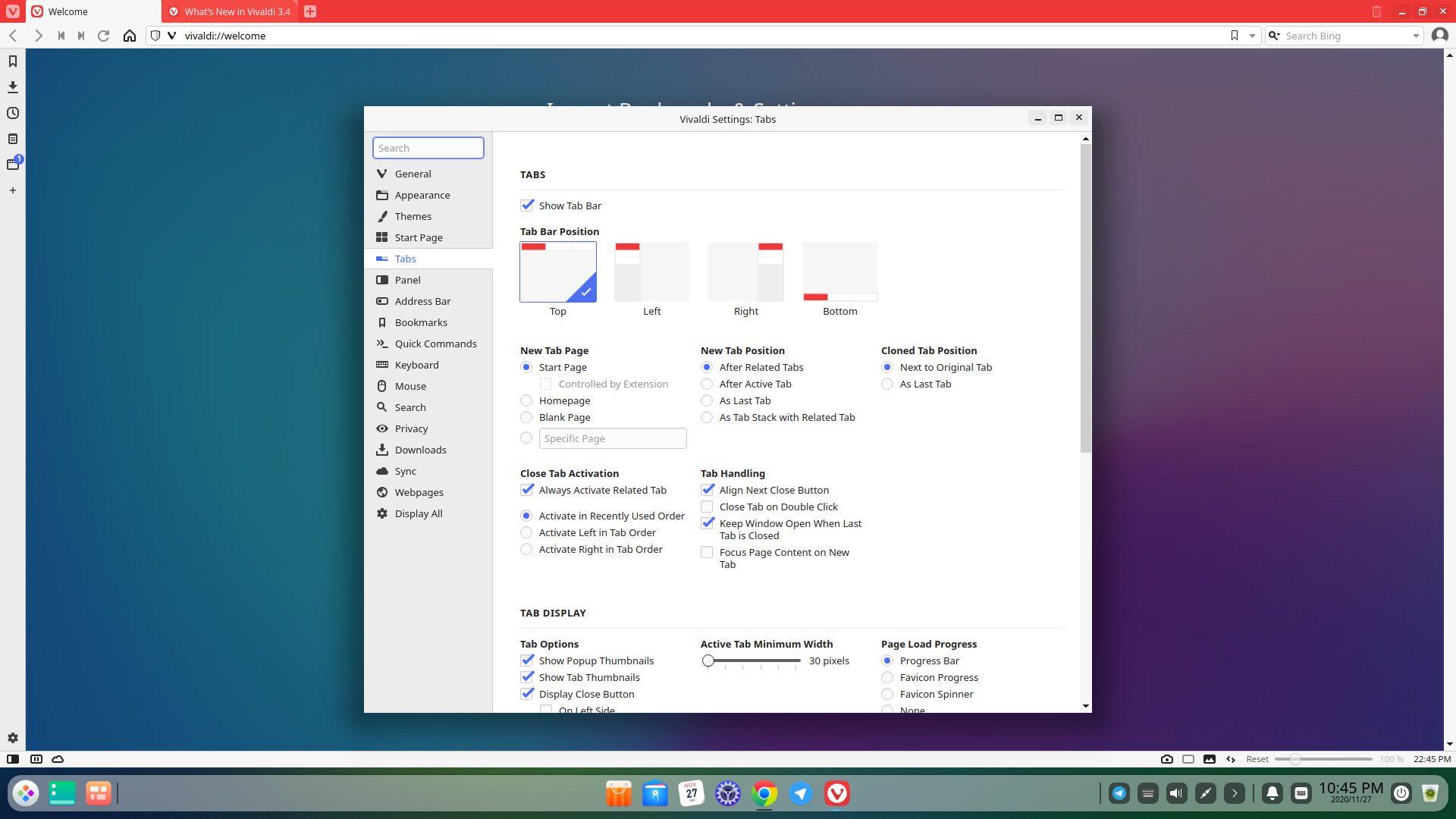
As you can see in the screenshot above, you can do things like:
- Set Tabs Bar Position: to the left, right, or bottom.
- Set New Tab Position: After related tabs, Active tab, as the last tab, or as a tab with a new stack (group). You can also display the “close” button on the left side.
- Customize Tab Display: Show or hide pop-up window display, modification of active tab width, modification of animation of tab loading by selecting progress bar, favicon progress, favicon spinner, etc.
Vivaldi’s more recent updates lean even harder into this. Version 7.8 introduced a proper Tab Tiling system for working with several pages side by side, and version 8.0 added a handful of new layout presets, including one that hides the browser chrome entirely so a page can take over the full screen.
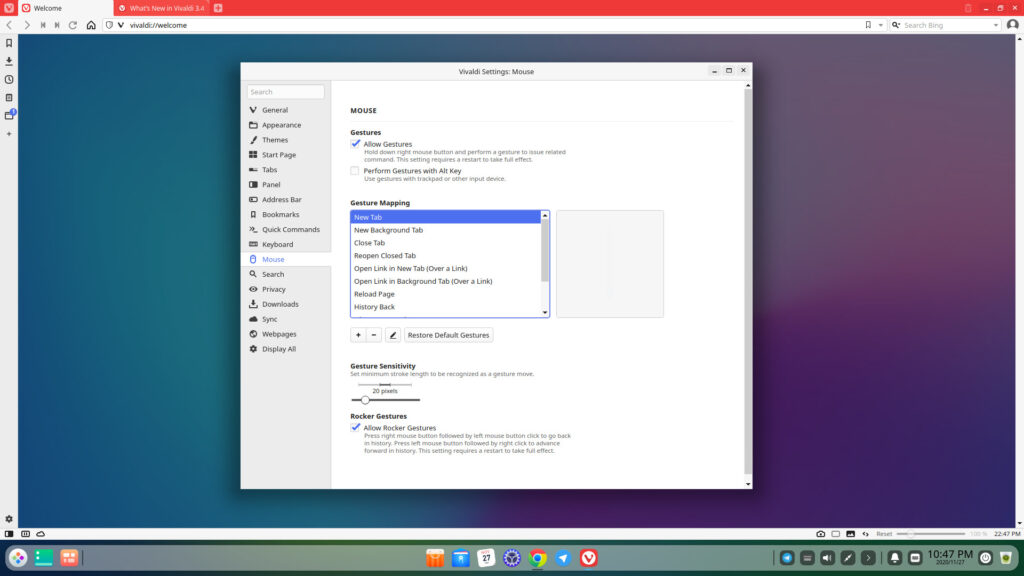
Vivaldi also still satisfies the needs of mouse and touchpad gesture lovers. I can set gestures like swiping down to mean “close tab,” “open new tab,” “reload page,” and plenty more. You can set custom themes too, my favorite still being Hot Pink (don’t judge me).
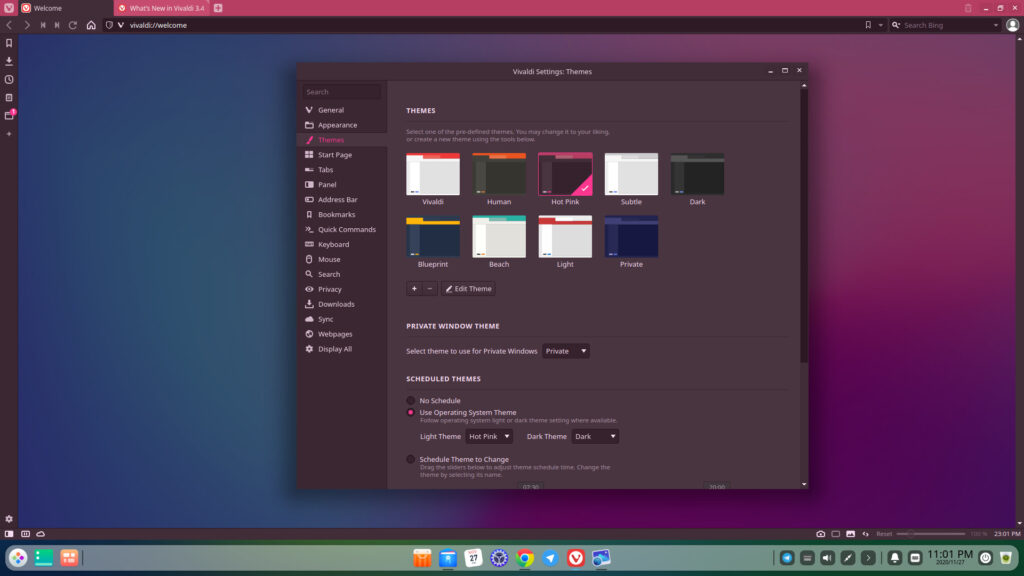
As you can see, Vivaldi really commits to the color scheme of whatever theme you pick, not the bare-bones theming you get on Chrome. There are other options too, like Beach, Light, Private, Blueprint, and a handful more.
On the privacy side, you still get a decent amount of control.
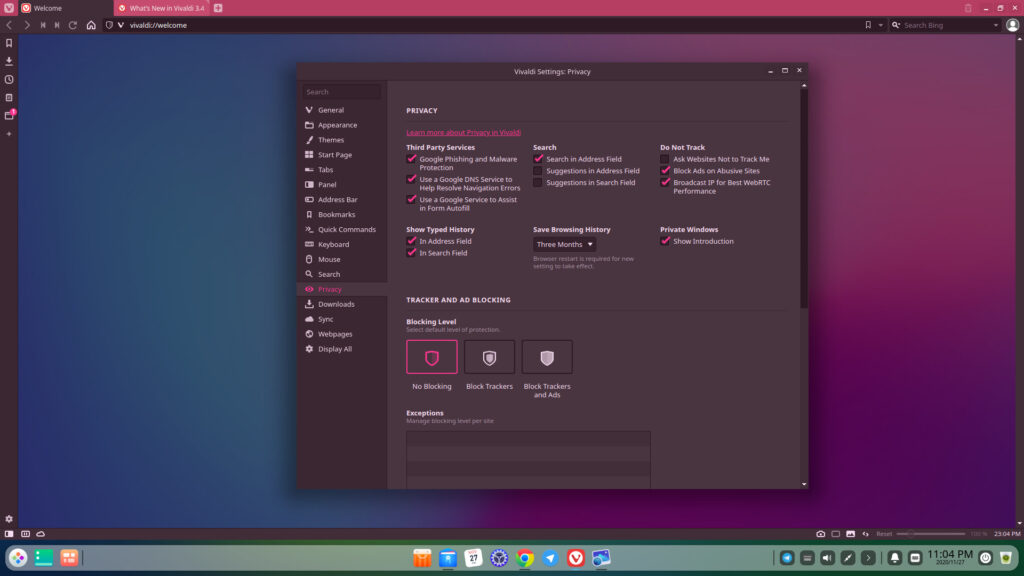
Third-Party Services: you can enable Google’s Phishing & Malware protection and Google DNS to help resolve navigation errors, block ads on abusive sites, and broadcast your IP for the best WebRTC performance. That last one matters if you’re running a VPN and want to keep your real IP address private, since some sites use WebRTC to sniff it out no matter what your VPN says. This setting closes that hole.
Three Levels of Blocking Exist.
No Blocking, Block Trackers, and Block Trackers & Ads. By no stretch of the imagination would I pick anything but the third and most secure option, block trackers and ads. Always.
A Neat Sliding Scale
Vivaldi still has that mini slider in the bottom right corner for zooming in and out of a page. It’s not essential (ctrl + and ctrl – do the same job), but it’s a nice touch, even if it’s not exactly original, since plenty of PDF viewers and Firefox itself have had something similar for years.
What about Extensions?
Like Chrome and Brave, you can install extensions straight from the Chrome Web Store.
3. Midori Browser
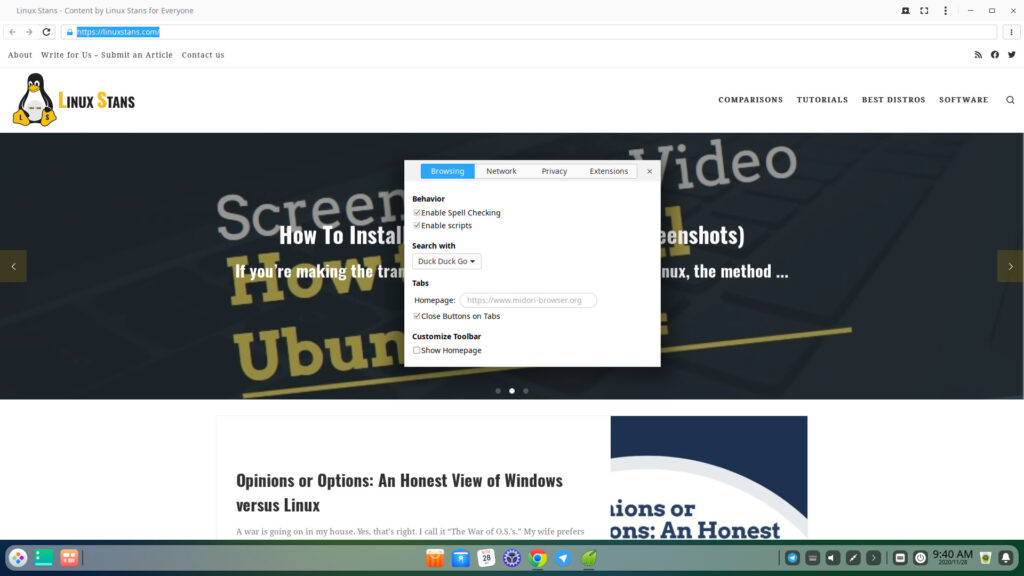
Midori has had a bit of a journey since I first wrote about it. Back then it was a lightweight browser built on WebKitGTK, and that’s still the reputation that follows it around. Since then, the Astian Foundation, which now maintains it, has rebuilt it more than once, most recently rebasing the whole browser on Gecko, Firefox’s rendering engine, starting with Midori 11 in late 2023. So under the hood it’s now closer to Firefox’s family tree than to the old WebKit-based Midori people remember, even though it’s still a completely separate, independently developed browser.
What hasn’t changed is the pitch: get out of your way, use fewer resources than the competition, and take privacy seriously by default. Astian has leaned further into that lately, building Tor browsing directly into the app along with a companion VPN service if you want it. They’ve also said that stripping out the syncing and telemetry code inherited from Firefox gave the browser a real, measurable speed boost, for whatever a vendor’s own numbers are worth. It’s not trying to out-feature Vivaldi or out-AI Brave. It’s meant to be used more or less as-is, closer to how you’d use Safari or a mobile browser, just with a lot more attention paid to what’s being blocked and logged along the way.
Midori is completely free to use and is available on Linux, Windows, Mac, and Android.
4. Firefox
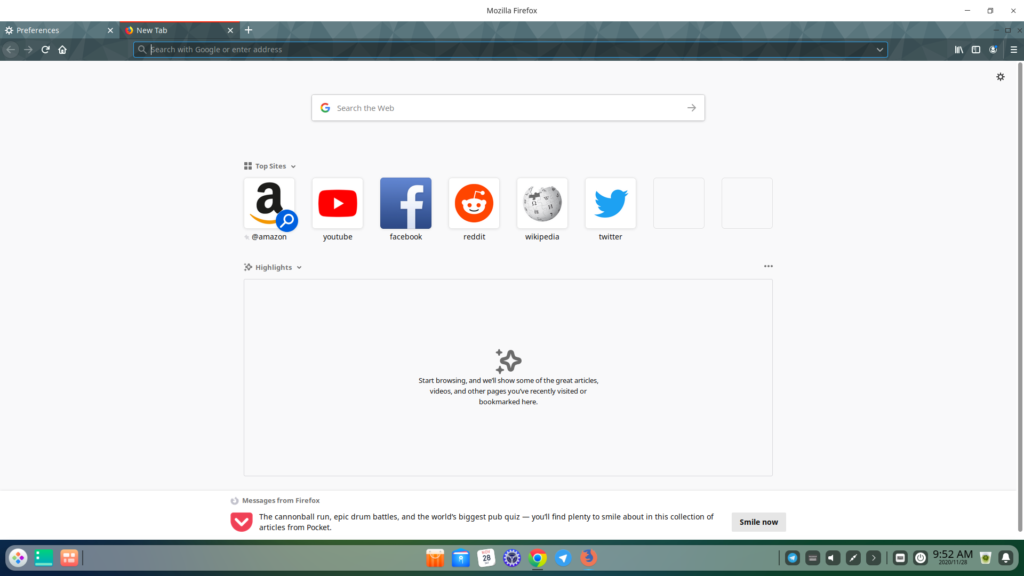
Firefox is still one of the oldest and most recognizable browsers around, and it still ships from a company whose whole identity is built on privacy. Mozilla brought in a new CEO in December 2025, Anthony Enzor-DeMeo, who came up through running Firefox itself, and his message has been consistent: yes, AI is coming to Firefox, but it stays opt-in, and you can turn every bit of it off if you want. That’s basically Mozilla’s answer to a browser market where everyone else is racing to bolt an AI agent onto the address bar whether you asked for one or not.
- Fast web-browsing with the ability to install add-ons and custom themes.
- Block ads and trackers natively.
- Uses less RAM than alternatives like Google Chrome.
- Privacy-oriented.
- Free and open-source. That means the community (you guys) have a true say in things and some control.
If you want to learn more about the most secure browsers for Linux, check this list.
Ultimately, all browsers offer variations of the same features, and it’s most important to know who is offering what. At the end of the day, if you’re someone who values privacy, I’d still go with either Firefox or Brave. Both are run by companies that treat you like a user and not a product, and neither is trying to fund itself entirely off your data. The same can’t be said for Google Chrome and its forks (Chromium itself being the one honest exception). I’ll admit Firefox isn’t the powerhouse it once was; it holds a small slice of the overall browser market these days, well behind Chrome and Safari. But it still counts somewhere around 200 million monthly users worldwide, it remains the default browser on plenty of Linux distros, and I’d wager it holds onto that base precisely because it’s never chased scale at the cost of privacy.


15 thoughts on “The 4 Best Linux Browsers I’ve Used in 2026”
Here are some more not listed 1-SRware Iron 2- Dissenter 3- Tor 4- Flashpeak Slimjet
Which of them support(s) multi tab folding in multiple rows?
I would also include the new LibreWolf in the list – it has proven itself very well in terms of speed and availability of the necessary applications and protection.
you can’t download brave on onto Linux
yay -S brave-bin
or get the beta which works fantastic
yay -S brave-beta
https://brave.com/linux/#linux
I believe what you meant to say is “I can’t download brave onto Linux”. Brave is easily installed onto literally any Linux distro you could want.
Brave is nice except for it’s treatment of bookmarks. When you go from computer to computer the bookmarks do not automatically follow. You have to go through a special procedure to have them synced.
General speaking, is there a modern browser which supports tab folding in multiple rows?
Vivaldi
If they are the four best, what other Browsers did you use that did not make the cut and why? I see Chrome and Chromium are missing, yet Brave and Vivaldi are built on Chromium. Hopefully you answer.
Dumping Vivaldi – it literally crashes every single day on Linux. Every. Single. Day.
It’s like the Windows 3.1 of browsers.
Don’t hate a browser simply because you can’t configure a stable system muh man. Vivaldi works flawlessly on my Manjaro, and other Linux systems.
I must say that Midori is the one for me. Even though Mozilla Firefox has more features and is more robust, I still prefer a lightweight browser that has faster speed.
Could you please provide serious data to base “just a lot more secure than Chrome”? I know it’s funny to do that, but it makes you someone, let’s say… not reliable.