
Mind mapping software turns one central idea into a visual tree. Each branch holds a related thought, and you can fold, drag, link, color and reorder branches without retyping anything. Better tools attach notes, links, icons and tasks to every node, then export the finished map as a PDF, an image, an outline or a slide deck.
Linux has fewer polished mind mapping apps than Windows or macOS, and some old favorites stopped getting updates years ago. A few apps below are native, some run on Java, a couple draw maps from plain Markdown, and three live in the browser. This roundup compares 12 tools on price, Linux packaging, file formats, export options and maintenance status. Details were checked in October 2026, so confirm prices before you buy anything.
Quick Picks
- Best overall and best free option: Freeplane
- Best polished interface: XMind
- Best for note-takers: Obsidian
- Best native Linux apps: Minder (GTK) and VYM (Qt)
- Best for Markdown users: Markmap
- Best for real-time collaboration: Coggle
Mind Mapping Apps for Linux Compared
| App | Best for | Price | Install on Linux | Works offline |
|---|---|---|---|---|
| Freeplane | Deep features, big maps, scripting | Free, open source | Flatpak, .deb, distro repos | Yes |
| XMind | Polished maps and presentations | Free plan, Pro from about $5/month | .deb, Snap | Yes |
| Obsidian | Markdown notes with canvases and maps | Free, closed source | AppImage, .deb, Snap, Flatpak | Yes |
| Minder | Fast, native GTK mapping | Free, open source | Flatpak, distro repos | Yes |
| VYM | Structured maps and slide exports | Free, open source | Distro repos | Yes |
| Mindolph | Maps, Markdown and PlantUML in one app | Free, open source | .deb, JAR | Yes |
| Heimer | Quick, simple diagrams | Free, open source | Snap, .deb, AppImage | Yes |
| Markmap | Turning Markdown into maps | Free, open source | npm, VS Code, Obsidian plugin | Yes |
| diagrams.net | Maps mixed with other diagrams | Free, open source | .deb, .rpm, AppImage, Snap, Flathub | Yes |
| Coggle | Simple real-time collaboration | Free plan, paid from about $5/month | Browser | No |
| MindMeister | Turning maps into tasks | Free plan (3 maps), paid plans | Browser | No |
| Miro | Whiteboards with mind maps | Free plan (3 boards), paid plans | Browser | No |
The Best Mind Mapping Apps for Linux
The first nine run on your desktop. Browser tools follow.
1. Freeplane: Best Overall
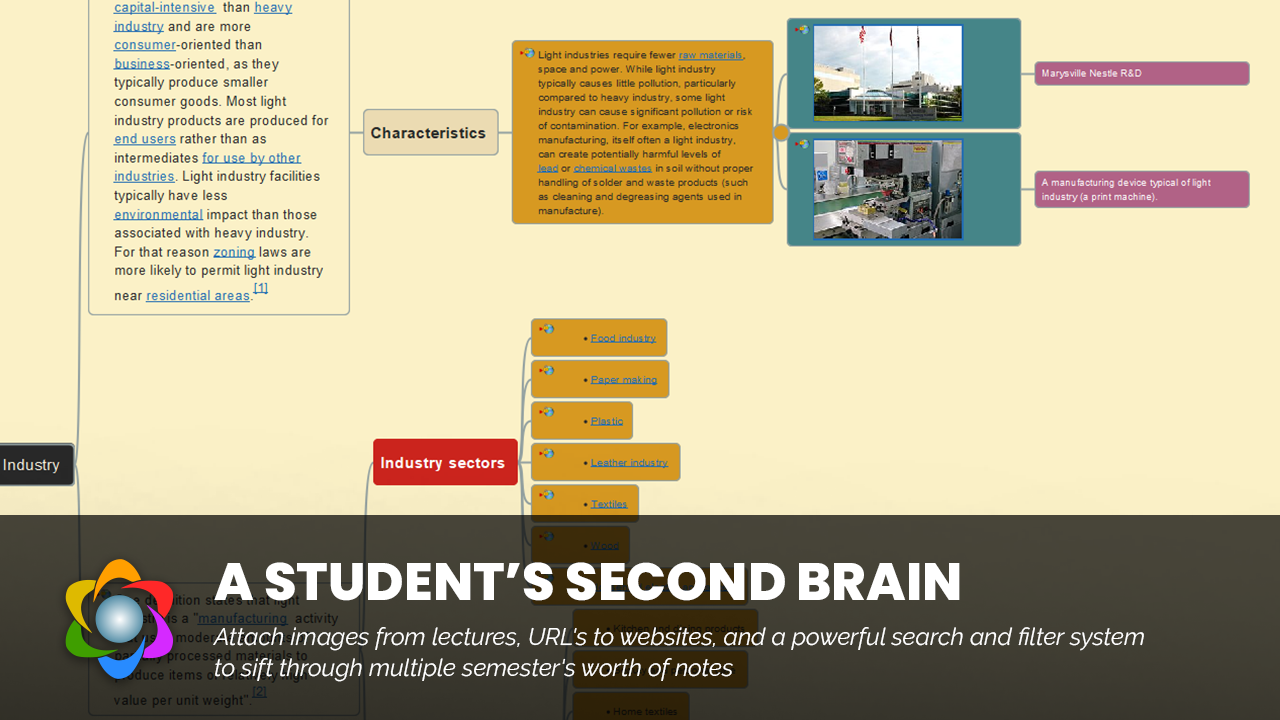
Freeplane is the one to try first. It began as a fork of FreeMind and left it far behind. It is built for big, detailed maps: every node can hold notes, attributes, icons and links, and the app gives you filters, formulas and scripting to work with all that data. Recent 1.13 releases also add an optional AI chat panel that connects to a model provider you set up yourself (the AI features need Java 17 or newer).
Best for: people who want the deepest free feature set and can live with a plain interface.
Key features
- Keyboard-driven editing with fast sibling and child node entry
- Formulas, attributes, filters and conditional styles
- Groovy scripting and add-ons
- Exports to PDF, SVG, PNG, HTML and more
- Opens FreeMind (.mm) files natively
Pros
- Free and open source, with regular releases (1.13.3 arrived in July 2026)
- Handles notes, attributes and links on every node
- Maps are XML files, so they are easy to back up or keep in Git
Cons
- The interface looks dated and the menus are dense
- Steeper learning curve than XMind or Minder
- No real-time collaboration
- Needs a Java runtime (the Flatpak takes care of that)
Price: Free. Install: flatpak install flathub org.freeplane.App, a .deb from the Freeplane website, or your distro repository (Arch has it in Extra). Distro packages can trail the newest release.
2. XMind: Best Polished Interface
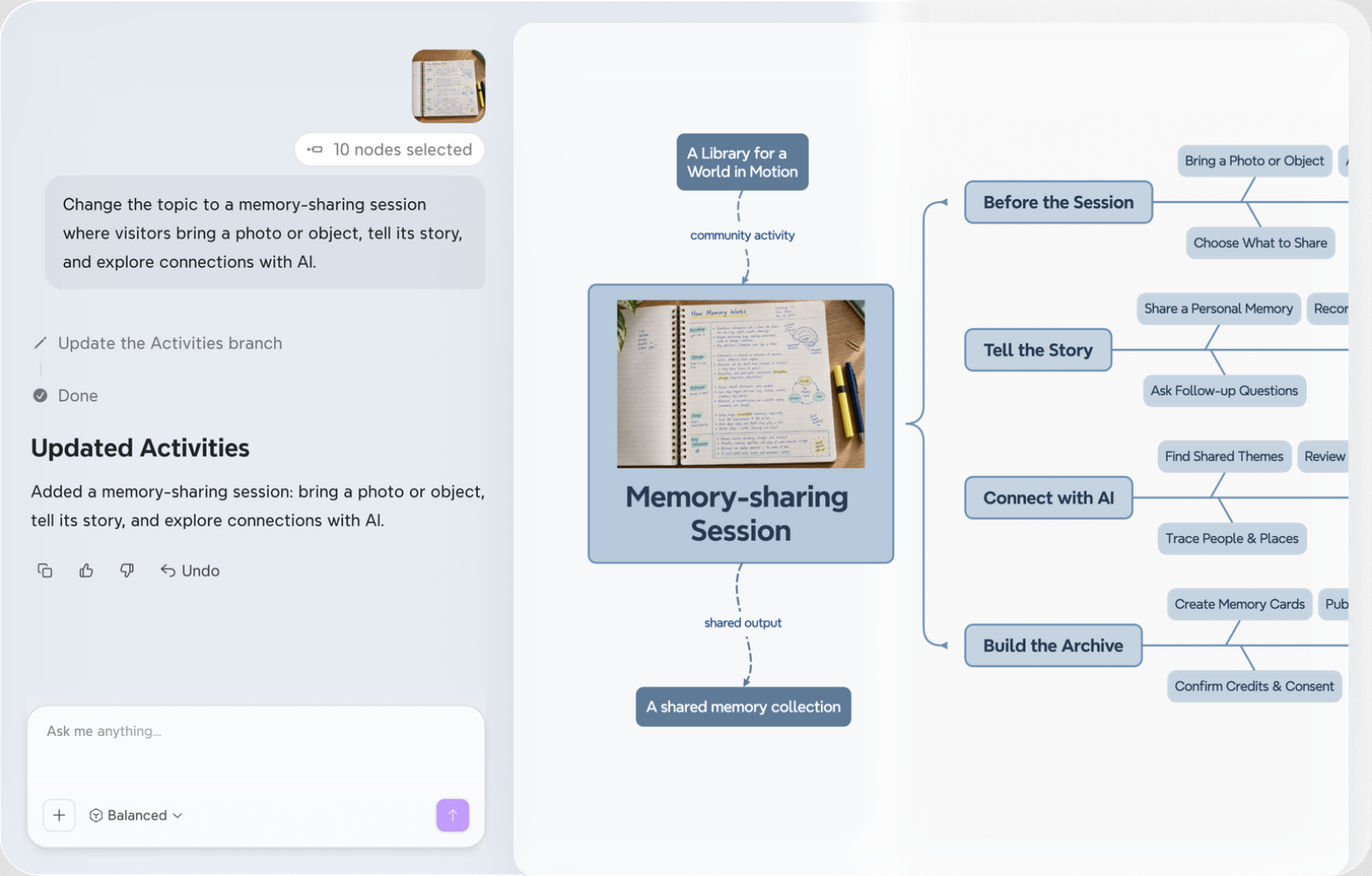
XMind is the closest thing Linux has to a commercial-grade mind mapping app. It is a native desktop program that works offline, and it goes beyond classic maps with several other diagram structures. The free plan covers the core app, while Pro adds the full export list and slide-style presentations.
Best for: people who want a clean interface and presentation tools, and are happy to pay for the full export list.
Key features
- Mind maps, logic charts, org charts, tree charts, fishbone diagrams, timelines and matrices
- Outliner view, Zen mode, themes and quick styles
- Pitch mode for slide-style presentations (Pro)
- Imports FreeMind, MindManager, MindNode, Markdown and OPML files
Pros
- Clean, quick interface
- Works offline, with iOS and Android apps for the same maps
- Easy migration from other mind mapping tools
Cons
- Exports from the free plan carry a watermark
- Several export formats, including SVG, Markdown and OPML, require Pro
- Closed source
- Collaboration is weaker than in browser-based tools
Price: Free plan, with Pro starting around $5 a month on annual billing. Install: a .deb package from xmind.app, or sudo snap install xmind.
3. Obsidian: Best for Note-Takers
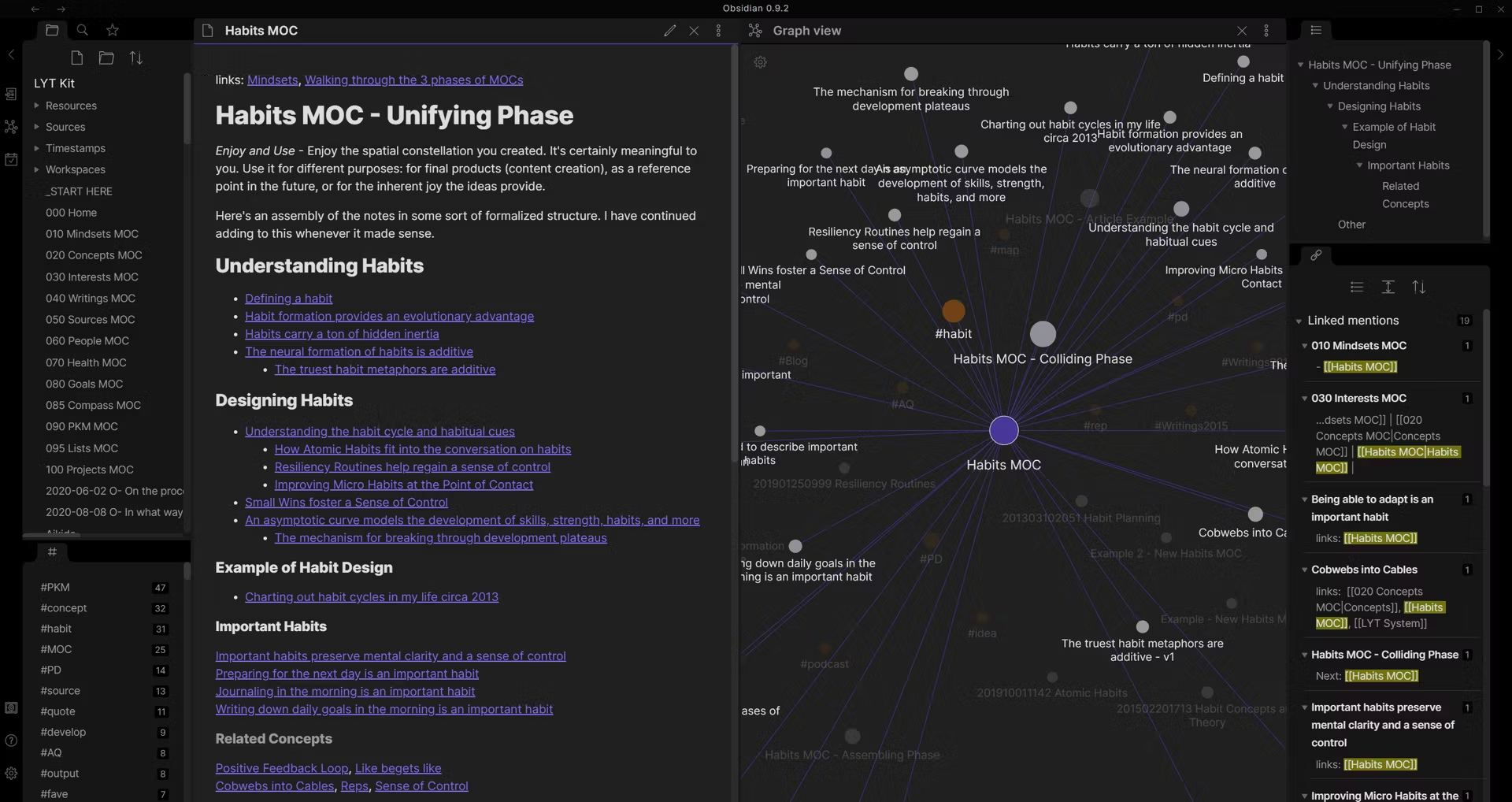
Obsidian is a Markdown note app, not a dedicated mind mapper, but it covers the job better than most people expect. The Canvas plugin handles freeform boards, and community plugins can turn any note into a mind map. Your data stays in plain Markdown files on disk, which is the real draw.
Best for: people who already keep notes in Markdown and want to see how the pieces connect.
Key features
- Canvas: an infinite board for notes, images and web pages, joined by arrows
- Mind map plugins based on Markmap (search for “Mind Map” in the community plugin browser)
- Backlinks and a graph view of linked notes
- Local-first storage in plain Markdown
Pros
- Free for personal and work use since February 2025
- A very large plugin library
- Plain-text files mean no lock-in
Cons
- Not a true mind mapping tool out of the box
- Most mind map plugins display your outline, so you edit text instead of dragging nodes
- Closed source, and Sync and Publish are paid add-ons
Price: Free. Install: AppImage, .deb or Snap from obsidian.md, or flatpak install flathub md.obsidian.Obsidian.
4. Minder: Best Native GTK App
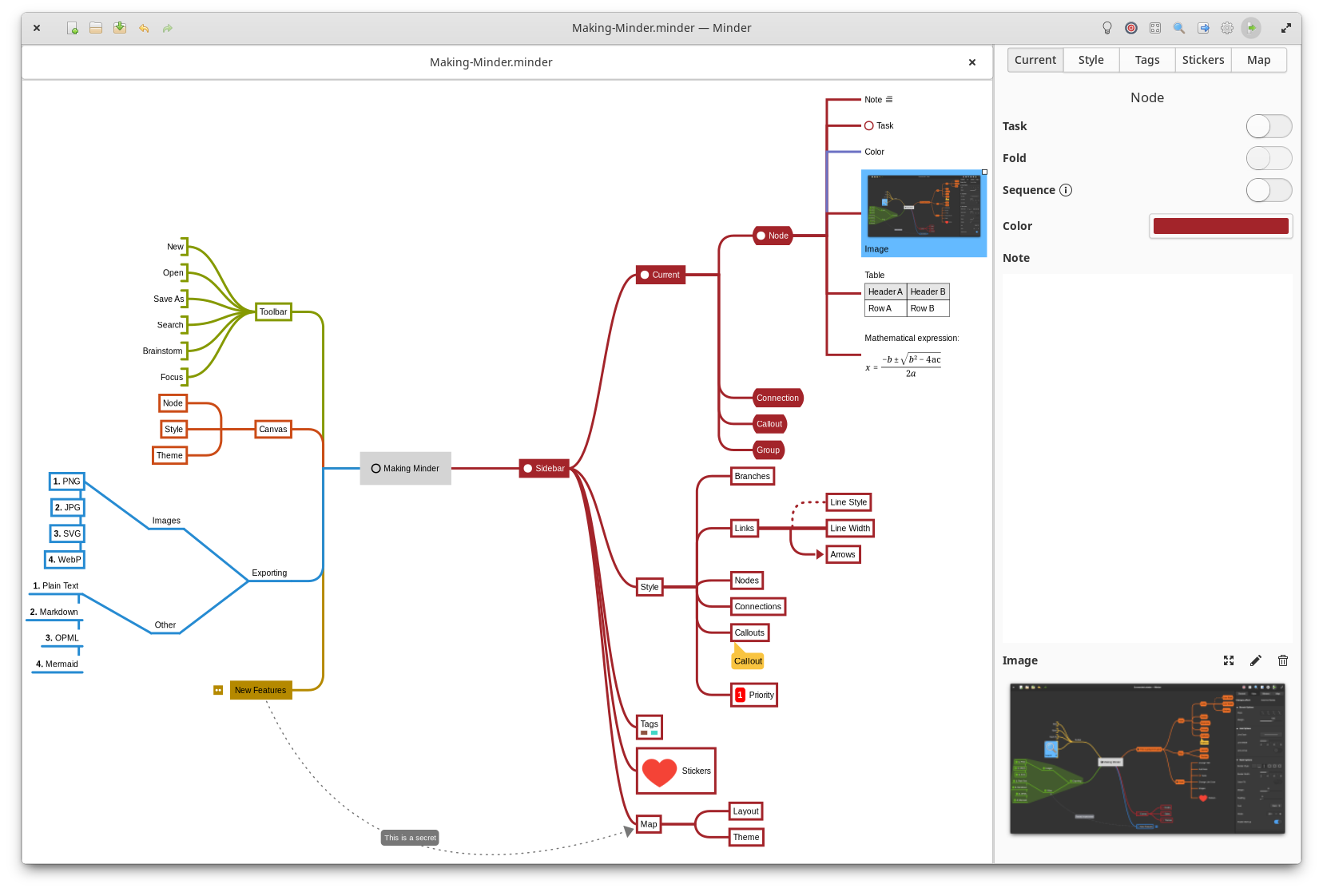
Minder is a small, quick mind mapper built with GTK and designed for elementary OS, though the Flatpak runs on any distro. It is the app to pick if you want something native that stays out of the way. Its import and export list is one of the longest in this roundup, which makes it a handy bridge between other tools.
Best for: people who want a tidy desktop-native app with no setup fuss.
Key features
- Keyboard-first entry with automatic layout and several tree layouts
- Markdown in nodes, plus notes, tasks and images
- Node connections, stickers, groups and a focus mode
- Imports OPML, FreeMind, Freeplane and XMind; exports to PDF, PNG, SVG, Markdown, OPML, Mermaid, Org-mode and more
Pros
- Fast and uncluttered
- Free and open source
- Wide format support makes migration easy
Cons
- No scripting or formulas, so it is lighter than Freeplane
- Designed around elementary OS, so it may look out of place on other desktops
- No collaboration features
Price: Free. Install: flatpak install flathub com.github.phase1geo.minder is the simplest route. Arch, Fedora, Debian, Ubuntu and Void also package it, though those versions may lag. Project page: github.com/phase1geo/Minder.
5. VYM (View Your Mind): Best for Structured Maps and Slide Exports
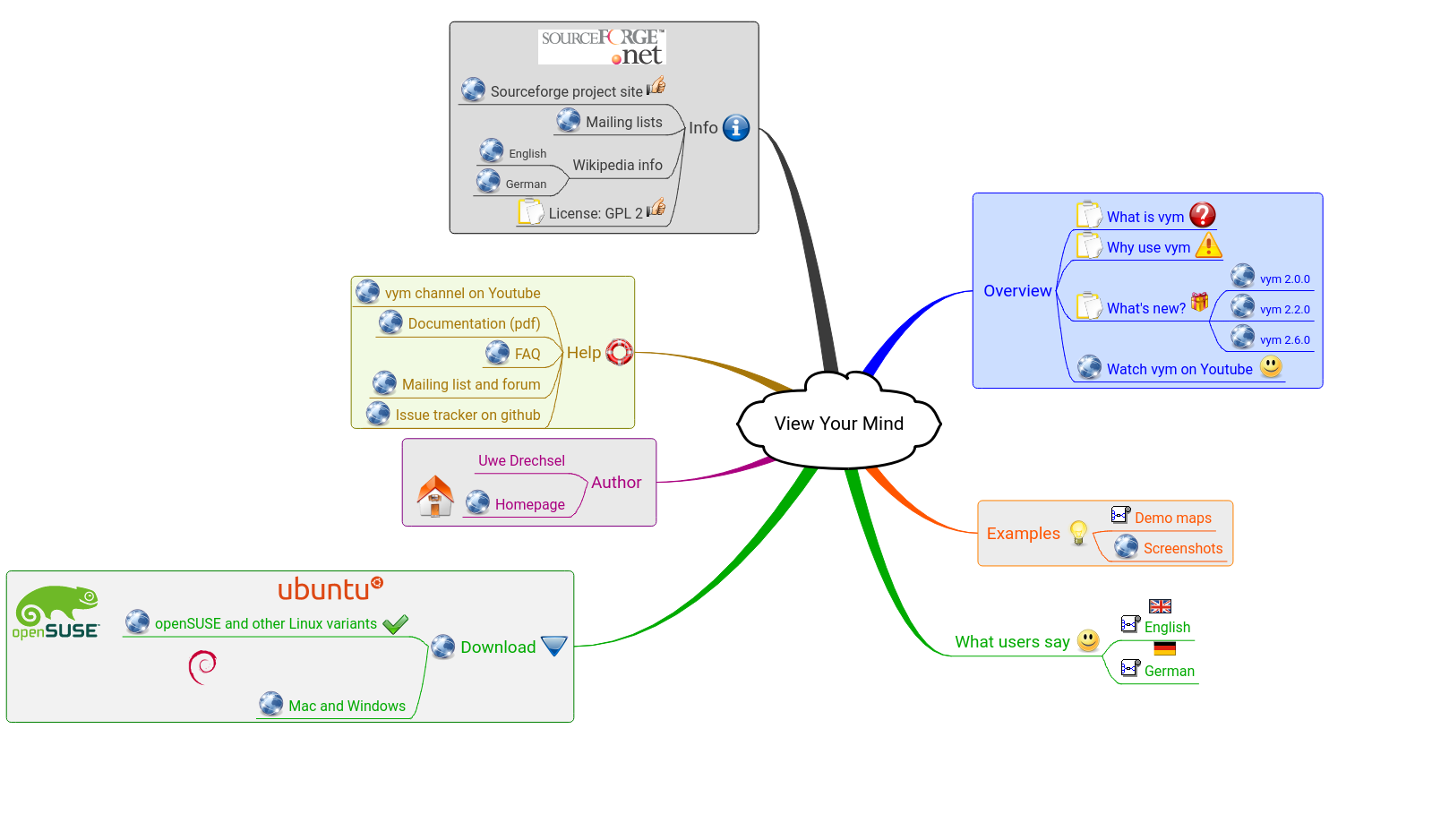
VYM is a Qt app that has been around for a long time and is still under active development. It treats a map as a strict hierarchy, which suits planning and outlining. Its strength is output: a brainstorm can become a LibreOffice Impress deck or a LaTeX document without retyping a word.
Best for: writers and planners who turn maps into documents or slides.
Key features
- Rich-text notes, flags, images and tasks on every branch
- Links between branches and between maps
- Scripting and command-line control
- Exports to HTML, Markdown, LaTeX, OpenDocument presentations, PDF, SVG and images
Pros
- Strong export options, including slides
- Mature, stable and keyboard-friendly
- Free and open source
Cons
- The interface feels old-school
- Distro repositories often trail the latest release
- Uses its own .vym file format
- No real-time collaboration
Price: Free. Install: from your distro repository, for example sudo apt install vym or sudo dnf install vym. Project page: insilmaril.de/vym.
6. Mindolph: Best All-in-One Workspace
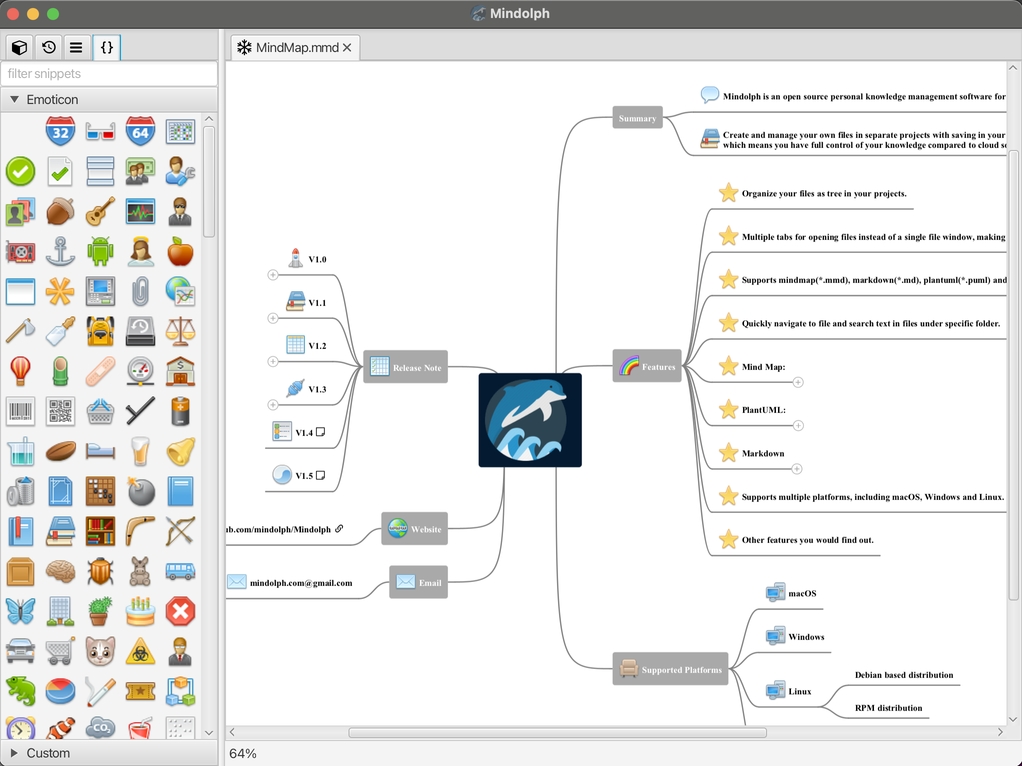
Mindolph is a Java app that puts a mind map editor, a Markdown editor, PlantUML diagrams, CSV sheets and plain text into one tabbed workspace. Files live in ordinary folders on your disk. It is a good fit if you currently juggle a mind mapper, a note app and a diagram tool.
Best for: developers and writers who want maps, notes and diagrams in a single app.
Key features
- Mind maps, Markdown, PlantUML, CSV and text files in one workspace
- Imports from FreeMind, MindMup, XMind, Coggle and Novamind
- Exports to FreeMind, Markdown, AsciiDoc, PNG and SVG
- Optional generative AI features that use your own API key
Pros
- Maps, notes and diagrams live in one place
- Broad import support
- Open source, with plain local files
Cons
- Linux installation means a .deb package or a JAR file you run with Java
- PlantUML previews need Graphviz installed
- Smaller community and fewer tutorials than the big names
Price: Free. Install: download the .deb or JAR from the Mindolph GitHub page.
7. Heimer: Best for Quick, Simple Maps
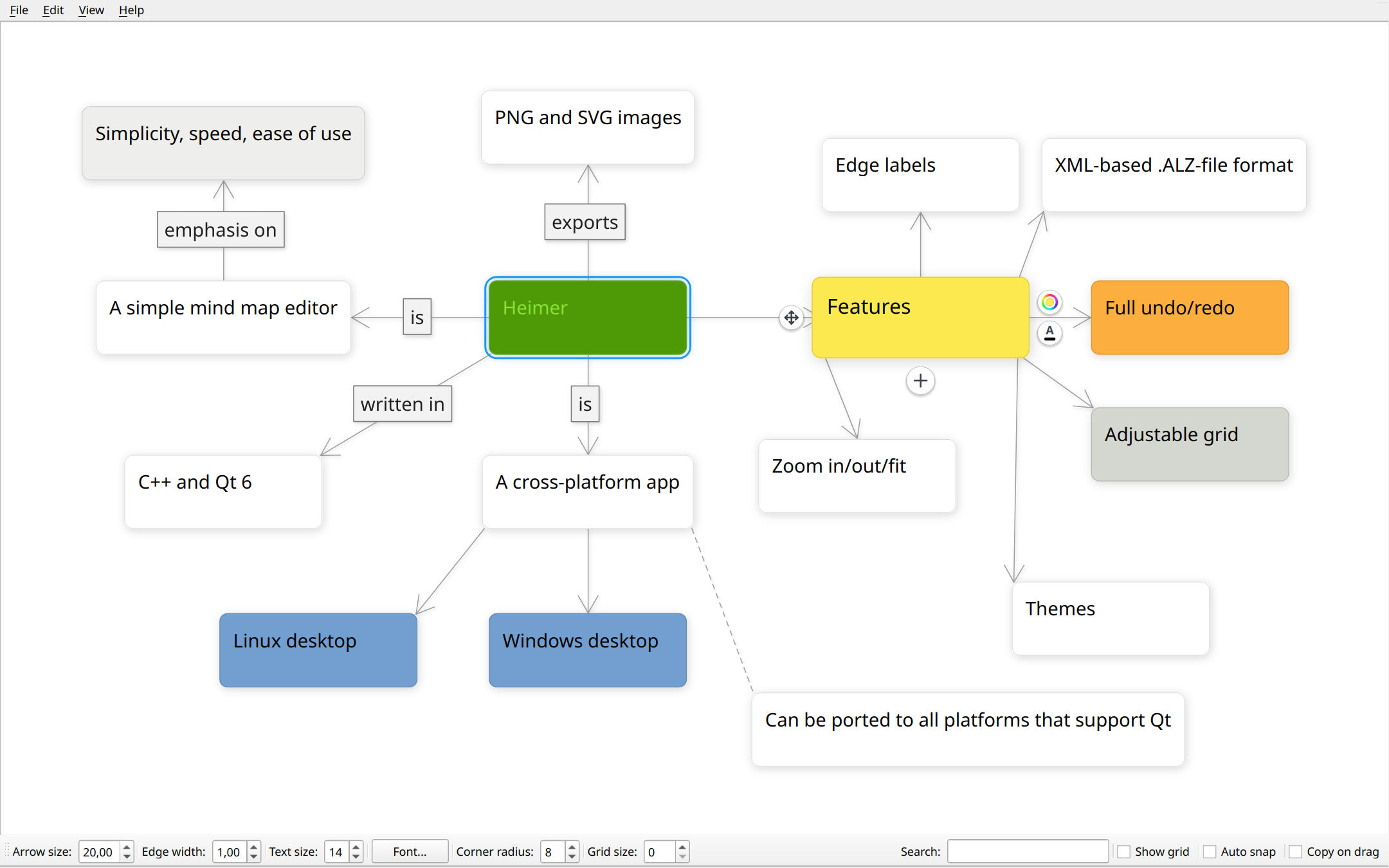
Heimer is a lightweight Qt app for mind maps and other simple diagrams. It is deliberately basic, and that is the appeal: open it, add nodes, connect them, export an image.
Best for: quick sketches, and anyone who finds bigger apps overwhelming.
Key features
- Adjustable grid and automatic layout optimization
- Autosave, undo and redo
- Text search and zoom
- Export to PNG and SVG
Pros
- Light and fast
- Simple enough to learn in minutes
- Free and open source
Cons
- Exports only PNG and SVG
- Uses its own .alz file format
- Releases are infrequent, and the feature set is smaller than the bigger apps
Price: Free. Install: sudo snap install heimer, or grab a .deb or AppImage from the Heimer GitHub page.
8. Markmap: Best for Markdown Fans
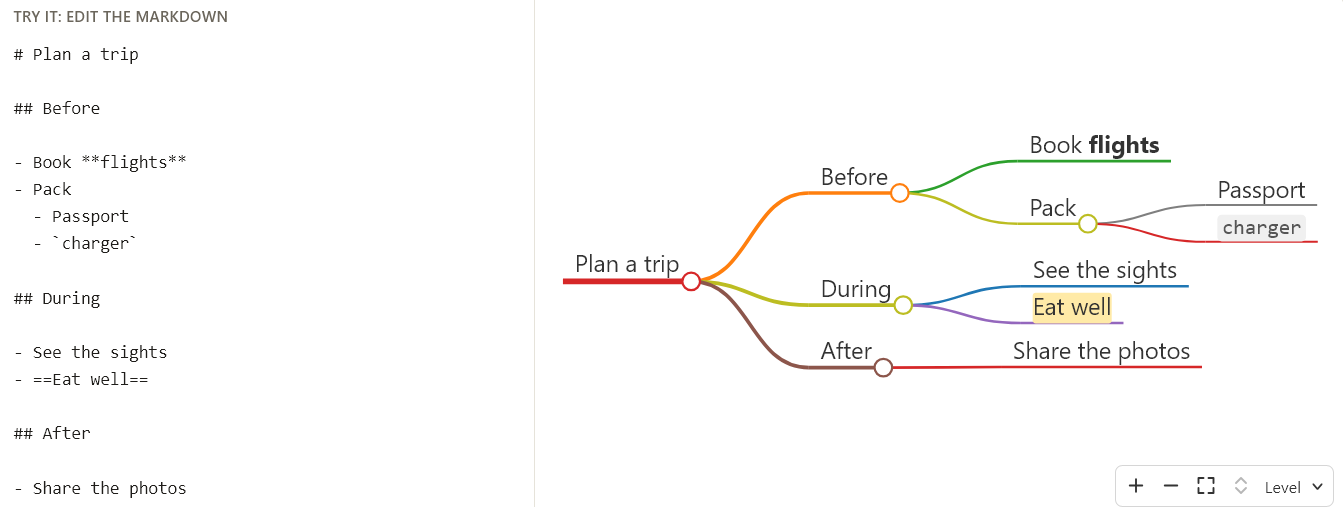
Markmap turns a Markdown file into an interactive mind map. Headings and list items become branches. Run npx markmap-cli notes.md and you get an HTML file you can open, zoom and fold in the browser. The same engine powers a VS Code extension, a web playground and several Obsidian plugins. If you already draw diagrams as code, Mermaid and PlantUML offer mind map syntax too.
Best for: developers and technical writers who live in text files.
Key features
- Headings and lists become branches automatically
- Command-line tool, VS Code extension and web playground
- Outputs a standalone interactive HTML file
Pros
- Plain text works with Git, diff tools and any editor
- No lock-in
- Free and open source
Cons
- You edit Markdown, not the map itself
- Limited layout and styling control
- A poor fit for freeform brainstorming
Price: Free. Install: npm install -g markmap-cli, the VS Code extension, or an Obsidian plugin. Project page: markmap.js.org.
9. diagrams.net (draw.io): Best for Mixing Maps With Other Diagrams
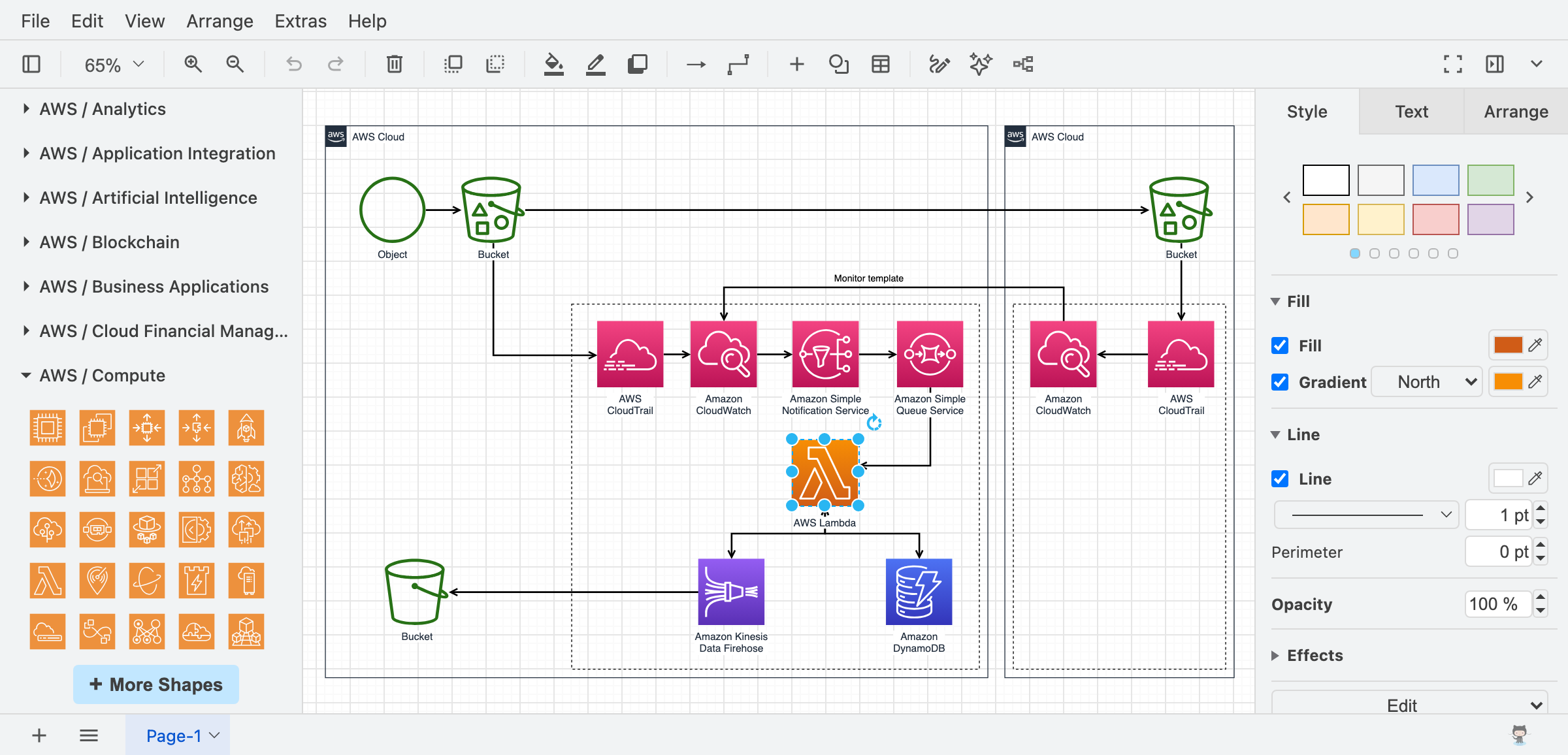
diagrams.net, better known as draw.io, is a general diagramming tool with a desktop app that runs offline on Linux. Pick it when the mind map is only one piece of a larger diagram.
Best for: technical documentation and projects where maps sit next to other diagram types.
Key features
- Mind map templates and automatic tree layouts
- Large shape libraries for flowcharts, UML, networks and cloud diagrams
- Exports to PNG, SVG, PDF and more
- The desktop app works offline, so diagrams stay on your machine
Pros
- Free and open source, with no account needed
- Handles almost any diagram type
- Packages in .deb, .rpm, AppImage, Snap and Flathub form
Cons
- Building a map is slower than in a dedicated mind mapper
- Electron-based, so heavier than native apps
Price: Free. Install: sudo snap install drawio, or download a .deb, .rpm or AppImage from the drawio-desktop GitHub page.
Browser-Based Mind Mapping Tools That Work on Linux
Desktop apps mostly rely on shared files. If you need to build a map with other people at the same time, a browser tool is the practical choice. These three run in Firefox, Chrome and any other Linux browser, though all of them need an internet connection.
Coggle: Best for Simple Collaboration

Coggle is clean and quick, with real-time co-editing, change history and link sharing. The free plan allows unlimited public diagrams and three private ones, and the paid Awesome plan costs about $5 a month for unlimited private diagrams. It exports PDF, PNG and Visio files and also reads and writes FreeMind’s .mm format, so maps can move between Coggle and Freeplane. Website: coggle.it.
MindMeister: Best for Turning Ideas Into Tasks

MindMeister is a long-running browser mind mapper with real-time collaboration, templates and a presentation mode. It can turn nodes into tasks, which suits planning work. The free plan caps you at three mind maps, and paid plans remove the limit. Website: mindmeister.com.
Miro: Best When Maps Are Part of a Whiteboard
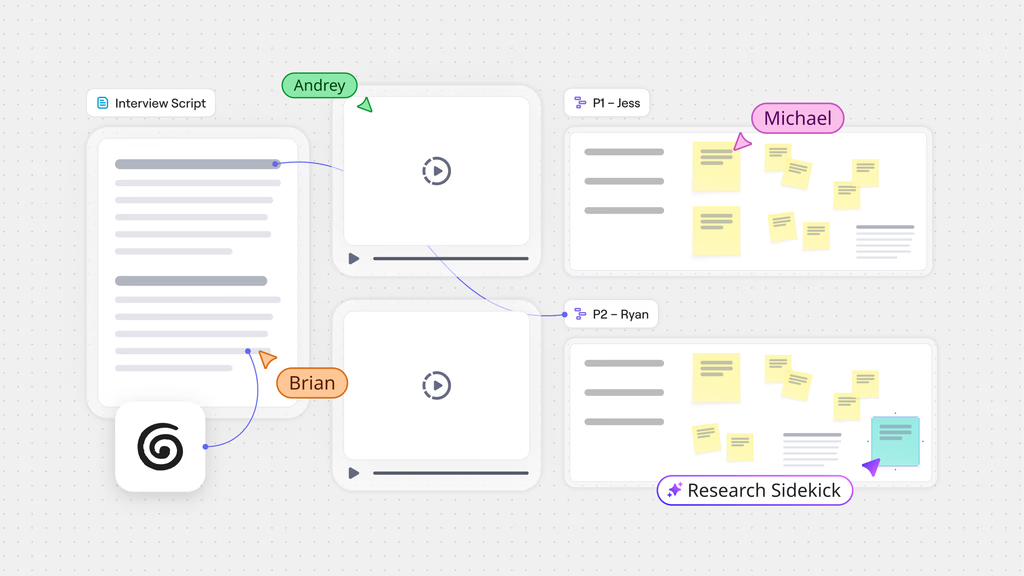
Miro is an infinite whiteboard with a mind map tool built in. It suits teams that mix maps with sticky notes, diagrams and planning boards. The free plan limits you to three editable boards, which gets tight for ongoing work. Website: miro.com.
Logseq: Outliner With Whiteboards

Logseq is an open-source outliner with whiteboards, and it can stand in for a mind map when your ideas are already bullet points. It is in the middle of a transition. The file-based version has been renamed Logseq OG, and the database-based Logseq 2 entered beta in mid-2026. Try it if you like outliners, but expect some change. Website: logseq.com.
Apps to Skip
FreeMind: Skip It
FreeMind was the standard Linux mind mapper for years. Its last stable release, 1.0.1, came out in 2014, and development stopped after a 1.1.0 beta in 2016. It runs on Java 8 and 11 but not on Java 17 or newer, which is a problem on current distros. Freeplane is its active fork and opens FreeMind files, so there is no reason to start new maps in FreeMind.
How to Choose a Mind Mapping App for Linux
- Budget: Freeplane, Minder, VYM, Heimer, Mindolph, Markmap and diagrams.net cost nothing, and Obsidian is free too. XMind, Coggle, MindMeister and Miro put features or limits behind paid plans.
- Collaboration: Only the browser tools offer real-time co-editing. Desktop apps mostly rely on shared files or exports.
- Runtime: Freeplane and Mindolph need Java. Obsidian and diagrams.net are Electron apps. Minder, VYM and Heimer are native. Flatpak, Snap or AppImage builds exist for most of them.
- Exit options: Favor apps that export to OPML, Markdown or FreeMind’s .mm format so your maps outlive the app.
- Maintenance: Check the date of the last release before you commit. FreeMind is the cautionary tale.
Moving Maps Between Apps
Lock-in is the main long-term risk with any mind mapping tool. These formats make switching easier.
- FreeMind (.mm): Freeplane opens it natively. Minder, Mindolph, XMind and Coggle can import it, and Minder, Mindolph and Coggle can export to it.
- OPML: a plain outline format. Minder reads and writes it, and XMind imports it.
- Markdown: Minder and Mindolph export it, XMind imports it, and Markmap and Obsidian use it as their native format.
- .xmind: Minder imports and exports it, and Mindolph imports it.
- PNG, SVG and PDF: fine for sharing, but you cannot edit a map from an image.
Linux users can sync map files with Syncthing or Nextcloud. Text-based formats such as Markdown, OPML and Freeplane’s XML-based .mm files also work well with Git.
Which Mind Mapping App Should You Install?
If you want one answer, install Freeplane. It is free, actively maintained and has the deepest feature set on Linux. Choose XMind if a polished interface and presentation tools matter more to you than cost. If your notes already live in Markdown, add Obsidian or Markmap. If you work with other people, use Coggle in a browser. Minder, VYM, Heimer, Mindolph and diagrams.net are all good second apps for a specific job, and most take a single command to install.
Frequently Asked Questions
What is the best mind mapping software for Linux?
Freeplane is the best choice for most people. It is free, open source, actively developed and packed with features. XMind is the better pick if you want a polished interface and are willing to pay for full export options. Obsidian suits people who already take notes in Markdown.
Is there a free mind mapping app for Linux?
Yes. Freeplane, Minder, VYM, Heimer, Mindolph, Markmap and diagrams.net are free and open source, and all of them work offline. Obsidian is free but closed source. XMind, Coggle, MindMeister and Miro offer free plans with limits.
Should I choose Freeplane or XMind?
Choose Freeplane if you want the deepest free feature set, scripting and exports with no watermark. Choose XMind if you prefer a cleaner interface, more diagram types and presentation tools, and you are fine paying for Pro to remove export watermarks and add more formats.
Does XMind work on Linux?
Yes. XMind has an official Linux build that works offline. You can download a .deb package from xmind.app or install a Snap package. The free plan adds a watermark to exports, and the Pro plan removes it.
Is FreeMind still worth using on Linux?
No. The last stable release of FreeMind came out in 2014, and development stopped after a beta in 2016. It also does not run on Java 17 or newer. Use Freeplane instead, an active fork that opens FreeMind files.
Can I open FreeMind or XMind files in other Linux mind mapping apps?
Yes. Freeplane opens FreeMind files directly. Minder imports FreeMind, Freeplane and XMind files, and Mindolph imports FreeMind, XMind, MindMup, Coggle and Novamind files. For anything else, export to OPML or Markdown and import that.
Is there a Linux mind mapping app with real-time collaboration?
Native desktop apps are mostly built for one person at a time. Coggle, MindMeister and Miro run in a browser on Linux and support real-time editing. With desktop apps, share the map file through Nextcloud, Syncthing or Git instead.
What are the best Linux alternatives to MindNode or MindManager?
MindNode is Apple-only and the MindManager desktop app targets Windows and macOS, so neither installs natively on Linux. XMind is the closest match for polish, Freeplane for features, and Coggle or MindMeister for browser-based use.
Can I make a mind map from Markdown on Linux?
Yes. Markmap turns Markdown headings and lists into an interactive mind map through a command-line tool, a VS Code extension or an Obsidian plugin. XMind can also import Markdown files. Mermaid and PlantUML offer mind map syntax if you prefer diagrams as code.