
Every Ubuntu or Fedora user eventually hits the same wall. The six-month update cycle stops feeling exciting and starts feeling like a chore, or worse, a two-year LTS jump breaks half your configuration in one sitting. Rolling release distributions exist because a lot of Linux users got tired of that rhythm and wanted their system to just stay current, indefinitely, without the ceremony of a version upgrade.
This guide covers what a rolling release Linux distribution actually is, how it differs from the traditional fixed-release model, and which rolling release distros are genuinely worth your time. Not everything that ships frequent updates is a rolling release, and a few names that show up on typical “best rolling distro” lists are really just fixed releases with a fast update schedule, or hybrids that only roll under specific conditions. We’ll sort out which is which as we go.
Rolling Release Distros Compared
| Distribution | Base | Package Manager | Update Model | Default Desktop | Beginner-Friendly | Best For |
|---|---|---|---|---|---|---|
| Arch Linux | Independent | pacman | True rolling | None (DIY) | No | Full control, AUR access |
| openSUSE Tumbleweed | Independent | zypper | True rolling, tested | KDE Plasma / GNOME | Yes | Tested rolling with rollback |
| Gentoo | Independent | Portage | True rolling | None (DIY) | No | Deep customization, compiling |
| Void Linux | Independent | XBPS | True rolling | Xfce or none | No | Minimalists, musl/runit fans |
| Solus | Independent | eopkg | Semi-rolling, weekly | Budgie | Yes | Curated desktop experience |
| KaOS | Independent | pacman | True rolling | Niri/Noctalia (2026+) | No | Lean, focused desktop |
| NixOS | Independent | Nix | Rolling (unstable) or stable channel | None (DIY) | No | Reproducible, declarative systems |
| PCLinuxOS | Independent | APT-RPM / DNF | True rolling | KDE Plasma / Xfce / Mate | Somewhat | Long-time independent distro fans |
| EndeavourOS | Arch-based | pacman | True rolling | Choice at install | Somewhat | Near-vanilla Arch with an installer |
| Manjaro | Arch-based | pacman | True rolling, delayed branches | KDE Plasma / GNOME / Xfce | Yes | Arch power with less manual setup |
| CachyOS | Arch-based | pacman | True rolling | Choice at install | Somewhat | Gaming and performance |
| Garuda Linux | Arch-based | pacman | True rolling | KDE Plasma | Somewhat | Gaming with built-in snapshots |
| SparkyLinux | Debian testing | APT | Semi-rolling | LXQt | Somewhat | Debian-family rolling option |
This table is meant as a quick reference, not a replacement for the detail above. “Beginner-friendly” reflects how much the installer and defaults do for you, not how capable the distro is once set up.
What Is a Rolling Release Linux Distribution?
A rolling release distribution doesn’t have version numbers the way Ubuntu 24.04 or Fedora 41 do. You install it once, and from that point on, your system receives a continuous stream of package updates instead of being frozen at a snapshot and later replaced by a new one. There’s no scheduled jump from one version to the next. There’s just the same installation, continuously updated, for as long as you keep it around.
Compare that to a fixed release distro. Debian, Ubuntu, Fedora, and RHEL all take a snapshot of software at some point, test it as a cohesive unit, and support that exact snapshot for a defined period, usually with security patches and critical bug fixes only. New software versions and feature updates mostly wait for the next scheduled release. When your Ubuntu 22.04 reaches end of life, you do a release upgrade, or a fresh install, to get onto 24.04, and that jump moves a lot of software forward all at once.
On a rolling release, that entire dynamic doesn’t apply. When a new Linux kernel ships, it typically reaches Arch’s repositories within days. When KDE Plasma or GNOME puts out a new release, most rolling distros have it packaged within a week or two, sometimes faster. Firefox, LibreOffice, your Python interpreter, your graphics drivers: all of it updates continuously rather than waiting for a distro’s next scheduled version.
That’s also why rolling distros don’t come with “upgrade to the next major version” instructions the way Ubuntu or Fedora do. There usually isn’t a next major version to upgrade to. The system you installed years ago is, functionally, the same system running today’s software, provided you’ve kept it updated. Exceptions do happen occasionally, a distro switching init systems or overhauling its default desktop is a real disruption when it occurs, but these are rare events rather than the normal pattern.
The tradeoff is obvious once you say it out loud. Continuous updates mean continuously integrating new software, and new software occasionally has bugs that a longer testing and freeze period would have caught. Rolling distros vary quite a bit in how they manage that risk. Some, like Arch, push packages to the repos quickly with limited automated testing, relying on a large user base and fast community response to catch problems. Others, like openSUSE Tumbleweed, run every proposed snapshot through hours of automated testing before it’s allowed to reach anyone. That difference matters more than almost anything else when you’re choosing between rolling distros, and it’s a thread we’ll come back to throughout this guide.
Rolling Release vs Stable/Fixed Release Linux
Neither model is objectively better. They’re built around different priorities, and which one makes sense depends heavily on what you’re actually doing with the machine.
| Factor | Rolling Release | Fixed/Stable Release |
|---|---|---|
| Software freshness | Continuously current, often within days of upstream | Frozen at release, refreshed only at the next version |
| Stability approach | Depends entirely on the distro’s testing pipeline | Long freeze and testing period before release |
| Update frequency | Ongoing, often several times a week | Small patches between releases, big changes at upgrade time |
| Security patching | Usually fast, tied closely to upstream releases | Backported fixes maintained through a defined support window |
| New hardware support | Generally strong, thanks to frequent kernel updates | Can lag until a backport or the next release |
| Major version upgrades | Not really a thing; the system stays current in place | Required periodically, sometimes disruptive |
| Day-to-day maintenance | Higher; updates deserve some attention | Lower; mostly hands-off between releases |
| Typical best fit | Enthusiasts, gamers, developers, new hardware | Servers, production systems, stability-first users |
Troubleshooting looks different in each model too. On a fixed release, a problem you hit today probably matches a problem thousands of other people on the exact same frozen package set have already hit, so old forum threads and bug reports stay relevant for years. On a rolling release, your exact package combination might be days old, which means fewer existing threads match your situation precisely, but it also means real bugs tend to get fixed and reach you faster once someone identifies them.
For gaming, rolling releases usually win, and it isn’t close. Mesa, the kernel, and Proton and Wine all improve quickly, and a new GPU or a newly Proton-compatible game often needs a newer kernel or Mesa build than what a six-month-old fixed release ships. That’s a big part of why CachyOS, Garuda Linux, and Arch itself show up constantly in Linux gaming communities.
Development work benefits in a similar way: current language runtimes, current container tooling, current compilers. Fixed release distros aren’t unusable for this, Ubuntu LTS and Fedora both work fine for a lot of development, but you’ll hit “the version in the repos is too old” more often, and end up adding third-party repos or reaching for containers to work around it, which is exactly the kind of manual effort a rolling release skips by design.
Servers are the clearest case for fixed releases, and this isn’t really controversial. Predictable, versioned environments make change management, compliance, and vendor support far simpler, which is why RHEL, Ubuntu LTS, and Debian stable dominate server deployments. That’s not an absolute rule, though. openSUSE Tumbleweed’s automated testing and NixOS’s reproducible, declarative configuration have both earned legitimate footholds in production environments, particularly where a team already has the discipline and tooling to manage that kind of continuous change. For most organizations without that specific setup, a distro with a defined, vendor-backed support lifecycle stays the safer default.
Beginners are the case people argue about most, and the honest answer depends entirely on which rolling distro you mean. Installing bare Arch or Gentoo as a first Linux system is a genuinely rough idea; you’ll spend your first weekend on partitioning and bootloader configuration instead of learning how to use Linux. openSUSE Tumbleweed, EndeavourOS, or Manjaro remove most of that friction with graphical installers and sane defaults, and Tumbleweed in particular runs automated testing specifically so ordinary users don’t get handed a broken system. A rolling release isn’t automatically the wrong choice for someone new. A rolling release with no installer and no safety net is a different question.
What to Look for in a Rolling Release Distro
Not every rolling release carries the same amount of risk, and those differences matter more than the “rolling” label itself. A few things worth checking before you commit to one:
- Independent or derivative: is this distro building its own packages from scratch, or repackaging another distro’s repos, usually Arch’s, with different defaults? Neither is inherently better, but it changes where bugs originate and how large the surrounding community is.
- Testing pipeline: does anything check a package before it reaches you, or does it go straight from upstream to your machine? openSUSE Tumbleweed’s automated openQA testing is the most rigorous example here; Arch and most of its derivatives lean more on community response after release.
- Rollback and snapshot tools: Btrfs with Snapper, NixOS’s generational rollbacks, and Timeshift (available as an add-on almost anywhere) all give you a way back if an update goes wrong. Distros without any of this by default put more of that responsibility on you.
- Package manager and community repository: pacman plus the AUR, XBPS, eopkg, Portage, and Nix all behave differently and sit on top of very differently sized pools of community-contributed software.
- Desktop environment support: some rolling distros support nearly every desktop environment; others are built tightly around one.
- Documentation and community size: the Arch Wiki is famously useful even if you don’t run Arch, and a larger community generally means faster answers when something breaks.
- Architecture support: most of these are x86-64 first, but ARM support varies a lot if that matters to you.
Best Rolling Release Linux Distros
The list below sticks to distributions that genuinely follow a rolling release model, or that follow a clearly explained hybrid version of one. A few well-known Arch-based names are grouped together deliberately, since they share the same underlying rolling repositories and aren’t really independent choices at a technical level.
Arch Linux
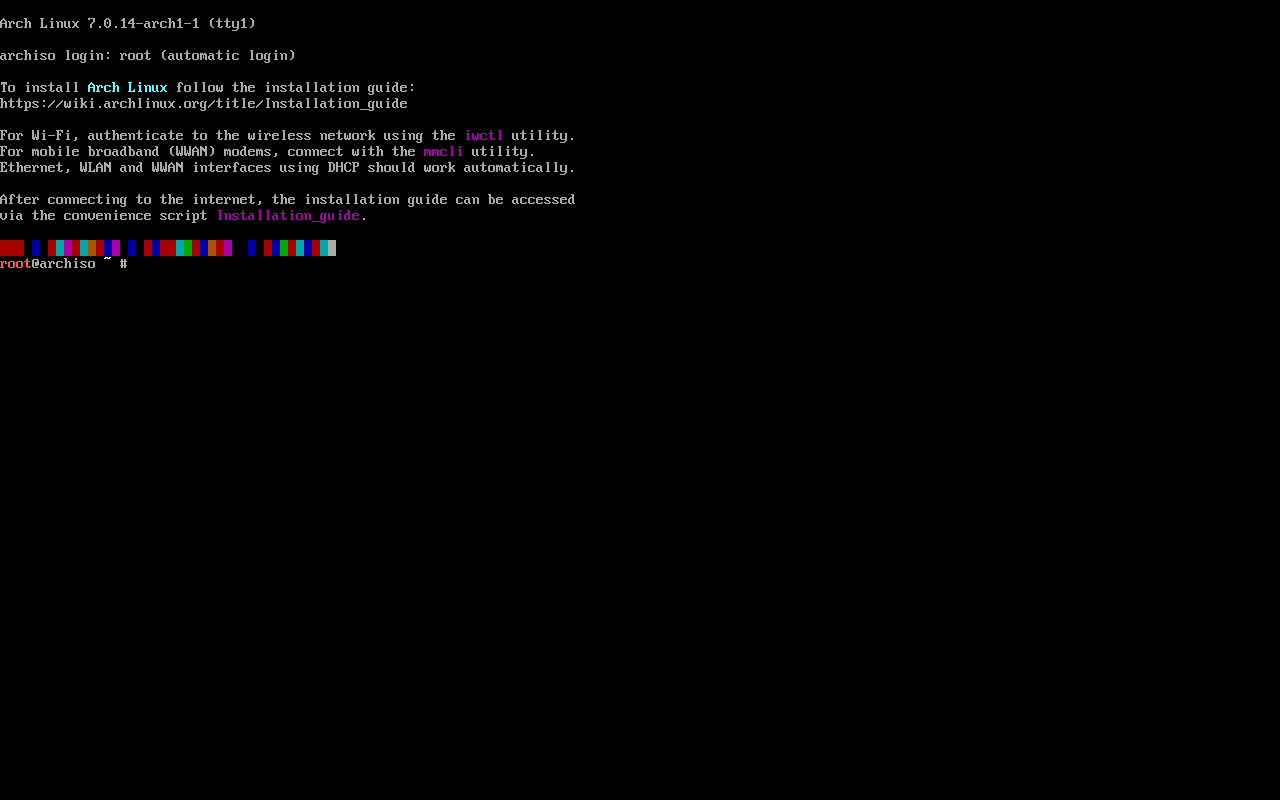
Arch Linux is the distribution most people picture when they hear “rolling release,” and for good reason. It’s the reference implementation several other entries on this list are built directly on top of.
Arch ships an extremely minimal base system. There’s no included desktop environment, no bundled office suite, no assumptions about what you want the machine to do. You choose the desktop environment, display manager, audio stack, and pretty much everything else yourself, either by hand or with archinstall, Arch’s official guided text installer, which has become the more common path for new installs without changing what the system looks like once it’s running.
Software reaches Arch’s repositories quickly, often within days of an upstream release, and pacman is fast once you know its handful of commands. The bigger draw for a lot of people is the Arch User Repository. The AUR is a huge, community-maintained collection of build scripts covering software that isn’t in Arch’s official repos, from obscure command-line tools to AUR-only builds of popular apps. It isn’t vetted the way the main repos are, so it’s worth a glance at what you’re installing, but it’s a major reason people choose Arch-based systems over almost anything else.
The tradeoff is that Arch expects you to understand your system. There’s no automated testing gate before packages reach the repos, and doing a partial upgrade, updating some packages while leaving others behind, is explicitly unsupported and a common way to break things. The Arch Wiki is excellent, arguably the best piece of Linux documentation that exists, and it covers all of this in detail. You do need to actually read it.
Pros:
- Full access to the Arch User Repository and its huge range of community-maintained software
- New software and kernels reach the repos quickly
- Minimal base install means no bloat and no decisions made for you
- Documentation via the Arch Wiki is exceptional, even for non-Arch users
Cons:
- No graphical installer beyond the guided archinstall script
- Partial upgrades are unsupported and a real way to break your system
- No automated testing layer before packages reach users
- Requires ongoing attention rather than being a set-and-forget system
openSUSE Tumbleweed
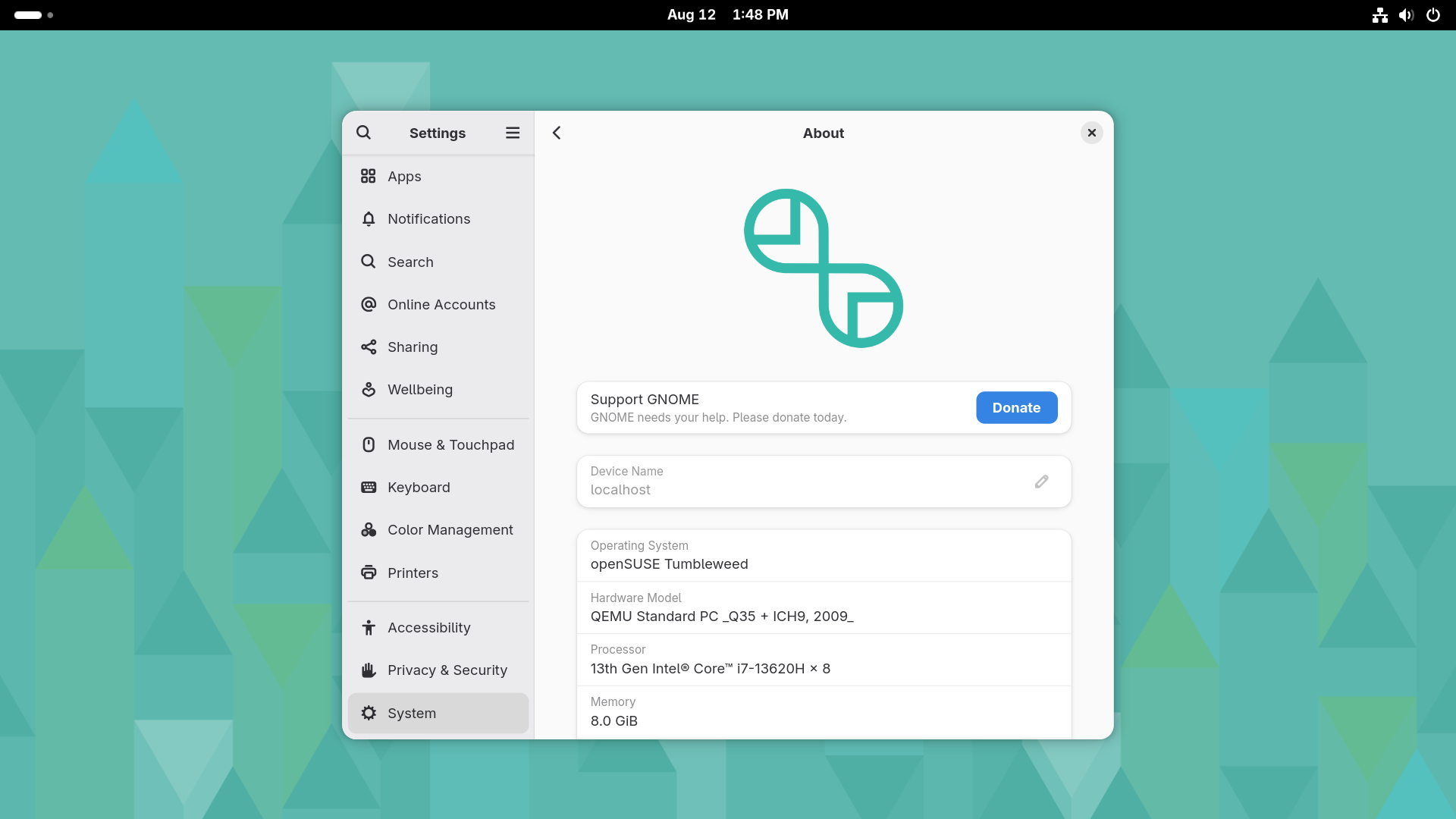
openSUSE Tumbleweed takes a different approach to the same rolling idea: stay current, but test rigorously before anything reaches users.
Every proposed snapshot goes through the Open Build Service and then openQA, an automated testing system that runs real installation, upgrade, and desktop scenarios against it before release. If a snapshot fails, it doesn’t ship. This produces a rolling release with a noticeably lower rate of update-induced breakage than most of its peers, at the cost of new packages landing a little behind where they’d land on Arch, usually by a few days.
Tumbleweed uses zypper as its package manager. The correct update command is zypper dup, not zypper up, since dup is built specifically to handle the package replacements and version jumps a rolling repository produces. YaST ties system configuration together in one place, covering everything from networking to partitioning. Tumbleweed ships on Btrfs by default with Snapper taking automatic snapshots before updates, so a bad snapshot is genuinely easy to roll back to from the bootloader menu. openSUSE also maintains Slowroll, a slower-cadence spin of Tumbleweed for people who want the rolling model with less frequent churn, worth knowing about if Tumbleweed’s default pace sounds like more than you want.
Tumbleweed supports KDE Plasma, GNOME, and most other major desktop environments, runs on several CPU architectures beyond x86-64, and generally has strong hardware support out of the box.
Pros:
- Automated openQA testing catches many problems before users ever see them
- Btrfs and Snapper snapshots make rollback straightforward
- YaST provides a genuinely unified system configuration tool
- Strong multi-architecture and hardware support
Cons:
- New packages land a few days behind Arch on average because of the testing pipeline
- Full multimedia support usually needs the third-party Packman repository
- Smaller pool of community-contributed packages than the AUR
Gentoo
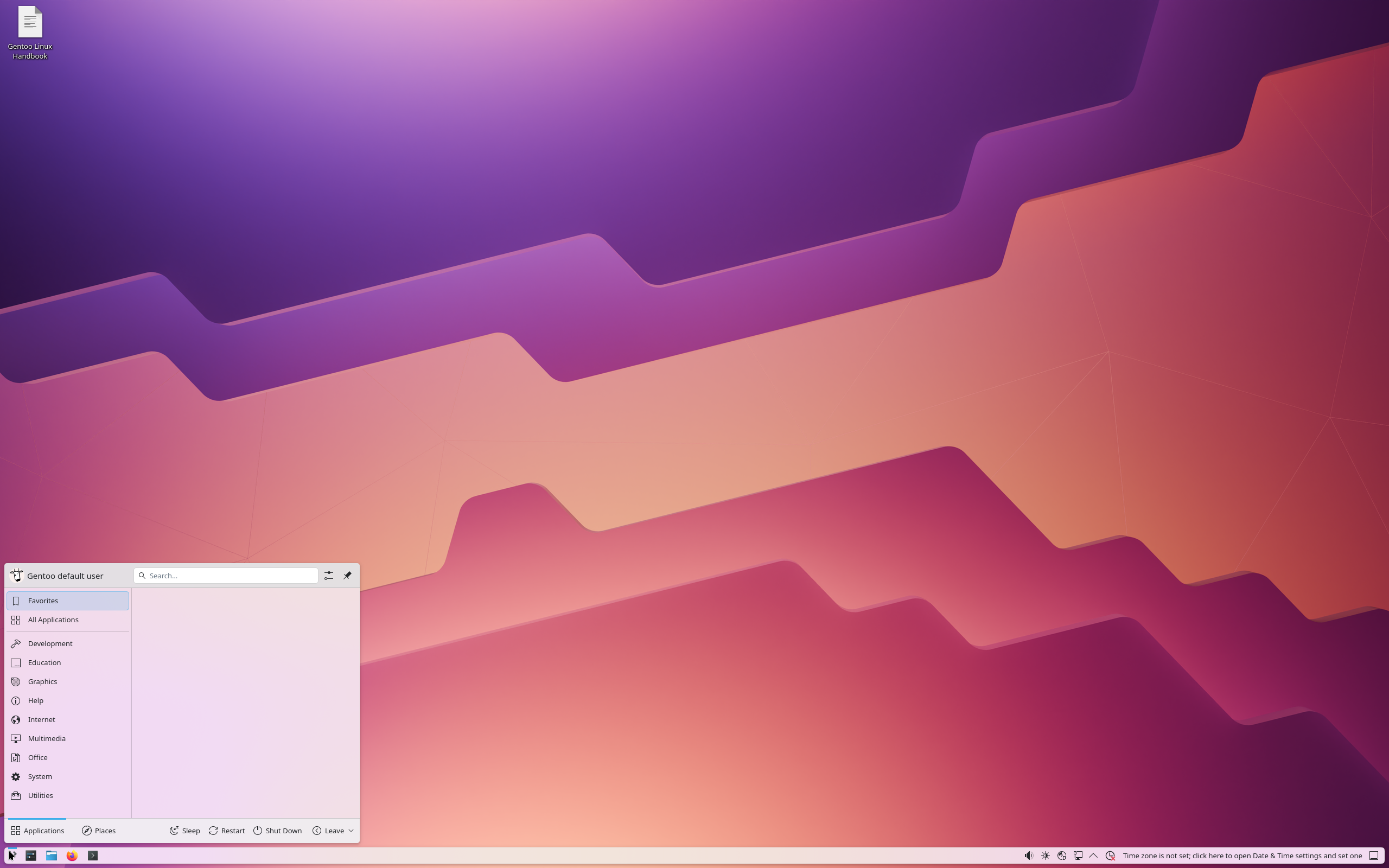
Gentoo is the rolling distro built around a different kind of control. Instead of choosing between someone else’s precompiled packages, you decide what gets compiled into the software you install and how.
Gentoo’s package manager, Portage, uses USE flags to enable or disable specific features per package before it’s built. Don’t want a particular codec compiled into a package? Turn off the flag. Want a leaner build with fewer optional dependencies? Same idea. That level of control is genuinely useful for stripped-down systems, older hardware, or servers where you don’t want extra functionality compiled in at all.
Historically, this meant compiling everything from source, which could mean a long wait for big packages like LibreOffice or a full desktop stack on modest hardware. Since late 2023, Gentoo has also offered an official binary package repository for amd64 and arm64, covering the core system plus a large library of common desktop software, so source and binary installs can be mixed freely and you can skip compiling anything you don’t specifically want to customize. It doesn’t change what Gentoo fundamentally is, but it removes the single biggest practical objection to using it.
The Gentoo Handbook is thorough to the point of being intimidating on a first read, but it’s honest about what the system expects from you. This isn’t a distro that hides its internals. It’s one built around understanding them.
Pros:
- USE flags give real, package-level control over what’s compiled and included
- Official binary packages for amd64 and arm64 make compiling everything optional
- Extremely thorough documentation covering a huge range of software
- Runs well on unusual or older hardware since you’re not stuck with generic binaries
Cons:
- Source-based installs are still time-consuming for large packages on modest hardware
- Installation and configuration expect real familiarity with Linux internals
- Changing USE flags later can trigger substantial rebuilds
Void Linux

Void Linux built its own package manager, its own build system, and its own init setup from scratch rather than adapting an existing distro’s tooling, which makes it one of the few truly independent options on this list.
XBPS, Void’s package manager, is fast and combines binary and source-based installation in one tool. xbps-install handles the usual binary package updates, while xbps-src lets you build packages from source when something you need isn’t in the binary repos. Void also uses runit instead of systemd, which appeals to people who want a simpler, more transparent boot process, and it’s one of the only mainstream distros offering a real choice between glibc and musl as your C library, with separate installation media and repositories for each.
The base install stays minimal by default. You pick a live image, Xfce is the most common, though other desktop options and a bare command-line base exist, and build up from there. There’s no official graphical installer with a partitioner, so setup happens from the command line and some comfort with Linux fundamentals is assumed going in.
Void’s package repository, while solid for common software, is smaller than what you’d find on Arch or a Debian-based system, so you’ll occasionally end up building something from source via xbps-src that would have been a one-line binary install elsewhere. The musl edition specifically can run into compatibility issues with proprietary or poorly portable software, since musl is a genuinely different C library from the glibc almost everything else assumes.
Pros:
- Fast, flexible XBPS package manager with binary and source installation in one tool
- Real choice between glibc and musl if you want a different base
- runit instead of systemd, appealing if you want a simpler init system
- Minimal, unbloated base install
Cons:
- Smaller package repository means occasionally building from source yourself
- musl edition can hit compatibility issues with some proprietary software
- No graphical installer; assumes comfort with the command line
- Smaller community than Arch or Debian-based systems
Solus
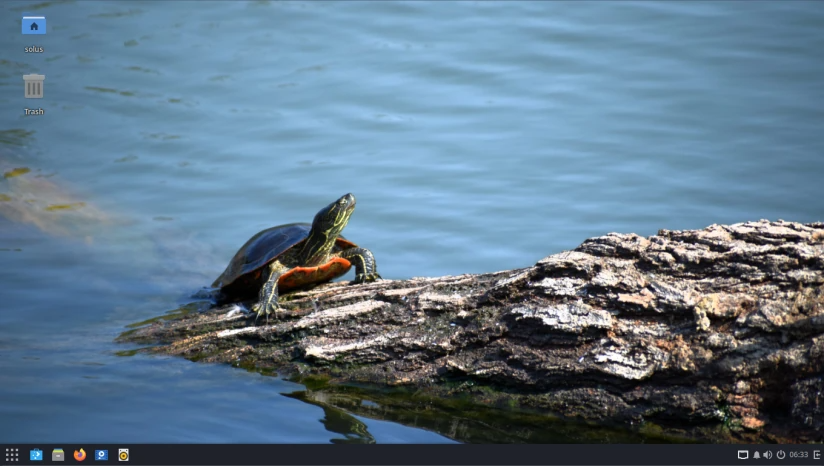
Solus takes a narrower, more curated approach than most distros on this list. It’s built specifically for desktop use, with no ambition to also serve as a server or enterprise platform.
It uses eopkg, its own package manager descended from the PiSi system originally built for Pardus Linux, and updates land in batches, usually weekly, rather than continuously throughout the day the way Arch’s repos update. That batching is deliberate. It reduces the chance of catching your system in a half-updated state between two interdependent packages. Solus’s own Budgie desktop is the flagship experience, though GNOME, KDE Plasma, and Xfce editions are also available.
Solus deserves a specific note on development history, because it’s relevant to picking a long-term daily driver. After its original lead developer left in 2018 and further changes in project leadership followed, Solus went through a visible slowdown, and DistroWatch marked it dormant for a stretch around 2022 to 2023. Development has since picked back up in a real way: Solus 4.9 shipped in April 2026 on a Linux 6.18 LTS kernel, and the project now shares kernel patches and configuration with AerynOS, a related project from some of the same developers. It’s active today, but that earlier slowdown is worth knowing about if project continuity factors into your decision.
Pros:
- Curated, desktop-only focus without server-oriented overhead
- Budgie is a genuinely distinct, polished desktop beyond the usual choices
- Weekly-batched updates reduce the odds of a broken half-updated state
Cons:
- Smaller software repository than Arch or Debian-based systems
- Has visibly gone through slower development periods in the past
- x86-64 desktop only, with no official server or ARM builds
KaOS
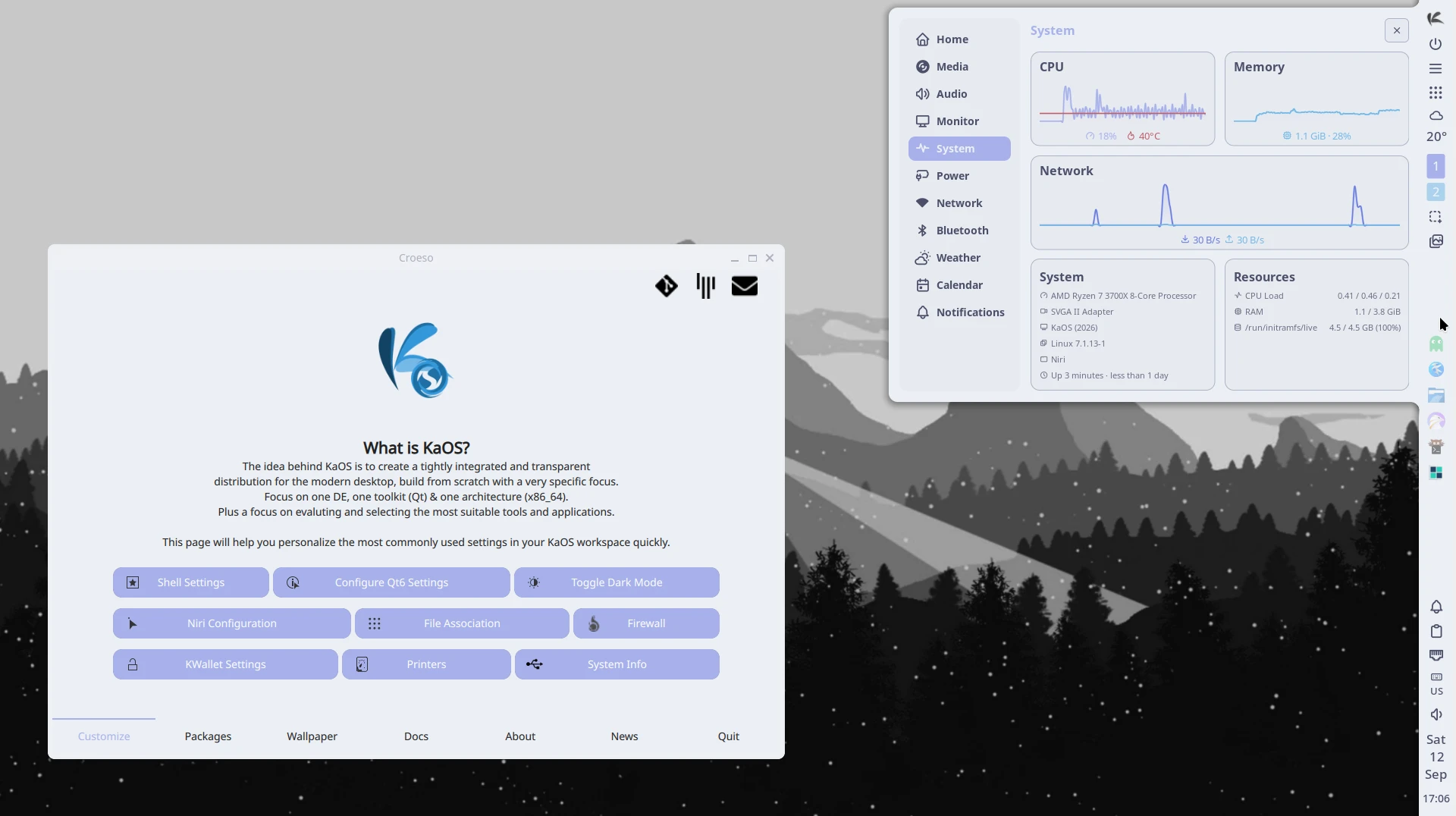
KaOS is a small, independent distribution built from scratch around a specific philosophy: pick one desktop environment, one toolkit, one architecture, and do that combination well rather than trying to support everything.
It uses pacman, the same tool Arch uses, but that’s a coincidence of tooling rather than a sign of shared ancestry. KaOS builds its own packages against its own independently maintained repositories rather than pulling from Arch’s. For most of its history since 2013, its one desktop environment was KDE Plasma, and KaOS built a reputation as one of the leanest, most tightly curated KDE-focused rolling distros around.
That’s changed recently, and it’s worth knowing if you’re considering KaOS based on older reviews. As of the February 2026 release, KaOS dropped KDE Plasma as its default desktop in favor of a Niri and Noctalia-based Wayland setup, part of a broader move away from systemd toward Dinit as the project’s intended init system, though systemd remains the default for now while that transition is in progress. KDE applications are still available and the project’s visual identity is intact, but the out-of-the-box desktop experience is genuinely different from what KaOS was known for through most of its life. If you specifically want a lean, independent KDE Plasma rolling distro, check KaOS’s current release notes before assuming that’s still what you’ll get.
Pros:
- Tight, curated focus rather than trying to support every desktop and package
- Genuinely independent repositories, not a repackaging of another distro
- Small team that has historically moved quickly on fresh releases
Cons:
- Recently changed its long-standing default desktop, so older reviews may not match current reality
- Small repository and team mean less software available out of the box than Arch or Debian-based options
- x86-64 only
NixOS
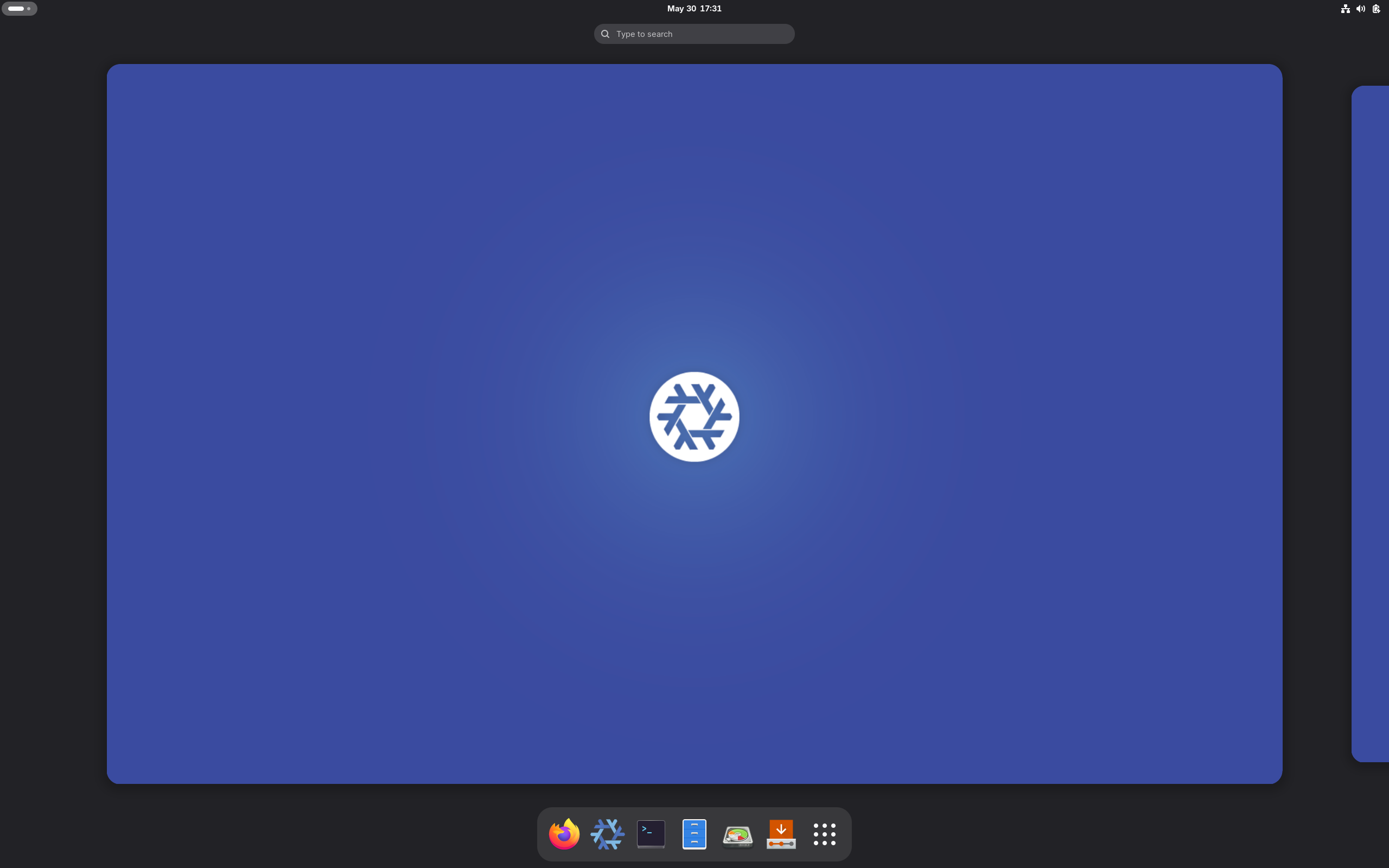
NixOS doesn’t fit neatly into “rolling” or “fixed release,” because it genuinely offers both, and the choice is yours rather than being baked into which distro you picked.
The whole system, packages, services, users, configuration, is described declaratively in Nix expressions instead of configured by hand through a series of one-off commands. You edit a configuration describing the state you want, run a rebuild, and Nix builds exactly that system. Packages are isolated from each other in the Nix store, so installing or updating one thing is far less likely to break something unrelated, sidestepping a lot of the dependency conflicts other distros deal with directly.
For update model, NixOS offers channels: nixos-unstable, which is officially documented as a rolling release tracking Nixpkgs’ main development branch, and stable channels released twice a year, in May and November, that receive only conservative bug and security fixes, similar in spirit to a traditional fixed release. You pick one at install and can switch later. This makes NixOS the clearest example on this list of a genuinely hybrid release model rather than a straightforwardly rolling one, and it’s worth understanding before assuming NixOS behaves like Arch just because the two get grouped together.
The other standout feature is rollback. Every rebuild creates a new generation, and older generations stay available right in the bootloader menu, so recovering from a broken update means booting the previous generation, not restoring a snapshot or fixing anything by hand.
The tradeoff is the learning curve. The Nix language and declarative model are unlike anything else on this list, and troubleshooting habits that work everywhere else, edit a config file, restart a service, reboot, don’t map directly onto how NixOS wants to be managed.
Pros:
- Declarative configuration makes your whole system reproducible and easy to version-control
- Atomic upgrades with instant rollback to any previous generation, no snapshot tooling required
- Choice between a genuinely rolling unstable channel and a twice-yearly stable channel
- Package isolation avoids most dependency conflicts other distros deal with directly
Cons:
- The Nix language and declarative model are a real learning curve
- Documentation has improved but is still inconsistent in places
- Troubleshooting habits from other distros don’t transfer directly
PCLinuxOS
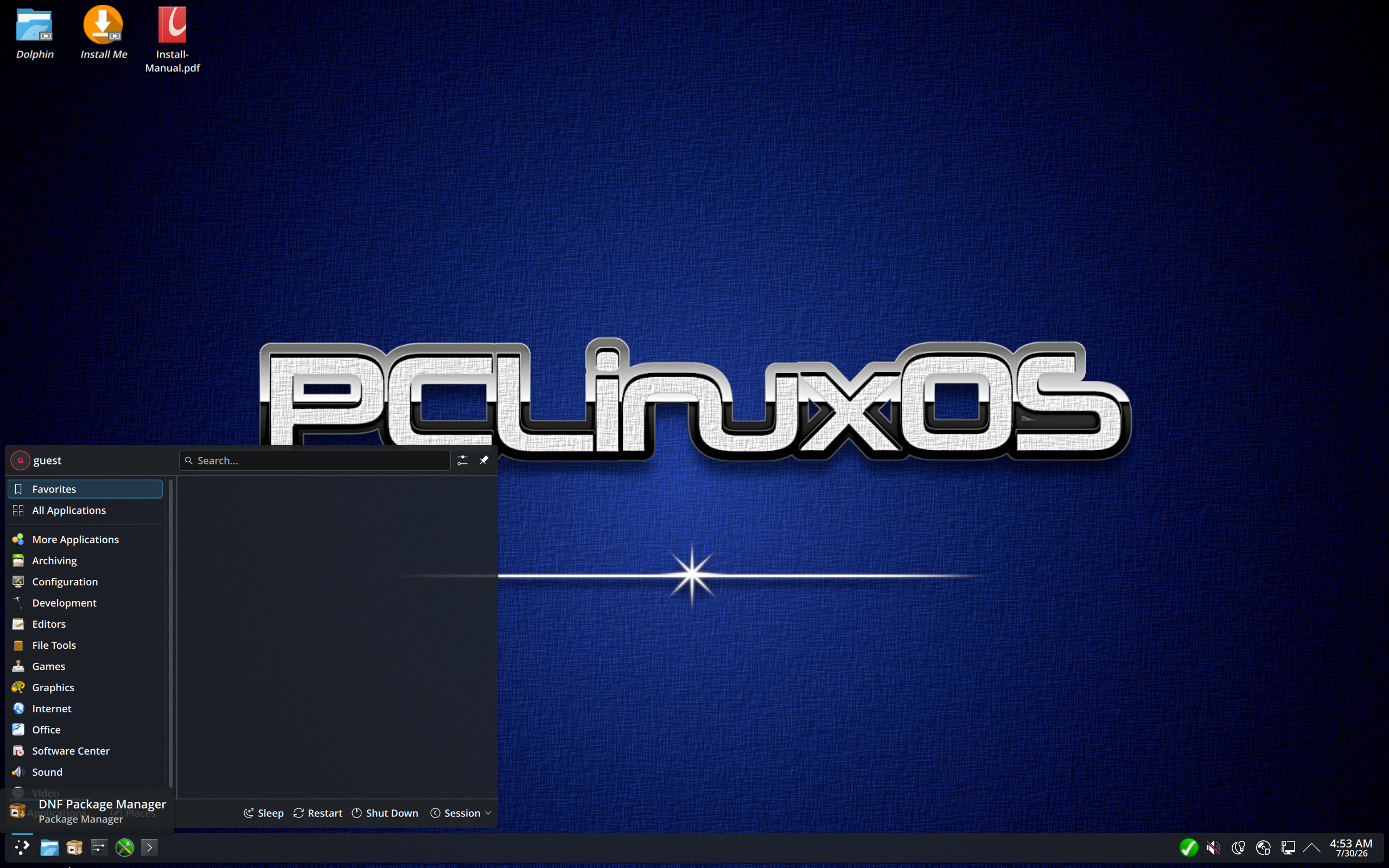
PCLinuxOS is one of the longest-running independent distributions still in active development, dating back to 2003, and it takes a genuinely different technical approach from most of the other entries here: RPM packages managed through apt-rpm, a version of the Debian APT tool adapted to work with RPM. The project has been gradually moving toward DNF as its primary package manager, with a homegrown DNF Package Manager shipping as the default front end on recent ISOs instead of Synaptic.
It’s a true rolling release, independently developed rather than derived from Debian, Red Hat, or Arch, and it ships with strong out-of-the-box multimedia support, a longtime strength of the project. Desktop options include KDE Plasma, Xfce, and Mate.
The honest caveat is scale. PCLinuxOS is maintained by a small team centered around its long-time lead developer, and the project’s infrastructure has had occasional downtime, including a stretch in mid-2025. It’s still around and still updating, but weighing it against something like Tumbleweed or an Arch-based distro means trading a larger, more redundant support ecosystem for a smaller, more personal one.
Pros:
- Long-running, genuinely independent project with its own identity
- Strong multimedia support out of the box
- Approachable package tools for people coming from Debian-style systems
Cons:
- Small development team, which has occasionally meant infrastructure downtime
- Smaller, less active community than the larger rolling distros
- x86-64 only
The Arch-Based Rolling Release Family
EndeavourOS, Manjaro, CachyOS, and Garuda Linux all deserve mention, but it’s worth being upfront about what they actually are. All four are built on Arch Linux’s own package repositories, plus AUR access, directly or through added tooling, so underneath the installer and the desktop theming, you’re running the same rolling foundation as vanilla Arch. What differs between them is installation friction, default configuration, additional repos layered on top, and how much curation and hand-holding you get. Picking between them is less about choosing a different rolling release engine and more about deciding how much of Arch’s setup process you want handled for you, and what defaults you want to start from.
EndeavourOS
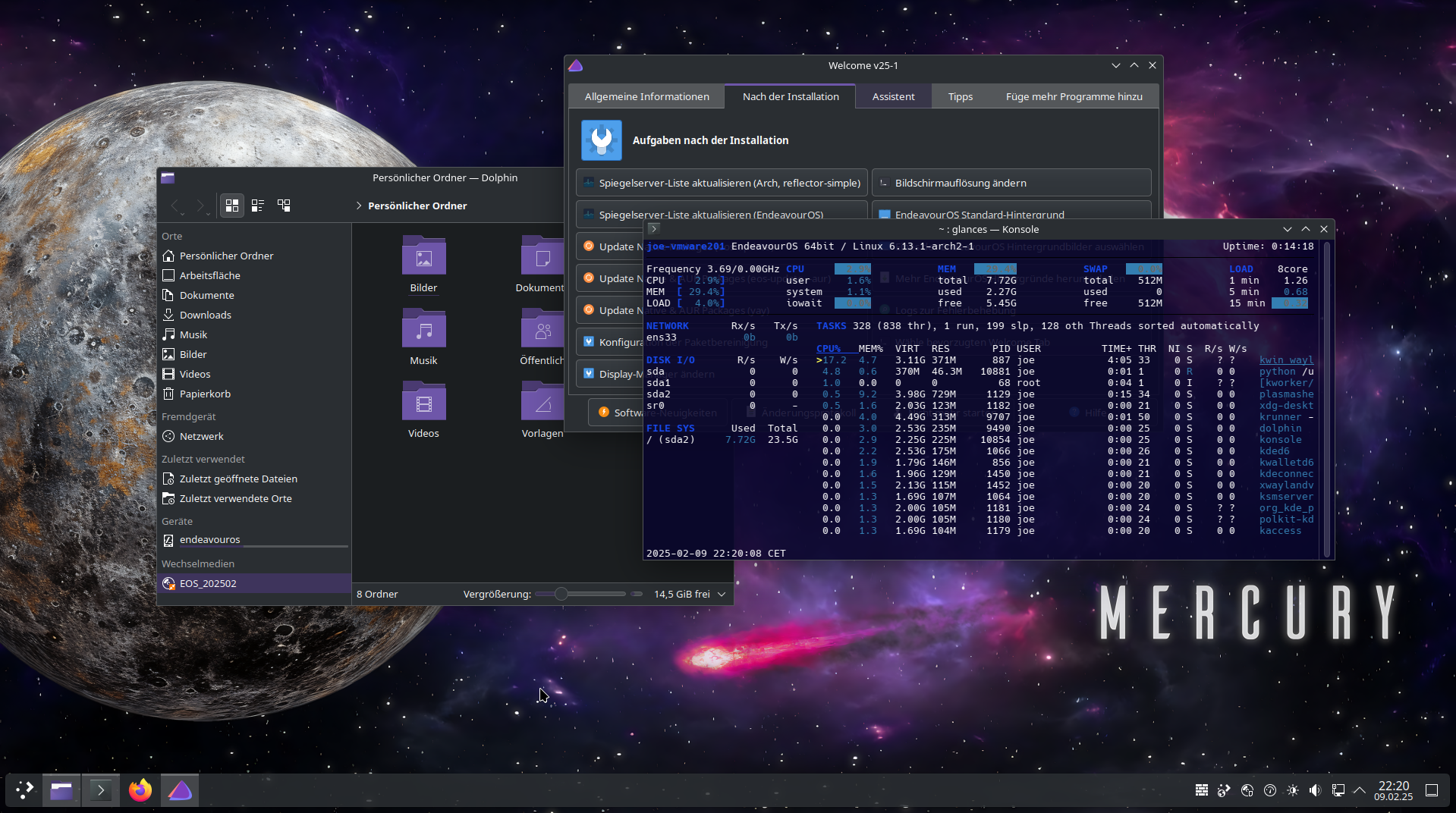
EndeavourOS is about as close to vanilla Arch as you can get with a graphical installer attached. It began in 2019 as a successor to Antergos, another Arch-based distro that shut down abruptly, and it’s stayed true to that original goal: a Calamares-based installer that gets you to a working Arch system quickly, without a pile of preinstalled apps, custom tools, or theming you’ll just end up removing.
After installation, EndeavourOS behaves essentially like Arch itself, using the same repos and the same update process, so the same expectations apply: read release announcements, avoid partial upgrades, treat updates as something worth paying attention to rather than ignoring for months. The installer offers a choice of desktop environments rather than forcing one, and the community leans on Arch’s own documentation instead of duplicating it, which keeps whatever you learn actually transferable if you ever move to plain Arch later.
Pros:
- About as close to vanilla Arch as you can get with a graphical installer
- Minimal preinstalled software and theming
- Skills and knowledge transfer directly to and from plain Arch
Cons:
- Inherits Arch’s maintenance expectations, including reading update announcements
- Less automated hand-holding than Manjaro or Garuda for users who want more done for them
Manjaro
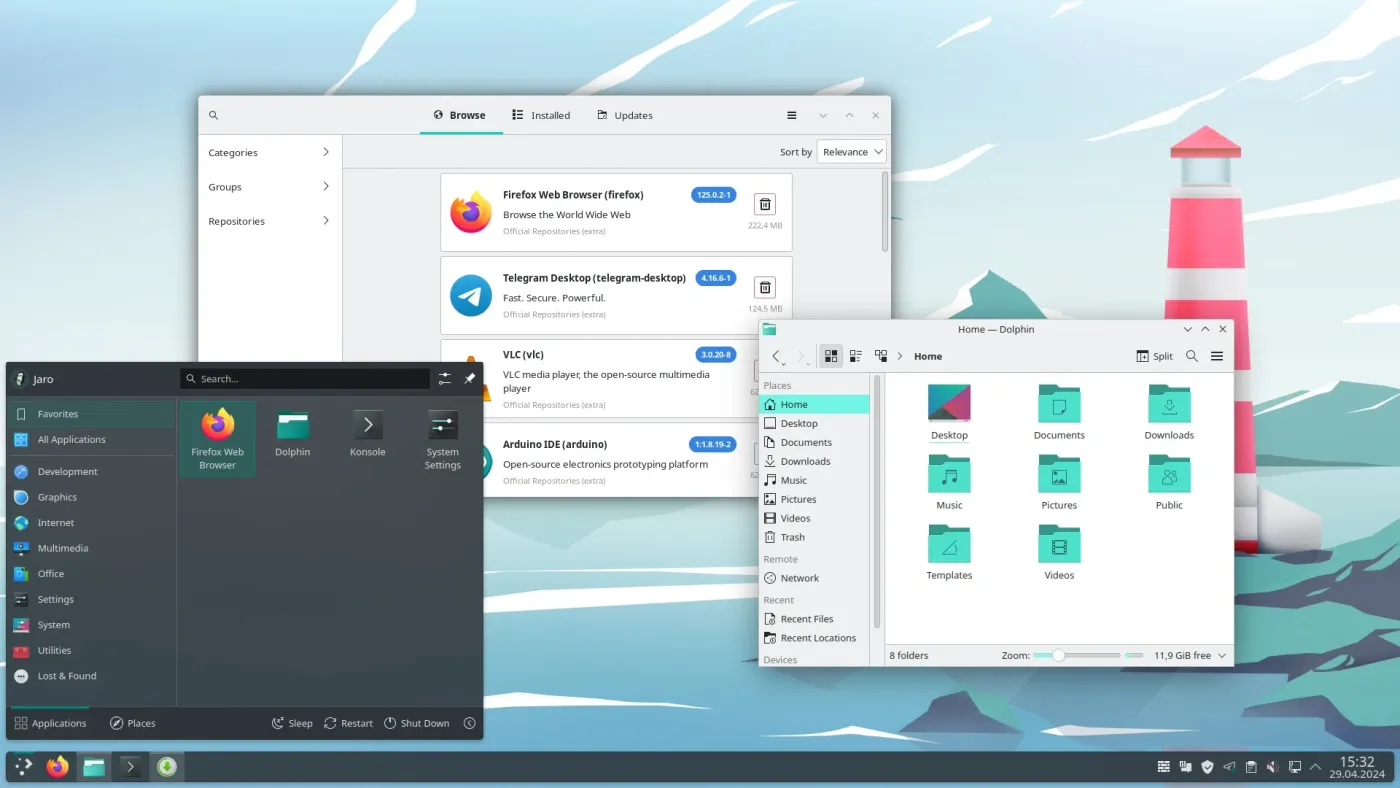
Manjaro takes the opposite approach from EndeavourOS. Instead of staying close to vanilla Arch, it adds its own tooling, its own hardware detection, and a staged branch system meant to catch problems before they reach most users.
Packages don’t move straight from Arch’s repos to Manjaro’s stable branch. They pass through unstable, then testing, then stable, typically spending a few weeks in the pipeline before most users see them. That buffer genuinely helps stability, but it comes with a real structural tradeoff: because the AUR is built against current Arch library versions, and Manjaro’s core repos intentionally lag behind Arch, installing AUR packages on Manjaro can occasionally hit version mismatches that wouldn’t happen on Arch itself or on a distro tracking Arch’s repos directly. Manjaro’s own tools generally work around this, but it’s a real and recurring point of friction.
In exchange, Manjaro includes its own driver manager, a graphical installer, and a large, active community with extensive third-party documentation, a big part of why it remains one of the most recommended entry points into Arch-based Linux.
Pros:
- Own driver detection and hardware tools reduce manual setup
- Branch system adds a real buffer between upstream Arch and most users
- Large, active community with extensive documentation
Cons:
- Held-back core packages can create version mismatches with AUR software built against current Arch
- More opinionated defaults than EndeavourOS if you want something closer to vanilla Arch
CachyOS
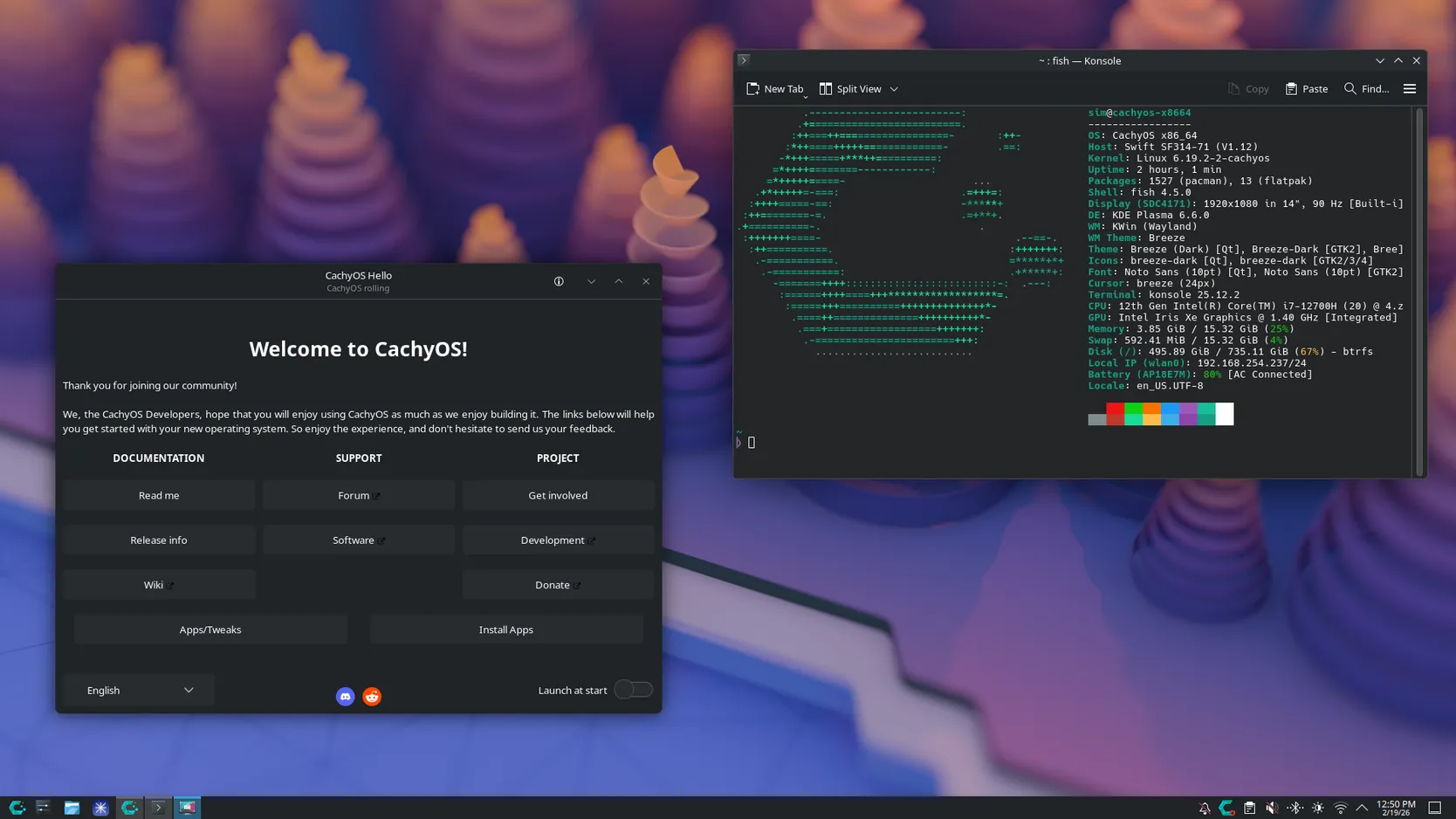
CachyOS is the newest widely popular name on this list, and its growth has been fast by any measure. It builds on Arch’s repos but adds its own performance-optimized packages and kernels, compiled specifically for modern CPU instruction sets (x86-64-v3, x86-64-v4, and Zen-specific builds), along with a tuned default kernel using the BORE scheduler. In practice, this generally means measurably better performance on recent hardware than a generic build, though the exact gains depend on the workload and CPU.
CachyOS ships its own Calamares-based installer with live previews of the available desktop environments and a straightforward setup for a full gaming stack: Steam, Proton, Wine, and Lutris. That gaming focus has paid off. As of mid-2026, CachyOS has consistently ranked as the second most used Linux distribution in Valve’s Steam Hardware Survey, behind only SteamOS itself and ahead of Arch Linux, a genuinely notable shift in a category Arch and Manjaro dominated for years.
It’s worth keeping the team size in perspective, though. CachyOS is maintained by a small core team relative to its current popularity, and it doesn’t offer the long-term-support predictability that comes with a bigger, more established project.
Pros:
- CPU-specific optimized repositories and a tuned kernel for measurable performance gains
- Polished installer with desktop previews and one-click gaming setup
- Rapidly growing community means an increasingly large body of current troubleshooting discussion
Cons:
- Small core team relative to its current popularity
- Less long-term predictability than more established projects
- Full benefit of optimized packages depends on having a reasonably modern CPU
Garuda Linux
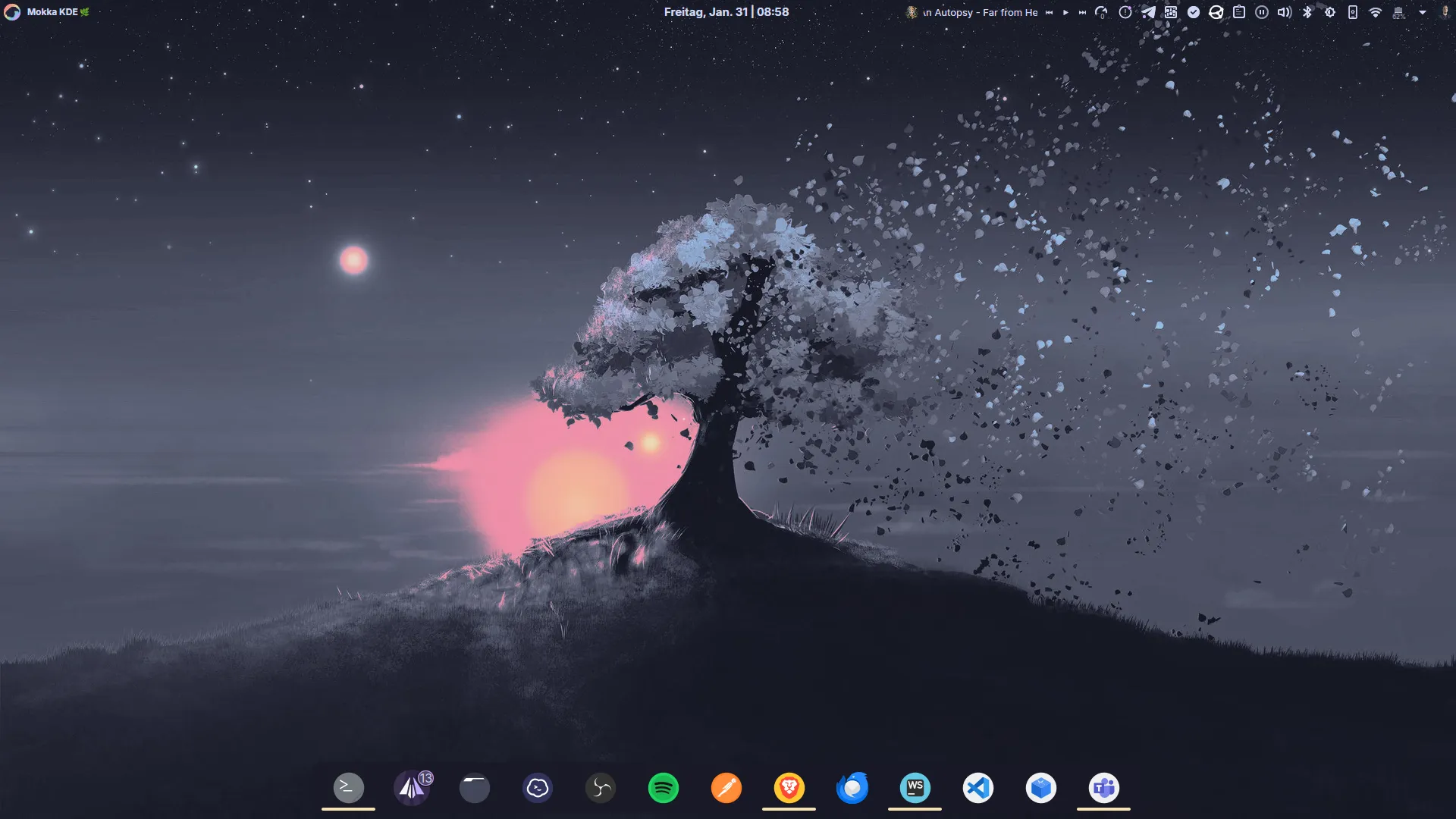
Garuda Linux leans hard into being ready to use immediately, with a strong visual identity and a genuine safety net built in from install: Btrfs as the default filesystem paired with Snapper for automatic snapshots, so if an update breaks something, you can roll back to a working snapshot directly from the bootloader menu using Garuda’s own Assistant tool.
KDE Plasma, the “Dr460nized” edition, is the default and most polished experience, though GNOME, Xfce, i3, Sway, and other editions exist. It runs the Linux-zen kernel by default, tuned for desktop responsiveness, and ships with strong out-of-the-box gaming setup and driver detection, which combined with the snapshot safety net makes it a genuinely popular pick specifically for gaming-focused installs.
The tradeoff for all that readiness is weight. Garuda ships considerably more preinstalled software, background services, and theming than EndeavourOS or vanilla Arch, meaning more resource use out of the box and more to strip out if you’re a minimalist. It’s a less “vanilla Arch” experience than EndeavourOS by design, which is either exactly what you want or exactly what you don’t.
Pros:
- Automatic Btrfs and Snapper snapshots with boot-time rollback, a genuinely useful safety net
- Strong out-of-the-box gaming setup and hardware detection
- Distinctive, polished visual identity
Cons:
- Ships considerably more preinstalled software and background services than most alternatives
- Heavier customization means troubleshooting is less “vanilla Arch” than EndeavourOS
- Higher resource use out of the box
SparkyLinux
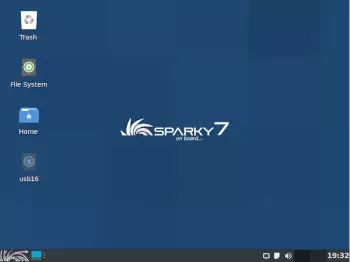
SparkyLinux is the clearest example on this list of a distribution that isn’t fully rolling across the board, and it’s worth understanding the distinction rather than lumping it in as simply another rolling distro.
The project maintains two separate lines. One is based on Debian stable, a genuine fixed release with the update behavior you’d expect from Debian. The other, the one most people mean when they talk about “Sparky,” is a semi-rolling edition, codenamed Tiamat, built on Debian’s testing branch, currently Forky. This gives you a continuously updated system with regular point-release ISOs (2026.03, 2026.06, and so on) rather than a version you’ll eventually need to upgrade away from, while still being fundamentally built on Debian testing rather than a repository designed from the ground up as a rolling release.
That distinction matters practically. Debian testing is, by design, a staging area for the next Debian stable release rather than a product built to be a permanent rolling target, so it can occasionally see more turbulence during Debian’s own transition periods than a purpose-built rolling repo like Arch’s or Tumbleweed’s. SparkyLinux smooths a lot of this over with its own tools, including Sparky APTus for simplified package and driver management, and offers purpose-built spins beyond the standard desktop, including GameOver for gaming and dedicated multimedia and rescue editions, all using standard Debian APT and .deb packages underneath.
Pros:
- Genuine Debian and APT compatibility in a semi-rolling package base
- Purpose-built spins for gaming, multimedia, and system rescue beyond the standard desktop
- Own tools simplify common setup and driver tasks
Cons:
- Built on Debian testing, which isn’t designed as a permanent rolling release the way Arch or Tumbleweed are
- Two separate product lines, stable and rolling, can be confusing when choosing a download
- Much smaller team and community than Debian itself or the major Arch-based distros
Who Should Use a Rolling Release Distro?
Desktop Linux users who want current software without thinking about it are the core audience rolling releases were built for. If you’d rather not plan your life around a distro’s release calendar, a rolling release removes that variable entirely.
Gamers benefit specifically and measurably. Mesa, the kernel, and Proton all move quickly, and a rolling release means new GPU support, performance improvements, and compatibility fixes reach you close to when they ship upstream rather than months later. That’s essentially the entire reason CachyOS exists and has grown as fast as it has.
Developers get current language runtimes, current container tooling, and current compilers without manually adding third-party repositories just to get a newer version of something. This matters less if you already containerize everything, but it’s a real convenience if you don’t.
Linux enthusiasts and tinkerers are an obvious fit too. If part of the appeal of Linux for you is understanding and shaping your system, Arch, Gentoo, and Void all reward that directly.
Users with very new hardware specifically benefit from a rolling release’s fast kernel updates. If you just bought a laptop or GPU released in the last few months, a current kernel is often the difference between everything working and spending a weekend hunting for a specific driver backport.
Beginners are not automatically a bad fit, despite what a lot of older forum advice suggests. Beginner-friendliness here depends entirely on which rolling distro you mean. Raw Arch or Gentoo, installed manually, is a genuinely rough first experience. openSUSE Tumbleweed, EndeavourOS, and Manjaro are a different story, with graphical installers, sane defaults, and in Tumbleweed’s case, automated testing specifically designed to catch problems before ordinary users see them. Someone’s first Linux distro can absolutely be a rolling release. It just shouldn’t be one with no installer and no safety net.
People who want a low-maintenance computer are the trickiest group to generalize about, because “low maintenance” can mean two different things. If it means never wanting to think about upgrading to a new OS version, a rolling release is genuinely lower maintenance, since that event never happens. If it means never wanting to think about updates at all, a fixed release with a long support window, or a rolling distro with strong testing and snapshot rollback like Tumbleweed, fits better than something like raw Arch, which expects more regular attention.
Servers and production systems are where rolling releases are least common, and for good reason. Predictable, versioned environments with defined support windows make change management and vendor support far simpler. That said, it isn’t an absolute rule. openSUSE Tumbleweed’s testing pipeline and NixOS’s reproducible, declarative configuration have both found legitimate use in production environments where a team has the process to manage continuous change well. For most organizations without that setup already in place, a fixed-release distro with a defined support lifecycle remains the more conventional, and often safer, choice.
Practical Considerations for Running a Rolling Release
Living with a rolling release day to day is mostly uneventful, but a handful of habits make a real difference in how smooth that experience actually is.
Update regularly, not eventually. The biggest practical risk on most rolling releases isn’t the model itself, it’s letting updates pile up for weeks or months and then applying a huge batch all at once, which multiplies the odds of hitting something that needs manual intervention. Little and often beats rare and huge.
Avoid partial upgrades, especially on Arch and Arch-based systems. Syncing your package database and then installing or upgrading only select packages, rather than everything together, can leave your system with mismatched library versions, since a newly built package might expect a newer library than what’s still installed. The standard, safe approach on Arch and its derivatives is a full sync-and-upgrade together, not separate sync and install steps.
Read the release announcements. This sounds like a chore, but on most of these distros it takes thirty seconds and occasionally saves you a broken system. Arch posts manual-intervention notices at archlinux.org/news before certain updates. openSUSE documents changes per Tumbleweed snapshot. Manjaro’s forum has dedicated stable-update threads. Skipping this is fine most of the time and exactly the habit that bites you the rest of the time.
Keep backups regardless of which distro you use, but treat it as slightly more relevant here simply because your system is never “finished” the way a fixed release is between upgrades.
Use snapshot or rollback tools if your distro offers them. openSUSE Tumbleweed and Garuda Linux both set up Btrfs and Snapper automatically, so a broken update is usually a two-minute fix: reboot, pick the previous snapshot from the boot menu, done. NixOS does the equivalent with generations rather than snapshots. Distros without this built in, including Arch, Void, and most others on this list, can still get it by setting up Btrfs with Snapper or Timeshift yourself. It just isn’t automatic.
Be a little more careful with the AUR and other third-party repositories. Anyone can submit to the AUR, and while the popular, well-maintained packages are generally trustworthy, it’s worth glancing at a PKGBUILD before installing something obscure. More broadly, mixing multiple third-party repositories on any distro increases the odds of dependency conflicts, rolling release or not.
Consider an LTS kernel option if proprietary drivers make you nervous. Rolling distros move to new kernels quickly, and proprietary drivers, NVIDIA’s in particular, occasionally take a few days to catch up. Most of these distros package an LTS kernel alongside the latest one specifically as a safety valve, letting the rest of your system stay current while your kernel stays a bit more conservative.
Know what to do when an update does break something. Check your rollback tool first if you have one. If not, check the distro’s forum or news page for the specific issue, since on an actively maintained rolling distro, someone else has usually already hit it and posted a fix within hours. Keeping a live USB of your distro around is worth doing too, since it gives you a way to boot into a working environment and investigate or repair your actual installation if it won’t boot normally.
Update commands genuinely differ between these distros, so here’s a quick reference:
| Distribution | Update Command |
|---|---|
| Arch, EndeavourOS, Manjaro, CachyOS, Garuda, KaOS | sudo pacman -Syu |
| openSUSE Tumbleweed | sudo zypper dup |
| Void Linux | sudo xbps-install -Su |
| Gentoo | emerge –sync, then emerge -avuDN @world |
| Solus | sudo eopkg update-repo, then sudo eopkg upgrade |
| NixOS | sudo nixos-rebuild switch –upgrade |
| SparkyLinux (rolling edition) | sudo apt update, then sudo apt full-upgrade |
Frequently Asked Questions
Is Arch Linux the best rolling release distro?
Not universally, though it’s the most influential one. Arch is the best fit if you want full control and don’t mind a manual setup process. If you want the same rolling foundation with more guardrails, openSUSE Tumbleweed, EndeavourOS, or Manjaro are usually better starting points.
What are good Arch Linux alternatives that are also rolling release?
openSUSE Tumbleweed and Void Linux are the two most genuinely independent alternatives, since neither is built on Arch’s repositories. If you want most of what Arch offers with an easier setup, EndeavourOS and Manjaro are both built directly on Arch’s own repos, so you’re getting the same rolling base with a friendlier installer.
What is the most stable rolling release distro?
openSUSE Tumbleweed, largely because of its automated openQA testing pipeline, which catches a meaningful number of problems before a snapshot ever reaches users. NixOS is a strong second answer for a different reason: even when something does go wrong, its generational rollback makes recovery close to instant.
Are rolling release distros good for gaming?
Generally yes, and often better suited to it than fixed releases. Current kernels, current Mesa graphics drivers, and current Proton and Wine builds all matter for new hardware support and game compatibility, which is why CachyOS, Garuda Linux, and Arch itself are so common in Linux gaming communities.
Do I need to reinstall a rolling release distro eventually?
No, and avoiding that is the entire point of the model. A rolling release installed once and kept updated stays current indefinitely, without the version upgrades or reinstalls that fixed release distros eventually require.
Is Debian testing or Sid a rolling release?
Not officially. Debian testing and Sid are development branches feeding into the next Debian stable release, not a product designed to be a permanent rolling target, though some people do run them that way. If you want that experience with more polish and support built around it, SparkyLinux’s rolling edition is built directly on Debian testing for exactly this purpose.
How often should I update a rolling release system?
At least weekly, and ideally more often if you can manage it. Long gaps between updates are the single most common cause of update problems on a rolling release, since a huge batch of accumulated changes is far more likely to include something needing manual attention than a handful of small, frequent updates.
Which One Should You Actually Install?
There’s no single best rolling release distro, but there’s usually a best one for what you’re actually trying to do. If you want the reference experience and full control, that’s Arch. If you want the same rolling model with real testing behind it, that’s openSUSE Tumbleweed. If you want to compile your own system exactly how you like it, that’s Gentoo. If you’re chasing gaming performance specifically, CachyOS and Garuda are both built with that in mind. If you want the convenience of Arch’s ecosystem without doing the installation yourself, EndeavourOS and Manjaro both get you there, just with different amounts of curation layered on top.
What matters more than picking the “best” one is being honest about how much manual maintenance you actually want to sign up for, and choosing a distro whose testing and rollback approach matches that. The rolling release model itself isn’t risky. Some implementations of it just ask more of you than others.



One thought on “Best Rolling Release Linux Distros for Every Kind of User”
This is the best list and write-up I’ve come across re: rolling releases. Thank you for this! I’d like to replace my distro with a rolling release but stability is my main concern. I’ve got lots of reading to do now to see how these releases stack up.
I’ve come across another term “atomic” and somewhat related to rolling releases? Not sure.