
Arch Linux has a reputation problem. Ask anyone who has used it and you’ll hear the same two things: it’s one of the fastest, most customizable Linux distributions around, and installing it will test your patience. Both are true.
The good news is you don’t have to choose between the two. A whole category of distros exists to give you everything that makes Arch worth running, the rolling release model, the AUR, the minimal bloat, without making you build the entire system from a blank terminal window.
This guide covers what Arch Linux actually is, why it scares off so many new users, and the best Arch-based Linux distros you can install today instead. Every distro here still runs on Arch’s core, so you get the same speed and software access. You just skip the part where you do everything by hand.
What Is Arch Linux, Exactly?
Arch Linux is an independent Linux distribution first released in 2002 by Judd Vinet. It’s built around the KISS principle, which stands for “keep it simple, stupid.” That doesn’t mean Arch is simple to use. It means the distribution itself avoids unnecessary patches, extra configuration layers, and assumptions about what you want. Software ships close to how the developers upstream built it, and you decide what goes on top.
A few things define the Arch experience:
- Rolling release. There’s no Arch 25, Arch 26, or version numbers to jump between. You install once and keep pulling updates indefinitely.
- Pacman. Arch’s own package manager. Fast, straightforward, and it handles installing, updating, and removing software.
- The AUR. The Arch User Repository is a massive, community-maintained collection of build scripts for software that isn’t in the official repos. If a Linux program exists, there’s a good chance someone has already packaged it for the AUR.
- The Arch Wiki. Widely considered one of the best pieces of Linux documentation that exists, used by people who don’t even run Arch.
- A minimal base. No desktop environment, no bundled apps, no assumptions. You build exactly the system you want and nothing you don’t.
That minimalism and control are exactly why Arch has such a loyal following. They’re also exactly why it has a reputation for being difficult.
Why Is Arch Linux So Hard to Install and Use?
Arch doesn’t hide anything from you, and that’s the problem for most new users. Installing it from the official ISO the traditional way means doing every step yourself from a terminal, with no graphical prompts walking you through it:
- Manual disk partitioning. You decide how to split and format your drive yourself, usually with fdisk, cfdisk, or parted.
- A base system with no desktop. The initial install gives you a command-line system only. No desktop, no browser, nothing.
- Manual bootloader setup. You install and configure GRUB or systemd-boot by hand, which is where a lot of new users get stuck, especially on UEFI systems.
- Networking, locale, and users from scratch. Wi-Fi, timezone, language, and user accounts are all separate manual steps.
- You choose and install your own desktop. Arch doesn’t ship GNOME, KDE Plasma, or anything else by default. You add the display server, drivers, and desktop environment yourself.
Arch does now ship an official guided installer called archinstall, which walks you through these steps with a menu instead of raw commands. It’s a real improvement and worth using if you’re set on running vanilla Arch. But it still assumes you understand partitioning, know roughly what a bootloader does, and can troubleshoot when something doesn’t go as planned. It shortens the process. It doesn’t remove the learning curve.
The install is also only half the story. Because Arch is a rolling release, staying on it means keeping up with updates that occasionally need manual intervention, checking the Arch news page before big upgrades, and knowing how to fix a broken package when one shows up. None of this is impossible to learn. It’s just a real time investment that plenty of people don’t want, especially if they just want a desktop that works.
How Arch-Based Distros Solve the Problem
This is where Arch-based distros come in. Every distro on this list still runs on pacman, still gives you full access to the AUR, and still follows Arch’s rolling release model under the hood. What they add is everything Arch itself leaves out: a graphical installer, a working desktop environment out of the box, pre-installed drivers, and sane defaults so you’re not starting from an empty terminal.
Some of these distros try to stay as close to vanilla Arch as possible and only simplify the install. Others go much further, adding their own tools, curated software, and visual polish. Neither approach is more correct. It comes down to whether you want the training wheels off quickly or want them to stay on for a while.
The Best Arch-Based Linux Distros in 2026
Here are the eight Arch-based distros worth actually installing right now, based on how active development is, how each one handles the install process, and what kind of user it fits best.
| Distro | Best For | Beginner Friendly | Default Desktop |
|---|---|---|---|
| Manjaro | First-time Arch users | Yes | KDE Plasma, GNOME, Xfce |
| EndeavourOS | Users who want real Arch | Medium | Your choice, or none |
| CachyOS | Gaming and raw performance | Medium | KDE Plasma, GNOME, and others |
| Garuda Linux | Gamers who want looks and a safety net | Yes | KDE Plasma (Dr460nized) |
| Kiro | Curated Arch with an AI assistant built in | Medium | Xfce + Ohmychadwm |
| RebornOS | Trying multiple desktops | Yes | Your choice (15+) |
| Archcraft | Old hardware and minimalists | No | Openbox, Bspwm |
| Artix Linux | Avoiding systemd | No | Your choice |
Here’s a closer look at each one.
1. Manjaro: The Easiest On-Ramp to Arch
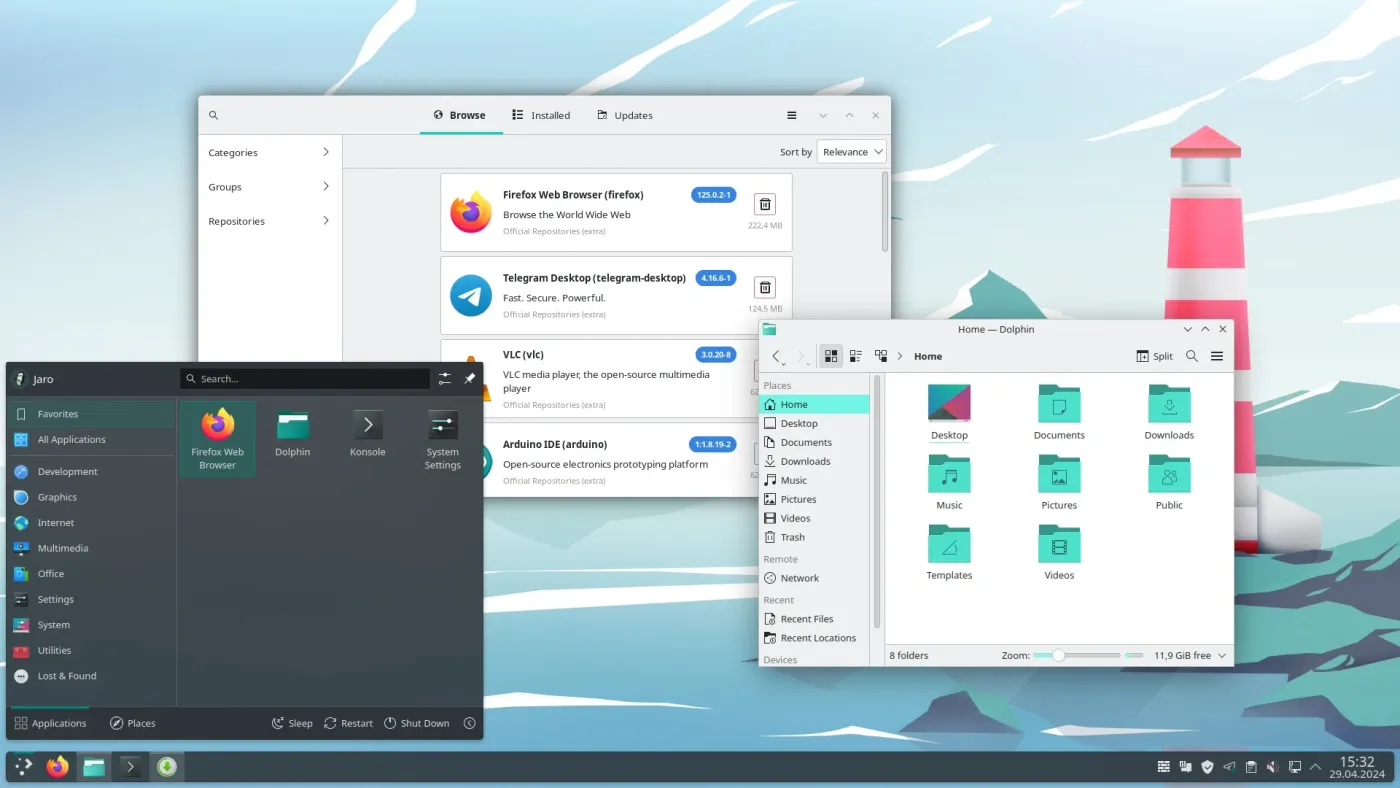
Manjaro is the distro most people mean when they say “an easier Arch.” It’s been around since 2011 and remains one of the most downloaded Arch-based distros, with official editions for KDE Plasma, GNOME, and Xfce, plus several community-built spins on top of that.
Manjaro runs its own testing pipeline. New packages land in an unstable branch first, move to testing, then reach the stable branch most users run, which catches a chunk of bugs before they hit your machine. Its Pamac tool wraps the official repos, the AUR, Flatpak, and Snap into one graphical package manager, so you rarely need a terminal for day-to-day software installs.
Key features:
- Pamac graphical package manager with AUR, Flatpak, and Snap support
- Stable, testing, and unstable release branches
- Automatic hardware detection for driver installs
- Official KDE Plasma, GNOME, and Xfce editions
Pros:
- Easiest true Arch-based distro for someone coming from Windows or macOS
- Large community, so answers to common problems are easy to find
- Delayed stable branch adds a real buffer against broken updates
Cons:
- Holding back official packages while the AUR stays current can cause version mismatches and broken builds
- 2026 has brought real governance trouble. In March, a group of Manjaro’s own team members published a “Manjaro 2.0 Manifesto” calling for the project to split from its parent company and restructure as a non-profit, citing years of declining trust and lost contributors
- Past incidents, including the team letting its SSL certificate expire more than once, haven’t helped confidence in how the project is run. Worth keeping an eye on before you commit to it long term
2. EndeavourOS: The Closest Thing to Vanilla Arch
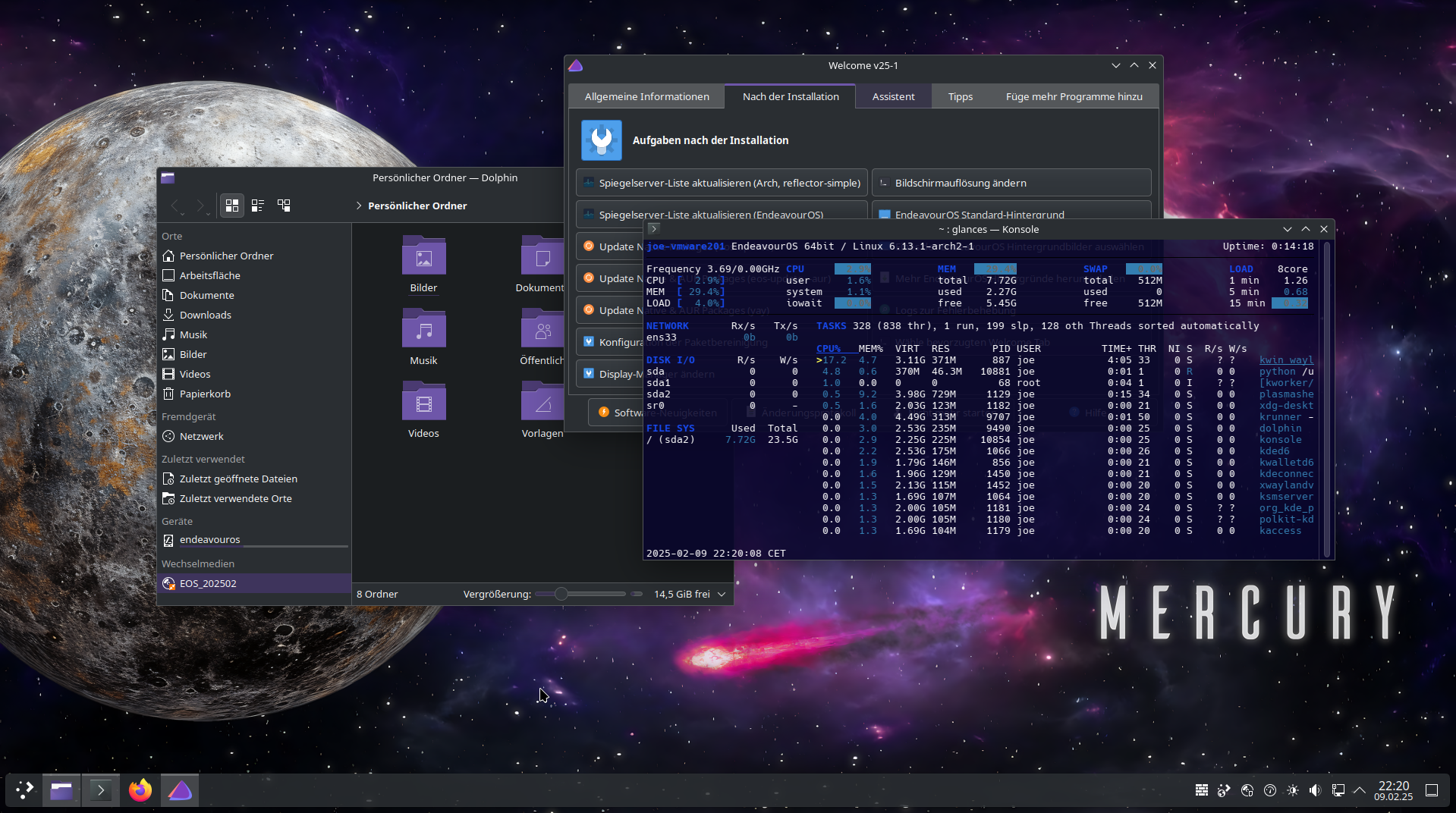
EndeavourOS picked up where Antergos left off after that project shut down in 2019, and it’s built a strong reputation for staying close to actual Arch rather than reinventing it. The installer, built on Calamares, lets you either pick from a long list of desktop environments and window managers or skip a desktop entirely and land in a terminal.
Where Manjaro curates and delays, EndeavourOS mostly gets out of your way. It pulls straight from the official Arch repositories instead of running its own patched packages, so what you’re running is much closer to plain Arch with a friendlier front door. The latest major release, Titan, shipped in March 2026 with kernel 6.19, better automatic GPU detection, and a smoother offline install process.
Key features:
- Calamares installer with online and offline modes
- Pulls from official Arch repositories rather than a heavily patched fork
- Choice of a dozen-plus desktop environments, or none at all
- Active forum, Discord, and Telegram communities
Pros:
- Closest experience to real Arch among the beginner-friendly options
- Minimal pre-installed software, so there’s little to strip out
- Frequent ISO updates and a genuinely helpful community
Cons:
- Less hand-holding than Manjaro or Garuda once the install finishes
- You’ll still end up reading the Arch Wiki for anything beyond the basics
3. CachyOS: Built for Speed
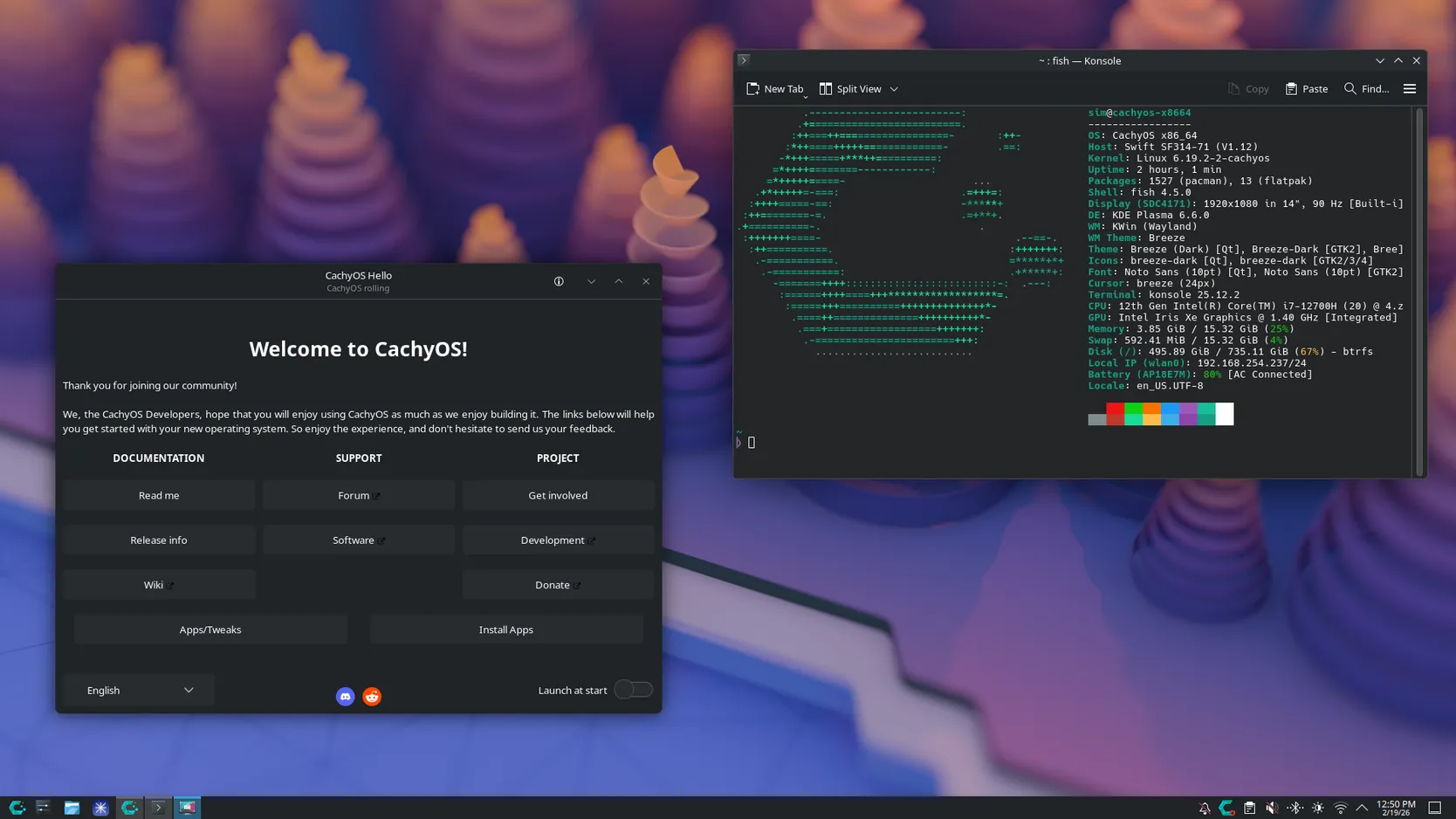
CachyOS showed up in 2023 and has become the name most people in the Arch community are talking about through 2025 and 2026. Its whole pitch is performance: packages are compiled with CPU-specific optimizations (x86-64-v3, x86-64-v4, and Zen4-specific builds), and the distro ships several custom kernel options built around the BORE scheduler, which is designed to keep the desktop responsive even under heavy background load.
You can install it through a Calamares graphical installer or a text-based one, and a built-in kernel manager lets you switch between the default, hardened, and other kernel builds without much fuss. Independent benchmarking has generally backed up the marketing here, with measurable gains on compiled and CPU-heavy workloads.
Key features:
- CPU-architecture-optimized packages and repositories
- Multiple custom kernel builds with a graphical kernel manager
- BORE scheduler for smoother desktop responsiveness
- Calamares GUI installer or a CLI/TUI option
Pros:
- Noticeably snappier on modern hardware, with real benchmarks to back it up
- Strong choice for gaming and CPU-heavy work like compiling or rendering
- Fast-moving, active development
Cons:
- Older CPUs may not support the optimized package builds at all
- Tuned for raw speed over battery life, which makes it a rougher fit for laptops
- Newer project with a shorter track record than Manjaro or EndeavourOS, and some users report friction between its newest kernels and proprietary NVIDIA drivers
4. Garuda Linux: Gaming, Looks, and a Safety Net
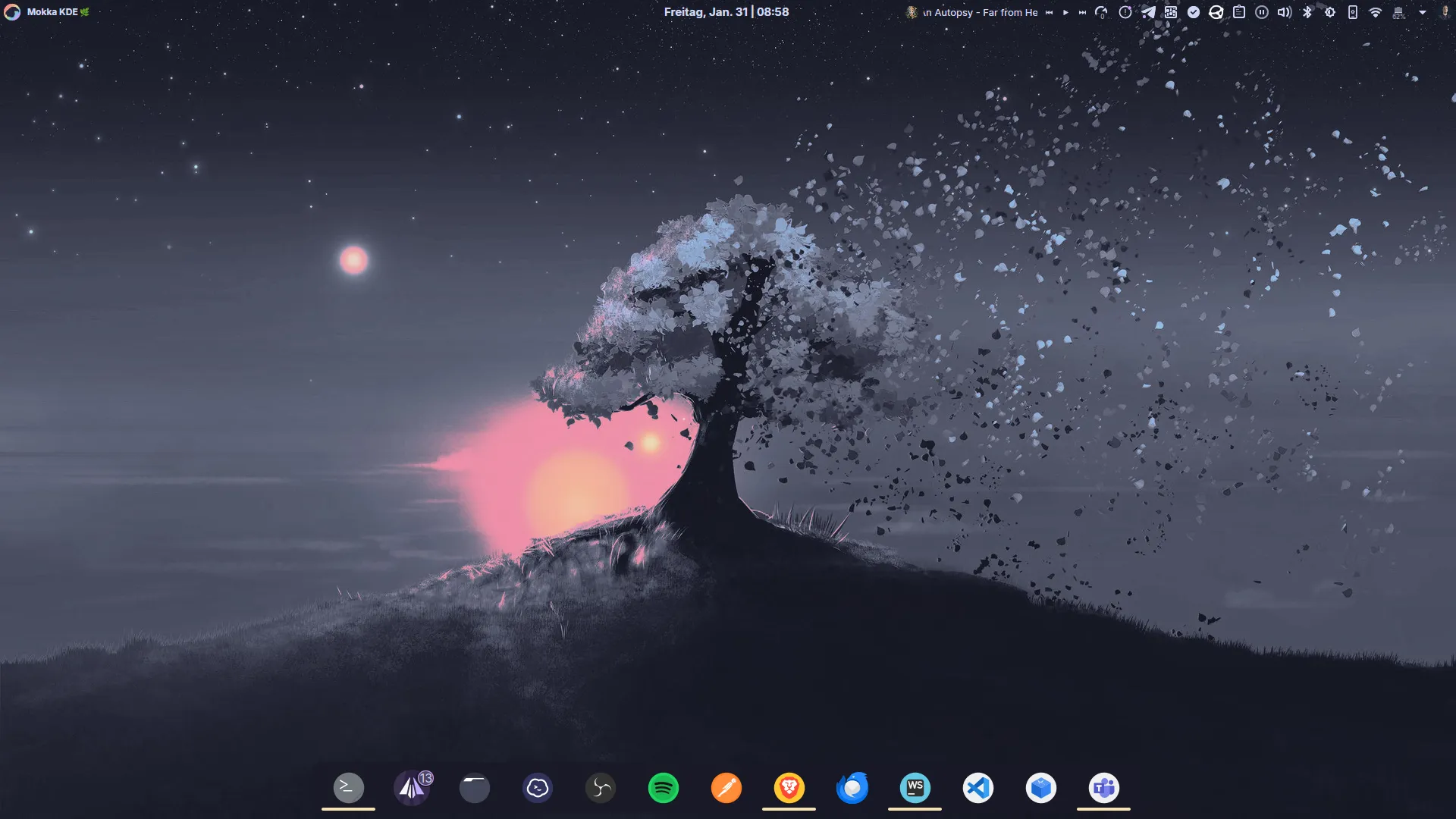
Garuda takes the opposite approach from EndeavourOS. Instead of staying minimal, it goes all in on a finished, opinionated experience. It’s community-run, with roots in India, and best known for its “Dr460nized” KDE Plasma desktop, a heavily customized look that’s become instantly recognizable in Linux screenshots online.
The bigger deal functionally is that Garuda installs on Btrfs by default with automatic Snapper snapshots. If an update breaks your system, you reboot, pick an earlier snapshot straight from the GRUB menu, and you’re back to a working desktop in a couple of minutes. For a rolling release, that’s a genuinely useful safety net. Garuda Gamer, a built-in app, adds Steam, Lutris, and Proton-GE with a few clicks.
Key features:
- Btrfs filesystem with automatic Snapper snapshots and GRUB rollback
- Dr460nized KDE Plasma desktop, plus GNOME and Xfce editions
- Garuda Gamer and Garuda Assistant utility apps
- Linux-zen kernel and ZRAM enabled by default
Pros:
- Snapshot rollback makes rolling-release breakage far less scary
- Best out-of-the-box gaming setup of any distro on this list
- Genuinely striking visual design, not just a reskinned default theme
Cons:
- Heavier than most Arch-based options. Expect to want 8GB of RAM and an SSD
- Ships more pre-installed software than minimalists will want
- Snapshots quietly eat disk space if you never clean them up
5. Kiro: The ArcoLinux Creator’s New Project
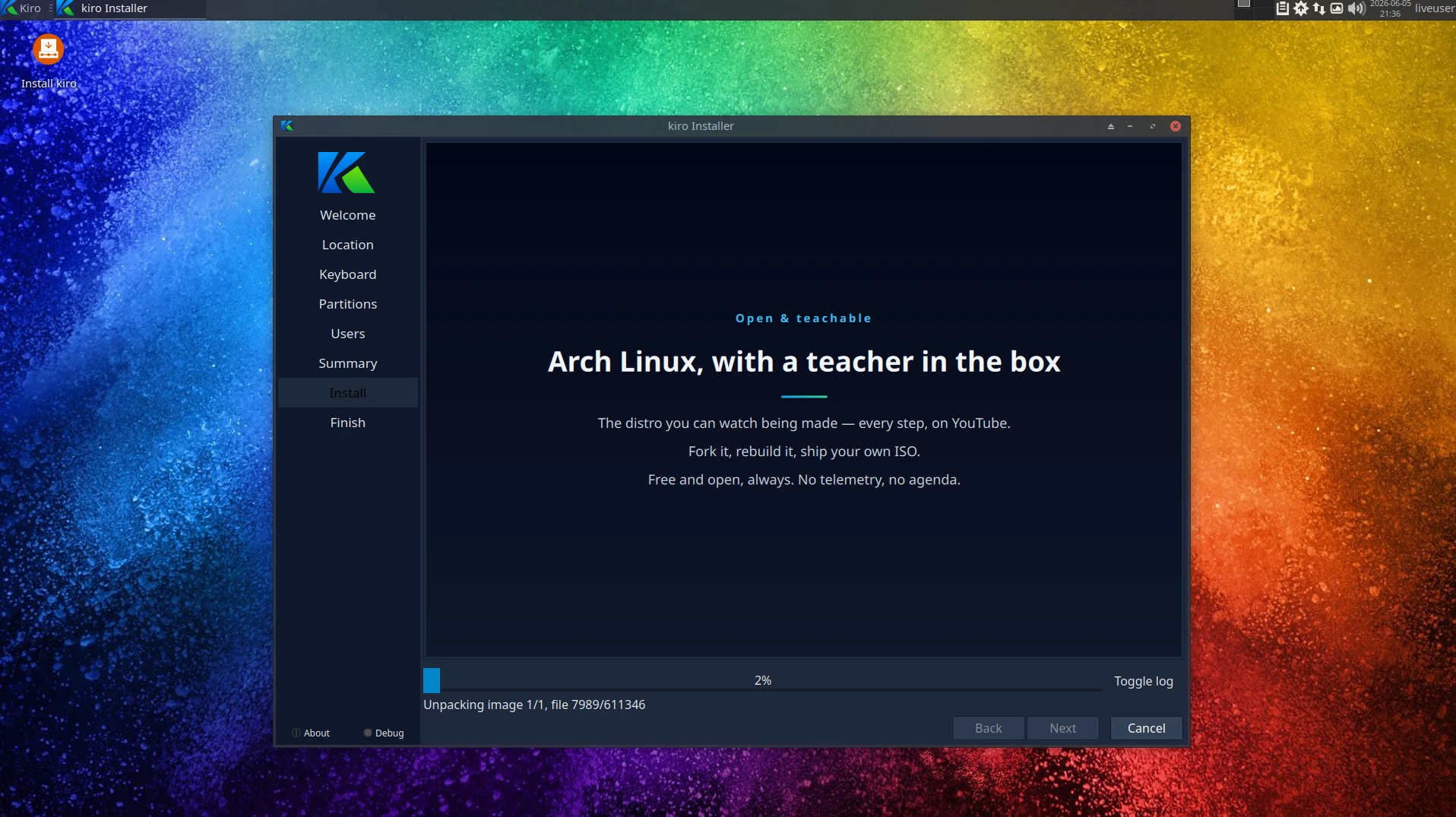
If you came here already knowing ArcoLinux, you should know it’s gone. Erik Dubois, the Belgian developer who built and ran it for eight years, shut the whole project down in 2025. He said plainly that he was nearing 60 and no longer had the mental sharpness or stamina to keep maintaining an ecosystem with that many moving parts. Every ArcoLinux ISO, tool, and package build stopped that July. The old site, its YouTube videos, and its GitHub repos are still online as an archive, but nothing new has shipped since.
Kiro is what Erik built next. He calls it “Arch Linux, with a teacher in the box,” and he frames it as where the ArcoLinux journey continues, just built differently. It started as his own personal daily-driver system, and in June 2026 he opened it up as a public, community-facing distro. It’s a rolling-release Arch build with its own package repos, a Calamares installer, and a Claude AI assistant built in that you can call up straight from the file manager. The ISO boots into Xfce paired with Ohmychadwm, his own tiling window manager, and a tool called the ArchLinux Tweak Tool (ATT) lets you install or remove any of 14 desktops, including a growing lineup of Wayland compositors like Hyprland and Niri, without reinstalling anything.
Key features:
- ArchLinux Tweak Tool (ATT) installs or removes any of 14 desktops and a growing list of Wayland sessions from a running system, no reinstall needed
- Claude AI built in, including a right-click “open Claude here” action in the file manager
- Ships linux-cachyos as the default kernel with linux-zen alongside it, switchable at boot
- Chaotic-AUR and Erik’s own nemesis_repo enabled by default for pre-built AUR binaries, plus yay, paru, and a pamac-aur GUI
- Security defaults most distros skip: firewalld enabled out of the box, a sysctl hardening layer, and no telemetry
Pros:
- A genuinely useful “install once, swap desktops forever” workflow through ATT
- Strong out-of-the-box performance and security tuning for such a new distro
- Carries over Erik’s plain-English teaching style from ArcoLinux, still backed by YouTube walkthroughs
- Fully open source about how it’s built, down to the build scripts
Cons:
- Extremely new as a public project. It only opened up to the community in June 2026, so there’s barely any track record to judge long-term reliability by
- Built and maintained by one developer working alongside an AI assistant, a real single-point-of-failure risk, especially given that its creator has already wound down one major distro before
- Leans on two extra repositories, Chaotic-AUR and nemesis_repo, for pre-built packages on top of Arch and the AUR. Convenient, but it’s trust in a third party you’re not managing yourself
- Development is funded through donations covering a paid Claude subscription, so its long-term sustainability depends on that funding holding up
6. RebornOS: Switch Desktops Whenever You Want
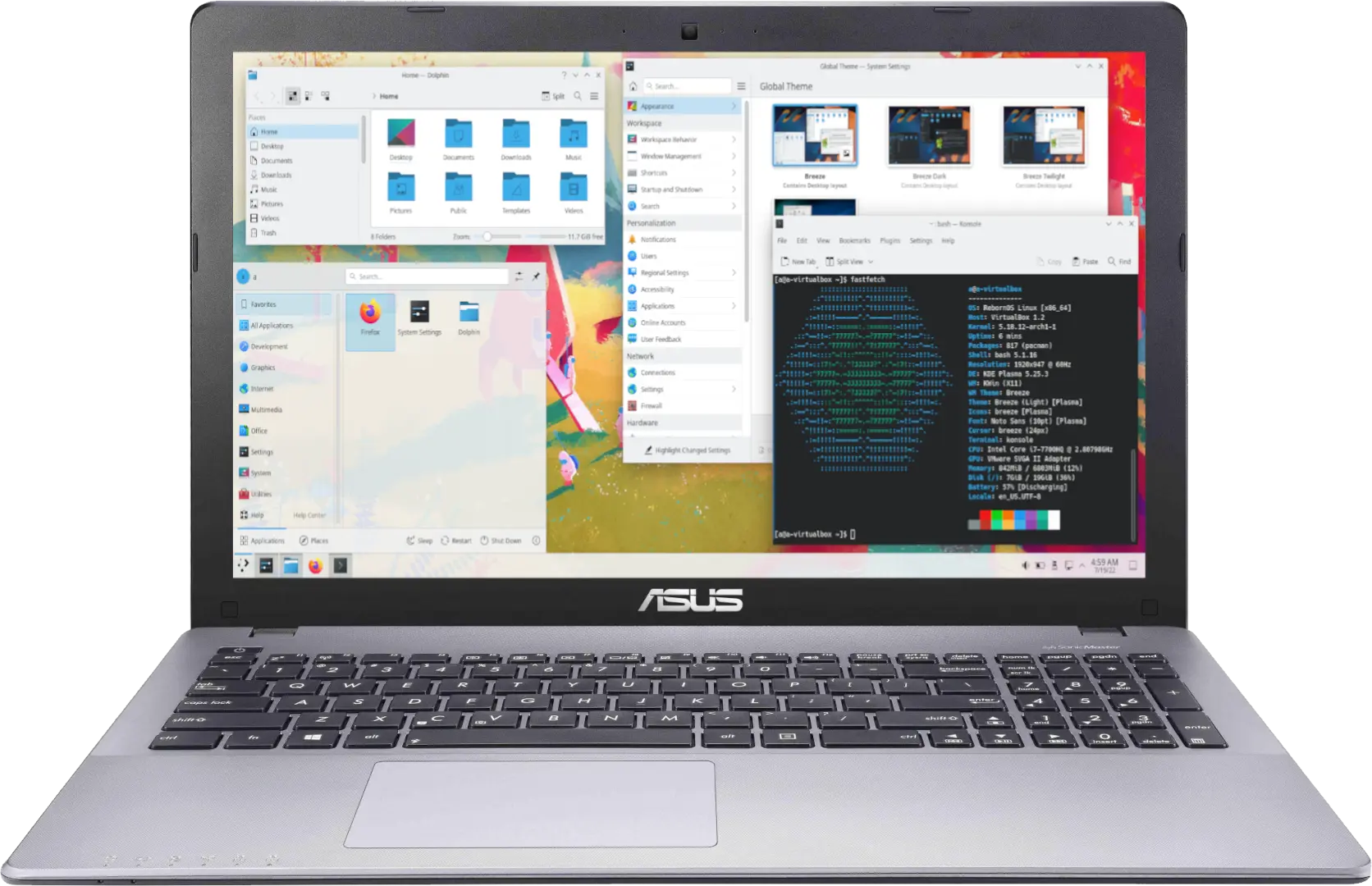
RebornOS shares Antergos roots with EndeavourOS but took the idea in a different direction, built entirely around desktop flexibility. Its installer lets you choose from more than 15 desktop environments and window managers before you even finish setting up the system, and a tool called Reborn Fire lets you add or switch desktops afterward without a reinstall.
It maintains its own repository alongside the official Arch and AUR repos, bundling in codecs and everyday productivity apps so you’re not hunting them down after install.
Key features:
- Choice of 15-plus desktop environments and window managers at install
- Reborn Fire tool for switching desktops after installation
- Its own repository layered on top of Arch and the AUR
- Multimedia codecs and common apps included by default
Pros:
- Unmatched flexibility if you like trying different desktops
- Genuinely easy graphical install process
- Solid documentation for a smaller project
Cons:
- Smaller team than Manjaro or EndeavourOS, so niche bugs take longer to fix
- Its own repository is one more moving part that can occasionally lag behind Arch proper
7. Archcraft: Minimal, Fast, and Genuinely Good-Looking
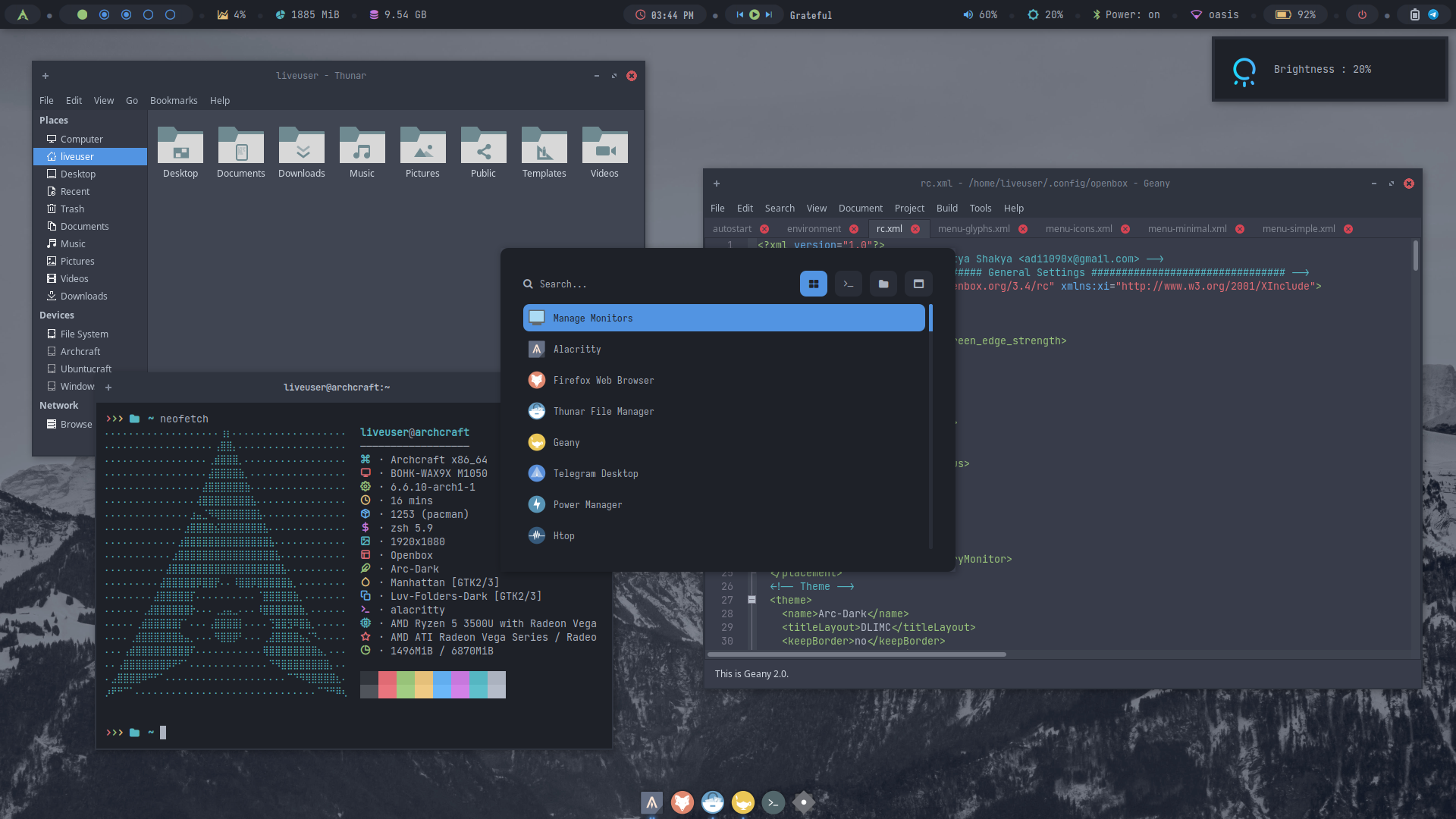
Archcraft skips desktop environments altogether. Instead of KDE Plasma or GNOME, you get heavily themed window managers, mainly Openbox and Bspwm, with i3 and dwm editions also available. Everything is pre-configured with cohesive, genuinely attractive themes, which is rare for window-manager-only distros that usually expect you to build your own config from nothing.
The payoff is speed. Archcraft idles under 500 to 800MB of RAM depending on the window manager, which makes it a strong option for older laptops or anything with limited hardware.
Key features:
- Openbox and Bspwm as the flagship window managers, with i3 and dwm editions
- Pre-built, consistent visual themes across window managers
- Calamares installer alongside an advanced text-based option
- Full pacman and AUR access, same as any other Arch-based distro
Pros:
- Extremely light on RAM and CPU, great for older hardware
- Some of the best-looking pre-configured window manager setups around
- Nothing held back, since it’s essentially Arch with a themed window manager on top
Cons:
- Window managers have a real learning curve if you’ve only used a taskbar and start menu
- Not the pick if you want something that feels like Windows or macOS out of the box
8. Artix Linux: Arch Without Systemd
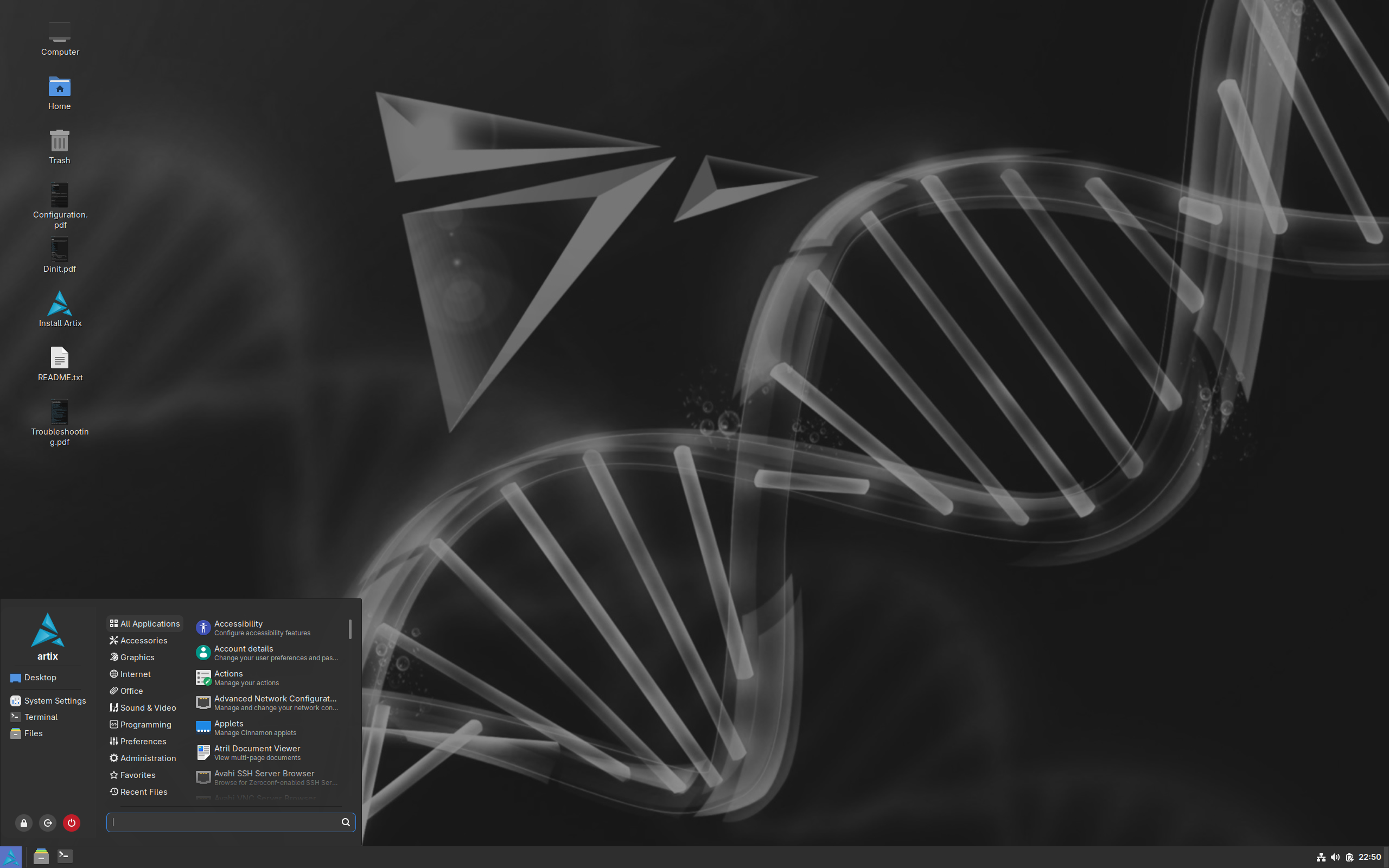
Artix exists for one specific reason: some people don’t want systemd, and Artix is the main Arch-based option that respects that. It grew out of the Arch-OpenRC and Manjaro-OpenRC projects joining forces, and it lets you choose OpenRC, runit, s6, dinit, or suite66 as your init system when you install.
Because so much of the modern Linux software ecosystem assumes systemd is present, Artix maintains its own repositories to handle the packaging differences that come with skipping it. That’s the tradeoff: you get the init system you want, but you’re on a smaller, more specialized island within the Arch world.
Key features:
- Choice of OpenRC, runit, s6, dinit, or suite66 as the init system
- Base, graphical, and community-built ISOs
- Separate repositories built to accommodate non-systemd packaging
- Stays close to Arch’s minimal, DIY philosophy
Pros:
- The main mainstream option if you have real objections to systemd
- Well documented for how niche the project is
- Genuinely lightweight, in line with Arch’s own minimalism
Cons:
- Smaller package availability for software that assumes systemd, sometimes requiring you to write your own service files
- Updates can lag behind mainline Arch
- Not a beginner pick despite the easier install. This one’s for people who already know why they want it
Other Arch-Based Projects Worth Knowing
These two don’t fit neatly into a “best daily-driver distro” list, but they’re worth knowing about if you’re curious what Arch’s foundation has made possible.
- BlackArch. Built specifically for penetration testing and security research, BlackArch ships more than 2,800 security tools you can install individually, in categorized groups, or layer directly onto an existing Arch install. It’s not meant for everyday desktop use, but it’s one of the most complete security-focused distros available.
- SteamOS and the Steam Machine. Valve’s SteamOS 3 runs on an Arch Linux base and powers the Steam Deck. In 2026, Valve extended that same Arch-based OS to the Steam Machine, a living-room gaming desktop. It’s locked to Valve’s own hardware and gaming-focused design rather than something you’d install as a general desktop OS, but it’s a good reminder of how far Arch’s foundation has spread.
How to Pick the Right One for You
If you’re still not sure which distro fits, match your situation to one of these:
- Coming straight from Windows or macOS: Manjaro or Garuda Linux
- Want the closest thing to real Arch without the manual install: EndeavourOS
- Building a gaming PC or workstation with a modern CPU: CachyOS or Garuda Linux
- Working with an old laptop or low-spec hardware: Archcraft
- Want ArcoLinux’s teaching spirit in an actively maintained project: Kiro
- Can’t decide on a desktop environment: RebornOS
- Have real objections to systemd: Artix Linux
Frequently Asked Questions
Is Arch Linux hard to install?
Yes, if you install vanilla Arch Linux by hand. There’s no beginner-oriented graphical installer: you partition your own drive, mount it, install the base system, generate an fstab, chroot in, set your timezone and locale, install a bootloader, and only then add a desktop environment. The official archinstall script speeds this up with a guided menu, but it still expects you to understand partitioning and basic networking. That’s the whole reason Arch-based distros exist.
What’s the easiest Arch-based Linux distro for beginners?
Manjaro and Garuda Linux are usually the easiest starting points. Both use a graphical installer, ship with a desktop environment and drivers already configured, and don’t require any command-line work to get up and running. EndeavourOS is only slightly harder and gets you closer to how real Arch behaves day to day.
Is Manjaro still a good choice in 2026?
It’s still one of the most widely used Arch-based distros and works fine for most people day to day. That said, 2026 has been a rocky year for the project. A group of Manjaro’s own team members published a “Manjaro 2.0 Manifesto” in March 2026 calling for the project to split from its parent company and restructure, citing years of declining trust and contributor turnover. It’s worth keeping an eye on the situation before committing to it as a long-term daily driver.
What happened to ArcoLinux?
Erik Dubois, its creator, shut it down in 2025 after eight years, saying he no longer had the stamina to keep maintaining a project with that many moving parts on his own. Every ArcoLinux ISO, tool, and package build stopped that July, though the old site, videos, and GitHub repos are still online for reference. His new project, Kiro, picks up the same teaching-focused approach to Arch under a different name.
Can I use the AUR on any Arch-based distro?
Yes. Every distro on this list uses pacman as its package manager, which means every one of them can access the Arch User Repository. Most ship a graphical AUR helper, like Pamac on Manjaro, or expect you to install a command-line one such as yay or paru.
What’s the difference between Arch Linux and an Arch-based distro?
An Arch-based distro uses the same package manager, the same core repositories, and the same rolling-release model as Arch Linux, but adds its own installer, default desktop, and preconfigured settings on top. Under the hood, you’re still running Arch. You’re just skipping the part where you build the base system yourself.
Which Arch-based distro is best for gaming?
CachyOS and Garuda Linux are the two to try first. CachyOS focuses on raw performance through CPU-optimized packages and a tuned kernel, while Garuda ships Steam, Lutris, and Proton-GE out of the box along with a gaming-tuned kernel and a visual style a lot of gamers like. Either one is a real upgrade over installing Steam on vanilla Arch yourself.
Every distro on this list runs on the same foundation: the same pacman, the same AUR, the same rolling-release core that makes Arch worth the trouble in the first place. The only real question is how much of the setup work you want done for you before you start. Install a couple of these in a virtual machine before committing to one on real hardware. It’s the fastest way to find out which one actually fits how you work.





2 thoughts on “The Best Arch-Based Linux Distros in 2026 (Ranked and Reviewed)”
A well-written article; I enjoyed it. I do take issue with this assertion of Manjaro holding back packages for “stability.” It just means you are two weeks behind in most everything. Maybe that’s not such a big deal, but any stability you get is basically basically worthless.
“This guide covers what Arch Linux actually is,”
No it does not.
The Arch documentation does tell you what Arch is all about,
https://wiki.archlinux.org/title/Arch_Linux
“User centrality
Whereas many GNU/Linux distributions attempt to be more user-friendly, Arch Linux has always been, and shall always remain user-centric:
The distribution is intended to fill the needs of those contributing to it, rather than trying to appeal to as many users as possible.
It is targeted at the proficient GNU/Linux user, or anyone with a do-it-yourself attitude who is willing to read the documentation, and solve their own problems.
All users are encouraged to participate and contribute to the distribution. Reporting and helping fix bugs is highly valued and patches improving packages or the core projects are very appreciated: Arch’s developers are volunteers and active contributors will often find themselves becoming part of that team. Archers can freely contribute packages to the Arch User Repository, improve the ArchWiki documentation, provide technical assistance to others or just exchange opinions in the forums, mailing lists, or IRC channels. Arch Linux is the operating system of choice for many people around the globe, and there exist several international communities that offer help and provide documentation in many different languages. “