
Linux used to be the platform music producers avoided. Anyone who tried making beats on it in the 2010s remembers broken JACK setups, plugins that refused to load, and DAWs that felt like unfinished side projects next to what Windows and Mac users had.
That reputation is outdated now. Bitwig ships a full native Linux build with feature parity to its Windows and Mac versions. Ardour has been Linux’s flagship DAW for two decades, built by the same person who created the JACK audio server. REAPER runs on Linux the same way it runs everywhere else, as a real native application, not an emulated one. The plugin ecosystem caught up too, with LV2, VST3, and the newer CLAP format all working without Wine anywhere in the picture.
This guide covers the DAWs that install and run natively on Linux, what each one does well, and where each one falls short. There’s a shorter section near the end on FL Studio and Ableton Live too, since plenty of people still want to know if those work. They do, through Wine, with some caveats.
Quick Answer: Best Linux DAWs at a Glance
| DAW | Best For | Price |
|---|---|---|
| Bitwig Studio | Electronic music and sound design | €99 to €399 |
| REAPER | Best overall value | $60 to $225, one time |
| Ardour | Free, open source production | Free (pay what you want) |
| Renoise | Tracker-style electronic music | About $80 to $90, one time |
| Waveform Free | Best full-featured free DAW | Free |
| LMMS | Beginners and beat making | Free |
| Zrythm | Modern open source workflow | Free to compile; paid builds from about $25 |
| Qtractor | Lightweight, JACK-native sequencing | Free |
| Helio Workstation | Sketching ideas and microtonal music | Free |
Jump to a DAW: Bitwig Studio, REAPER, Ardour, Renoise, Waveform Free, LMMS, Zrythm, Qtractor, and Helio Workstation.
What Is a DAW, Exactly?
DAW stands for digital audio workstation. It’s the software used to record, arrange, mix, and produce audio, whether that’s a song, a podcast, or a film score, entirely inside a computer. Before DAWs existed, this job needed a mixing console, a multitrack tape machine, a rack of outboard effects, and a room full of cables. Now it’s one application on a laptop.
Every DAW, no matter how different the interface looks, is built around the same handful of ideas.
The Parts Every DAW Shares
- Tracks: Audio tracks hold recorded sound. MIDI tracks hold note data that triggers a virtual instrument.
- Timeline or arrangement view: The space where you place, trim, and move clips over time.
- Mixer: Faders, panning, EQ, and sends for blending everything together.
- Plugins: Virtual instruments like synths and samplers, plus effects like reverb, compression, and EQ, that load inside the DAW.
- Automation: Recorded changes to a parameter over time, like a fader that fades out on its own.
- Transport controls: Play, record, stop, and loop. Same functions a tape deck had, just virtual now.
Learn those six pieces in any DAW and you can find your way around the rest. What actually separates one program from another is workflow (a linear timeline versus clip launching), plugin support, and price.
How Linux Handles Audio (and Why It Matters)
Linux routes audio differently than Windows or macOS, and it helps to know the basics before picking a DAW.
ALSA sits at the bottom of the stack, talking directly to sound hardware. For years, JACK sat on top of that, giving pro audio applications a way to route audio and MIDI between each other with very low latency. Anyone who used Linux for music years ago probably fought with a JACK configuration at some point.
PipeWire has mostly ended that fight. It’s now the default audio system on most major distros, including Ubuntu, Fedora, and Debian, and it includes a JACK-compatible layer so applications built for JACK still work without changes. Most producers can install a DAW today and just get to work, though some still run JACK2 directly for maximum control over buffer sizes and routing.
Plugin formats matter too. Linux DAWs typically support some combination of:
- LV2: An open plugin format built for Linux, used by a lot of free and open source plugins.
- VST3: Steinberg’s format, increasingly compiled for Linux alongside Windows and Mac.
- LADSPA: An older, simpler effects format that’s mostly a legacy option at this point.
- CLAP: A newer format co-developed by Bitwig and u-he, gaining traction because it handles modulation and multi-core performance better than VST3.
The Best DAWs for Linux (Native Support)
These all install and run directly on Linux. No compatibility layer, no workaround, no fingers crossed.
1. Bitwig Studio
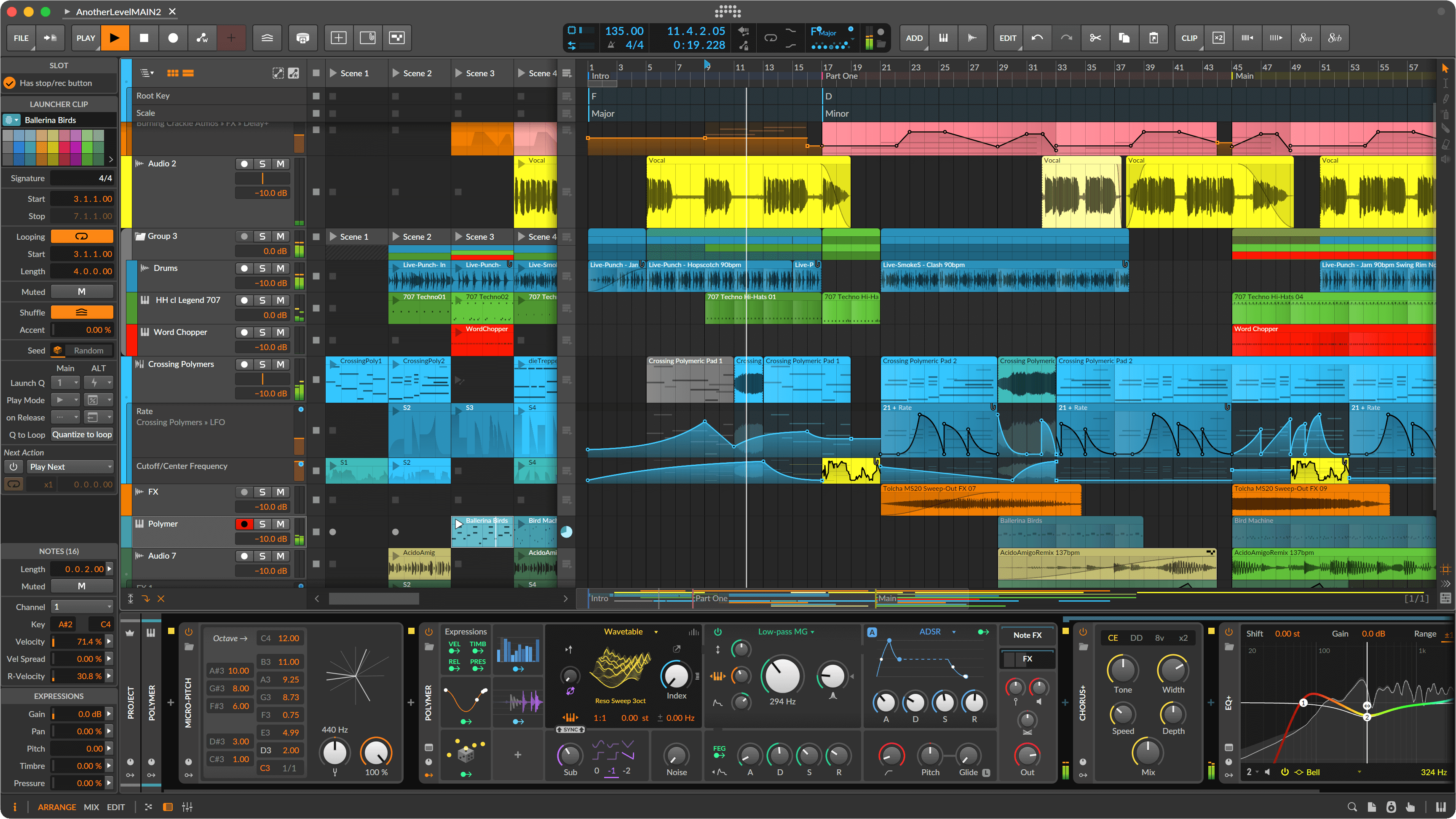
A group of former Ableton employees built Bitwig Studio, and Linux never got treated as an afterthought here. The build available today matches the Windows and Mac versions feature for feature, right down to the release date. Bitwig shares some DNA with Live, the clip launcher, the general workflow, but goes much deeper on modulation and sound design. The Grid, its modular synthesis and effects environment, lets you build custom instruments and processors from scratch by patching modules together.
Key features:
- Hybrid linear arranger and clip launcher, so you can produce on a timeline or perform live with clips
- The Grid for modular synthesis and effects patching
- Deep modulation routing between almost any two parameters in the software
- Native support for CLAP and VST plugins
- Built-in tools for MPE (MIDI Polyphonic Expression) controllers
Pros:
- True feature parity with the Windows and Mac versions, not a stripped-down port
- Modulation system is more flexible than most competitors offer
- Stable, mature performance on Linux rather than a bolted-on build
- CLAP support opens the door to newer, better-performing plugins
Cons:
- The Studio tier costs €399, a real investment for the full feature set
- The Grid has a learning curve if modular synthesis is new to you
- Smaller factory content library than Ableton or Cubase
Price: Three tiers: Essentials at €99, Producer at €199, and Studio at €399. USD pricing runs close to the same numbers.
2. REAPER
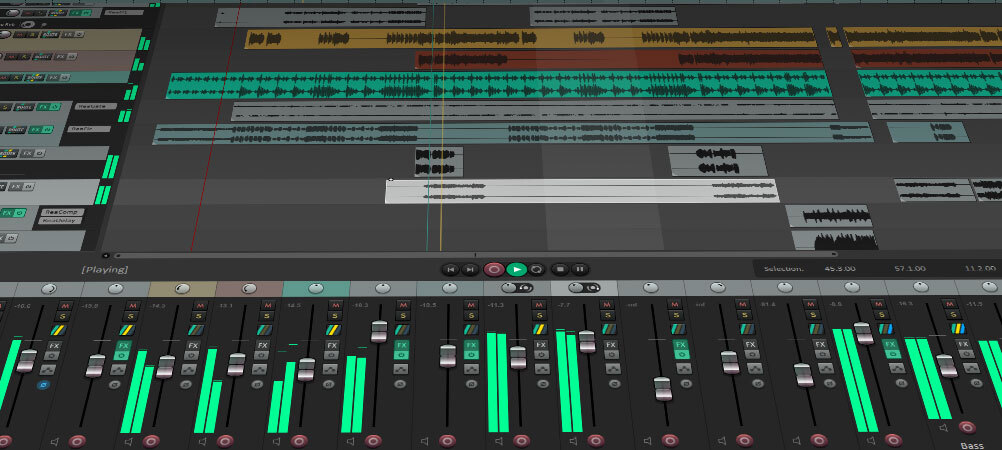
Cockos built REAPER around one idea: give people who use a DAW every day total control, without charging suite-level prices for it. The Linux build gets the same treatment as Windows, meaning real native binaries, including ARM builds for boards like the Raspberry Pi, not a Windows executable wrapped in something else. One license unlocks everything. There’s no separate tier hiding the good mixer or the video tools behind a higher price tag.
Key features:
- Full audio, MIDI, and video editing in one application
- FX containers and parallel routing for complex signal chains
- Deep customization through ReaScript and fully swappable themes
- Support for VST, VST3, AU, CLAP, and LV2 plugin formats
- Extremely low system resource use, even on older machines
Pros:
- $60 for a personal license or $225 commercial, one time, no subscription
- 60-day fully functional trial with no feature restrictions
- Runs well on older or low-power hardware where other DAWs struggle
- Active scripting community and frequent updates
Cons:
- Stock interface and instruments look plain next to Bitwig or Ableton
- Customization is a strength, but it also means more setup before it feels like “yours”
- Smaller built-in sound library than suite-style competitors
Price: $60 discounted license (for personal use or under $20,000 annual revenue), $225 commercial license. Both are one-time payments.
3. Ardour
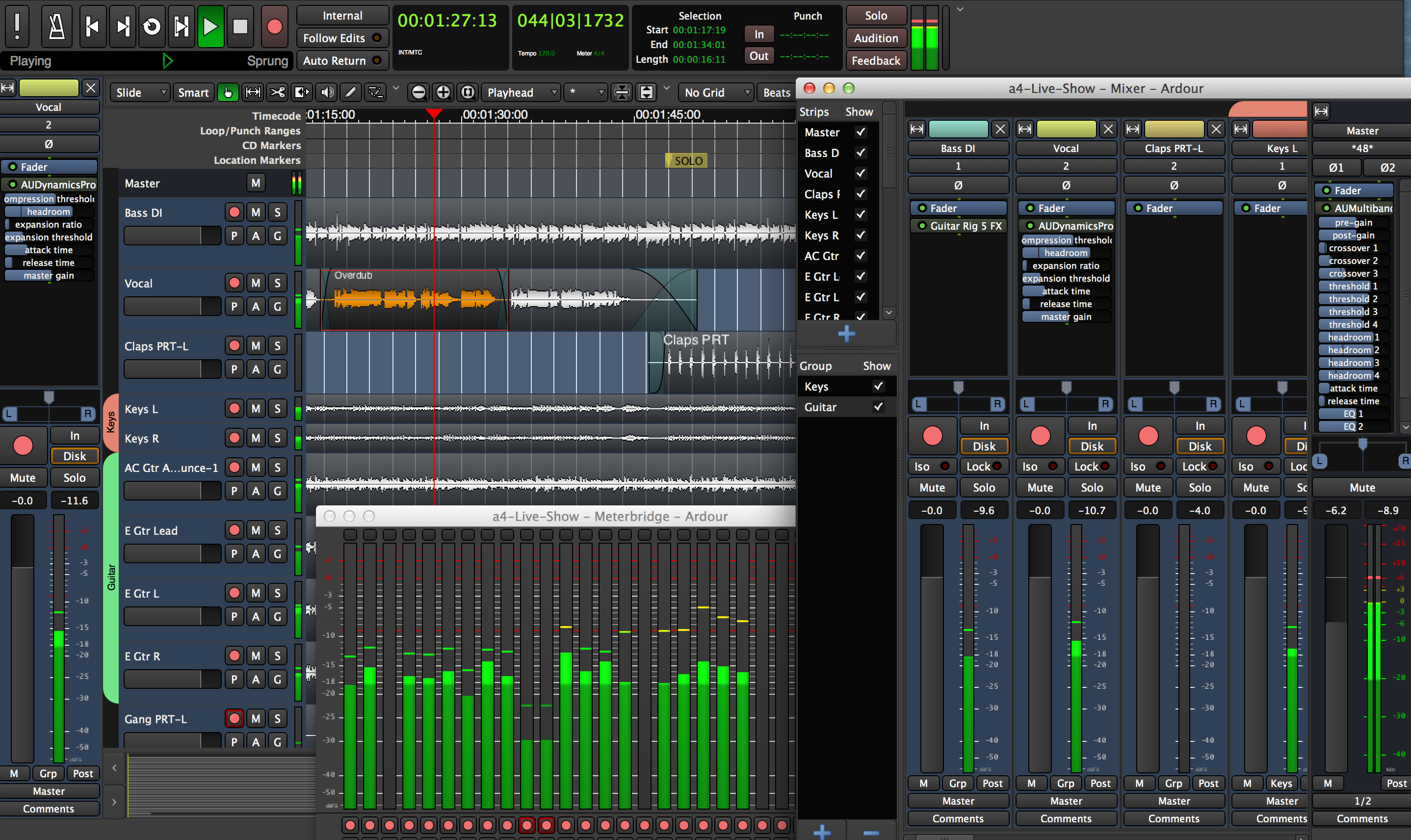
Paul Davis built the JACK audio server. He also built Ardour, and that shared history shows in how tightly the two work together on Linux. It’s fully open source under the GPL, so the code is free to read, modify, and compile yourself. Most people instead pay what they want (a dollar minimum) for a ready-to-run build, or subscribe monthly to get access to nightly builds as development continues.
Key features:
- Unlimited tracks and busses for recording and mixing
- Non-destructive editing with full undo history
- Support for LADSPA, LV2, VST, and VST3 plugins
- Built-in video timeline for scoring and sync work
- Fully scriptable through Lua
Pros:
- Genuinely free if you’re willing to compile it yourself
- No company can pull the plug on software you can build from source
- Large community and roughly two decades of development behind it
- Mixbus, a separate paid DAW from Harrison, builds on Ardour’s engine if you want an analog console feel to the mixer
Cons:
- Interface is more utilitarian than flashy, form follows function here
- The version in your distro’s package manager is often behind the latest release
- Plugin management takes more manual setup than some paid competitors
Price: Free to compile from source. Pre-built downloads start at $1 pay-what-you-want, or a monthly subscription from $1 to $50 for ongoing updates and nightly builds.
4. Renoise
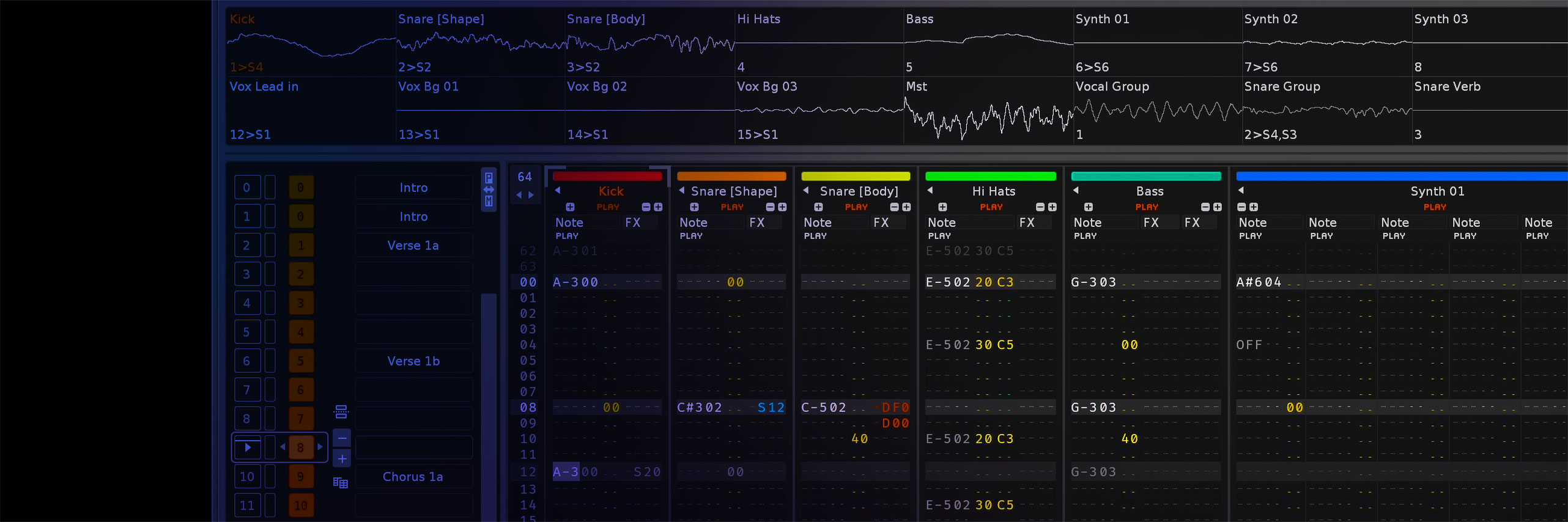
Renoise looks like nothing else on this list, and that’s the point. It’s a tracker, meaning you compose by entering notes and effect commands into a scrolling pattern grid instead of dragging clips across a timeline. If you grew up on Amiga trackers, or you make electronic, chiptune, or experimental music, this workflow can end up faster than anything else here once it clicks. It’s been available natively on Linux for years, with proper ALSA, JACK, and native Linux VST support built in rather than bolted on.
Key features:
- Pattern-based sequencing with per-step effect commands
- Built-in sampler with slicing, looping, and modulation
- Phrase editor for building reusable note and automation sequences
- Scriptable through Lua for custom tools
- Ableton Link support for syncing tempo with other apps
Pros:
- Extremely fast for programmed beats and sample-based work once you learn the grid
- Lightweight and native on Linux with proper plugin support
- One-time purchase, no subscription
- Long track record of continued development
Cons:
- The tracker interface is a real learning curve if you’ve never used one before
- Not built around live multitrack recording of vocals or full bands
- Smaller community means fewer tutorials than mainstream DAWs
Price: Roughly $80 to $90 (about €70 to €80) as a one-time purchase. Worth checking their site directly, since pricing shifts with promotions.
5. Waveform Free (and Waveform Pro)
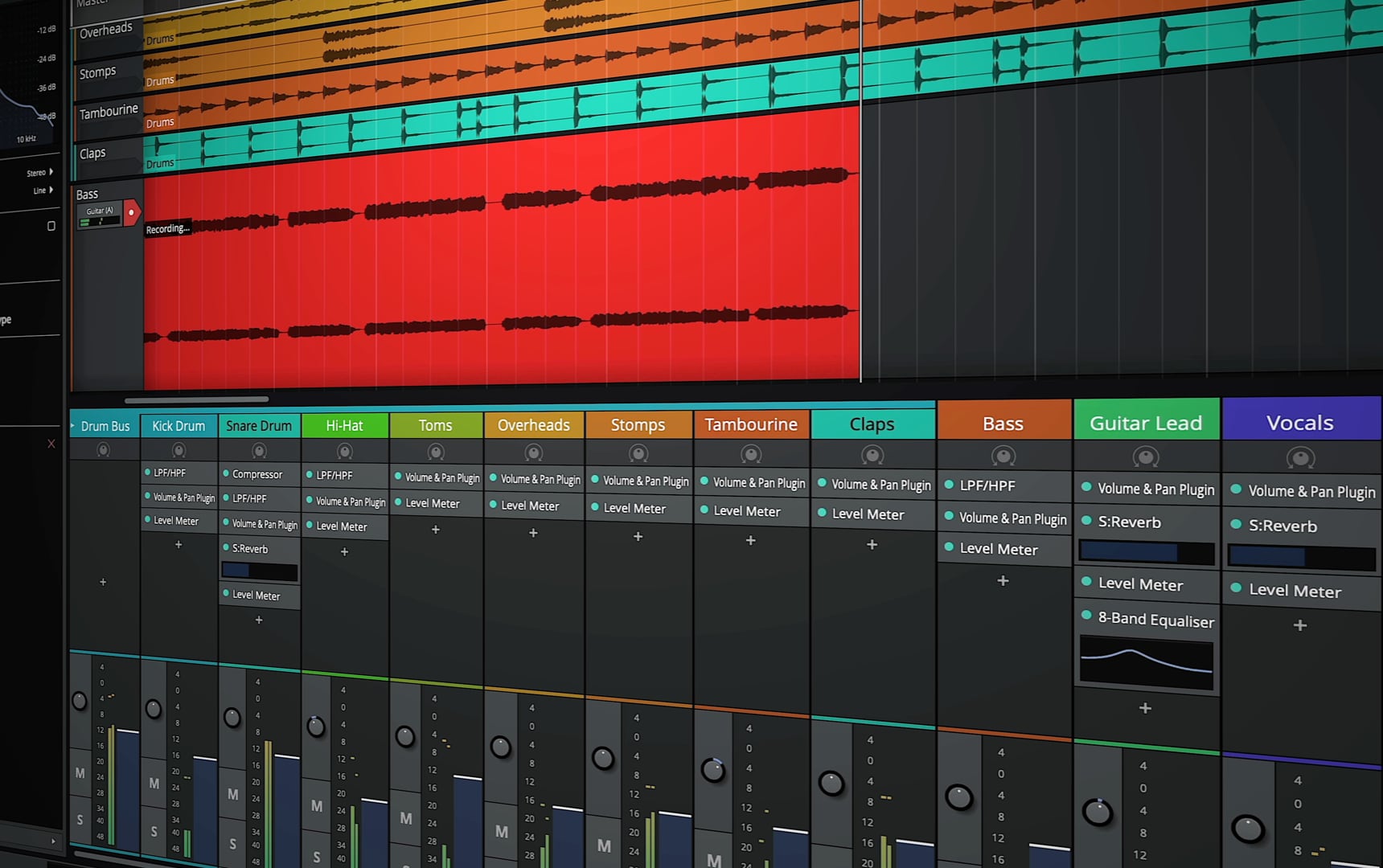
Tracktion’s Waveform Free might be the most complete free DAW on any platform, not just Linux. There’s no artificial track limit, no locked mixer, no plugin cap. You get the real application, just without some of Waveform Pro’s extra bundled content and a handful of advanced features. It’s also one of the few DAWs that officially supports the Raspberry Pi, which says something about how light it can run.
Key features:
- Unlimited tracks, plugins, and exports in the free version
- Support for VST2, VST3, AU, and LV2 plugins
- Arranger track for building song structure from sections
- Built-in step sequencer and MIDI tools
- Consistent workflow between Free and Pro, so upgrading later doesn’t mean relearning the app
Pros:
- Genuinely free with no restrictions that matter for most users
- Runs on Linux, macOS, Windows, and even Raspberry Pi
- Clear upgrade path to Waveform Pro later if you outgrow the free version
- LV2 support makes it a solid fit in a Linux plugin setup
Cons:
- Interface feels less modern than Bitwig or REAPER
- Smaller third-party tutorial community than the bigger names
- Pro version’s extra content, like Melodyne bundles, costs more on top
Price: Waveform Free costs nothing. Waveform Pro is paid and adds extra plugins, content, and features.
6. LMMS
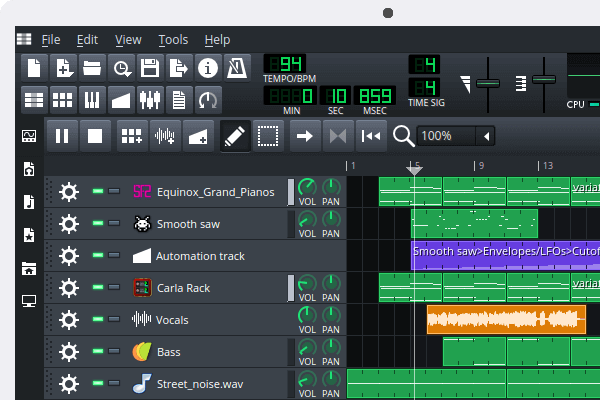
A lot of Linux producers start here. LMMS borrows its pattern-based workflow straight from FL Studio, and it ships with a genuinely large library of built-in synths, including chiptune emulators for the SID, NES, and Game Boy sound chips, plus a full port of ZynAddSubFX. It’s completely free and open source, and it always will be. There’s no paid tier waiting behind a feature you actually need.
Key features:
- Pattern-based beat editor alongside a full piano roll
- 64-channel FX mixer with unlimited effects per channel
- Dozens of built-in synths and a chiptune-focused instrument set
- Support for SoundFont2, LADSPA, and VST plugins (VST through Wine, LinuxVST in nightly builds)
- Automation for nearly every parameter in the app
Pros:
- Completely free forever, no catch
- Beginner-friendly if you’ve ever touched FL Studio
- You can build entire tracks using only the stock instruments
- A huge amount of tutorials online given how long it’s been around
Cons:
- Less suited to live multitrack recording of vocals or full bands than Ardour or REAPER
- The stable release moves slowly, with the biggest updates living in nightly builds
- Interface looks dated compared to newer DAWs
Price: Free, under the GPL license.
7. Zrythm
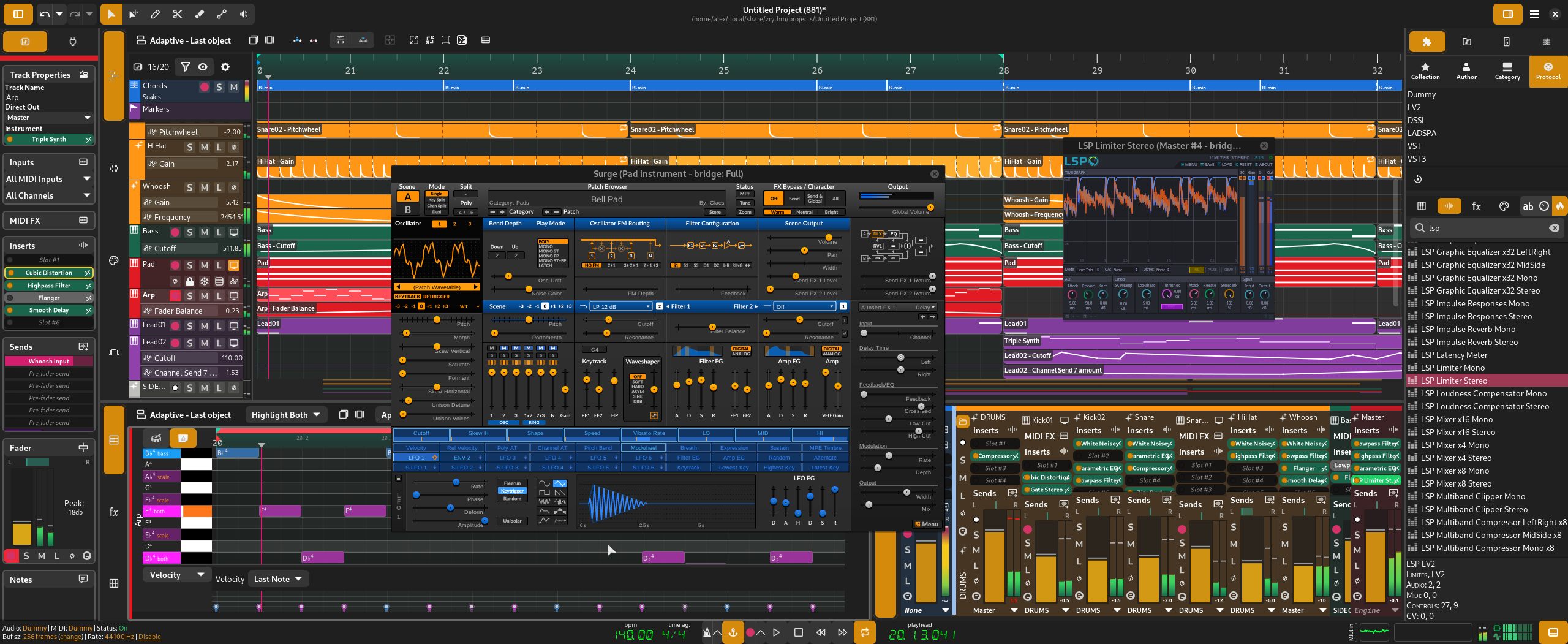
Built specifically with Linux and automation in mind, Zrythm borrows ideas from Ardour, Bitwig, and Cubase, aiming to make nearly everything in the DAW controllable and connectable. The source code is free and GPL-licensed, so you can compile it yourself at no cost. Ready-to-run builds and extra plugins come as a paid bundle or subscription, which funds ongoing development.
Key features:
- Automation curves, LFOs, and envelopes for controlling almost any parameter
- Chord pads and a chord track for building progressions quickly
- Full JACK awareness, including JACK transport sync
- LV2 and VST2 support, with VST3, AU, SFZ, and SF2 support still maturing
- Active development, with a version 2 currently in testing
Pros:
- More modern interface than some older Linux-native options
- Free and open source at the code level
- Strong automation model for detailed, evolving arrangements
- Actively developed, with regular updates
Cons:
- Smaller community than Ardour, so fewer third-party tutorials
- Pre-built, ready-to-run versions aren’t free, only the source is
- Some plugin formats are still listed as experimental
Price: Free if compiled from source. Ready-to-run builds run roughly $25 to $45, as a one-time bundle or an annual subscription.
8. Qtractor
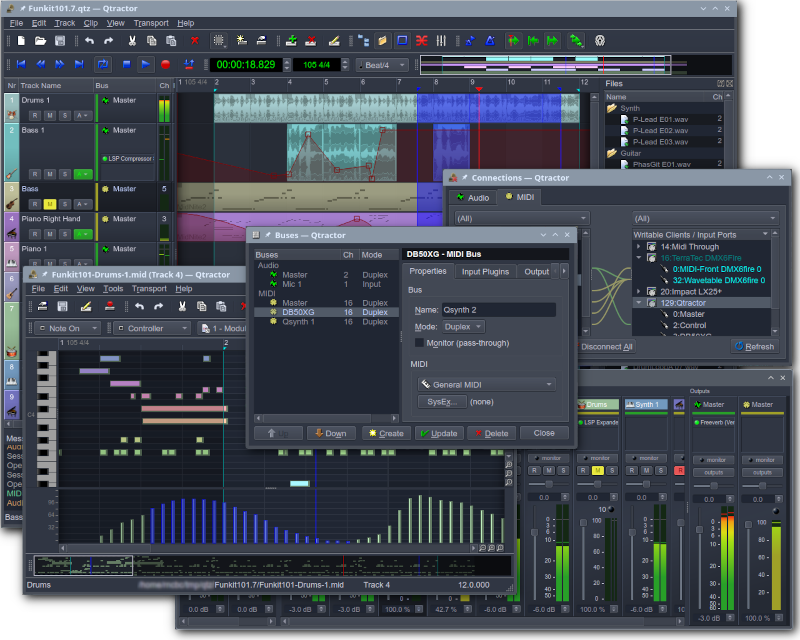
Qtractor doesn’t try to be cross-platform, and that focus shows. It was built for Linux from the start by Rui Nuno Capela, who also created QjackCtl and Qsynth, two other staples of the Linux audio world. It’s a straightforward, no-nonsense sequencer: JACK for audio, ALSA for MIDI, and support for a wide range of plugin formats, including the newer CLAP standard.
Key features:
- Non-destructive multitrack audio and MIDI sequencing
- Support for CLAP, DSSI, LADSPA, LV2, VST, and VST3 plugins
- Tight JACK and ALSA integration, since it was designed around them from day one
- Lightweight footprint that runs well on older hardware
- Built-in MIDI editor for detailed note editing
Pros:
- Purpose-built for Linux, so it fits naturally into a JACK or PipeWire setup
- Completely free and open source
- Runs smoothly even on modest hardware
- Wide plugin format support, including CLAP
Cons:
- Interface is plain and function-first, not something you’d call polished
- Smaller community and fewer learning resources than Ardour
- Documentation can feel thin for newcomers
Price: Free, under the GPL license.
9. Helio Workstation

Sketching an idea fast is Helio’s whole reason for existing. It’s built around two views, a piano roll and a pattern roll, both designed to get a melody or chord idea down before you lose it. It also supports microtonal and non-Western scales, which makes it an interesting pick if you write music outside standard tuning systems.
Key features:
- Piano roll and pattern roll views built for fast idea capture
- Support for microtonal and non-Western scales
- Tree-based project history, so you can branch and revisit earlier versions of an idea
- Cross-platform, including desktop Linux and mobile
- Clean, minimal interface with few distractions
Pros:
- Completely free and open source
- Genuinely fast for sketching melodies and chord ideas
- Unique scale and tuning support most DAWs don’t offer
- Works well as a companion to a full DAW, not just as a standalone tool
Cons:
- Not meant to replace a full production and mixing workflow
- Small plugin and instrument ecosystem
- Better thought of as a sketchpad than a finished-track tool
Price: Free, open source.
10. Honorable mentions
Two more worth knowing about. Audacity is free, open source, and native on Linux, but it’s an audio editor more than a full DAW: no piano roll, no MIDI sequencing, just excellent multitrack recording and editing. It’s still a great choice for podcasts or quick audio cleanup. And Harrison Mixbus takes Ardour’s engine and wraps it in a mixer modeled after Harrison’s analog consoles, worth a look if you like what’s under Ardour’s hood but want a different mixing workflow on top of it.
What About FL Studio, Ableton Live, and Other Windows DAWs?
Not every DAW has made the jump to Linux, and two of the biggest names still haven’t, despite years of requests.
FL Studio has no official Linux version. Image-Line hasn’t announced a roadmap for one, even with an active thread on their own forums full of users asking for it. The workaround is Wine, usually managed through Bottles, an app that handles Wine environments so you’re not editing configuration files by hand. It works reasonably well for a lot of people, but it’s unofficial and unsupported, so a Wine update or an FL Studio update can break things without warning.
Ableton Live sits in a similar spot. There’s no official Linux build, but a community project built around a patched version of Wine has gotten remarkably close to native performance. It routes low-latency audio through WineASIO into JACK or PipeWire, supports native file dialogs, follows your system’s light or dark theme, and even handles Push hardware. It’s genuinely impressive work, but it’s maintained by volunteers outside of Ableton, not the company itself, so treat it as experimental.
Studio One and Pro Tools are rougher rides under Wine. Pro Tools especially leans on hardware dongles and driver-level integration that doesn’t translate well, so it’s not a realistic option for serious work on Linux right now.
If you’re committed to one of these DAWs, a Windows partition or a dedicated Windows machine is still the more reliable path. If you’re open to switching, every DAW covered above will get you further with less friction.
Which Linux DAW Should You Actually Pick?
There’s no single right answer, but a few patterns hold up.
Want something that feels like a full commercial product with active development and real support? Bitwig or REAPER are the safest bets. Budget is the deciding factor and a rougher interface doesn’t bother you? Ardour and Waveform Free cost nothing and can genuinely finish a record. Coming from FL Studio, or just starting out entirely? LMMS will feel familiar fast. Already think in patterns instead of timelines? Renoise is worth the learning curve.
Install a couple of these before committing to one. Most are free or offer a full trial, and the only real cost is the time it takes to get a project going.
Frequently Asked Questions
What is the best free DAW for Linux?
Ardour and Waveform Free are the strongest fully free options, both with no artificial limits on tracks or plugins. LMMS is the better pick if you want something beginner-friendly with a large library of built-in instruments.
Does Ableton Live work on Linux?
Not officially. Ableton hasn’t released a native Linux build, but a community-maintained set of Wine patches lets Live 12 run with near-native performance, including low-latency audio through PipeWire or JACK. It’s unsupported by Ableton, so treat it as experimental.
Can FL Studio run on Linux?
There’s no official Linux version. FL Studio runs through Wine, usually managed with a tool like Bottles, and results vary depending on your Wine version and hardware.
Is Bitwig Studio really native on Linux, or does it use a compatibility layer?
It’s genuinely native. Bitwig ships real Linux builds with the same features as the Windows and macOS versions on release day.
Do I need JACK, or is PipeWire enough for music production now?
PipeWire includes a JACK-compatible layer that covers most production needs and is the default on most current distros. Some users still run JACK2 directly for maximum control over latency and routing, but it’s no longer a requirement to get started.
What plugin formats work on Linux DAWs?
LV2, VST3, LADSPA, and the newer CLAP format are the main ones. Support varies by DAW, so check the plugin formats listed for each one before assuming a plugin will load.
Is REAPER actually native on Linux, or does it need an emulator?
It’s native. Cockos builds real Linux binaries, including ARM versions, rather than relying on Wine or any compatibility layer.
What’s the easiest DAW to learn on Linux?
LMMS if you’ve used FL Studio before, or Waveform Free if you want a more traditional timeline-based workflow with a gentler learning curve than Ardour.
