Ubuntu is not one operating system. It is a family of them. Kubuntu, Xubuntu, Lubuntu, Ubuntu Budgie and the rest share the same core, then split in ways you notice the second you log in. Pick the wrong one and you end up with a laptop that crawls or a desktop that feels like somebody else’s house.
This guide walks through every official Ubuntu flavor as of October 2026. You get what each one does well, where it falls short, a side-by-side comparison table, and a plain answer to a question that confuses a lot of people: what is the difference between an Ubuntu flavor like Ubuntu Cinnamon and an Ubuntu-based distro like Linux Mint?
Quick Answer
- Besides standard Ubuntu, there are 10 official flavors: Kubuntu, Xubuntu, Lubuntu, Ubuntu MATE, Ubuntu Budgie, Ubuntu Cinnamon, Ubuntu Studio, Ubuntu Unity, Edubuntu and Ubuntu Kylin.
- Every flavor uses the same Ubuntu package archive. What changes is the desktop environment and the default apps.
- The current LTS is Ubuntu 26.04 “Resolute Raccoon”, released April 23, 2026. Standard Ubuntu gets five years of support. Most flavors get three.
- Ubuntu MATE has no 26.04 installer. Ubuntu Unity and Ubuntu Kylin did not receive LTS status this cycle.
- Linux Mint, Pop!_OS and Zorin OS are not flavors. They are separate distros built on top of Ubuntu.
What You Will Find in This Guide
- What is an Ubuntu flavor?
- How Ubuntu and its flavors are connected
- Ubuntu flavors comparison table
- Every official flavor in detail
- Ubuntu flavor vs Ubuntu-based distro (Ubuntu Cinnamon vs Linux Mint)
- Can you switch flavors without reinstalling?
- Which Ubuntu flavor should you choose?
- FAQ
What Is an Ubuntu Flavor?
An Ubuntu flavor (spelled “flavour” in the UK) is an official Ubuntu variant with its own default desktop environment and its own set of preinstalled apps. Ubuntu’s governance bodies recognize each one, and each is built by its own mostly volunteer team.
Under the hood, a flavor is Ubuntu. Same package archive, same kernel, same release dates, same version numbers, same codenames. Install Kubuntu 26.04 and you are running Ubuntu 26.04 with KDE Plasma in place of GNOME. That is why people call them “the buntus.”
The word “derivative” gets used loosely here. In casual talk, an Ubuntu derivative can mean an official flavor or any distro built on Ubuntu. They are different things, and we cover the gap in the Ubuntu Cinnamon vs Linux Mint section below.
How Ubuntu and Its Flavors Are Connected
The family tree is short:
- Debian is the upstream foundation. It supplies the package system (
dpkgandapt) and a huge catalog of software. - Ubuntu takes Debian’s packages, adds a predictable release schedule, and ships a polished GNOME desktop.
- Official flavors use the Ubuntu archive and release schedule but swap the desktop and default apps.
- Ubuntu-based distros such as Linux Mint, Pop!_OS, elementary OS and Zorin OS start from Ubuntu, then add their own repositories, tools and decisions.
What every flavor shares
- The same Ubuntu repositories, so any package or snap in Ubuntu works on every flavor
- The same Linux kernel and hardware support
- The same release dates and version numbers
- The same security update pipeline
- The same terminal commands, so most Ubuntu tutorials still apply
What changes from flavor to flavor
- The desktop environment and window manager
- Default apps such as the file manager, text editor and media player
- Default theme, icons and panel layout
- RAM and CPU use at idle
- Length of support on LTS releases
Release cycle and support in plain terms
Ubuntu ships a new version every six months. Every second April release is a Long Term Support (LTS) version, which is the one most people should install. Interim releases like 25.10 or 26.10 get only nine months of updates.
Standard Ubuntu 26.04 LTS is supported until April 2031 and can stretch to ten years with Ubuntu Pro. The LTS flavors get three years, which means April 2029 for 26.04. Ubuntu 26.10 “Stonking Stingray” is scheduled for October 15, 2026. If you want a machine you can set up and forget, stay on 26.04 LTS.
Ubuntu Flavors Comparison Table
Here is every official Ubuntu edition on one screen, based on the 26.04 release.
| Flavor | Desktop (26.04) | Best for | Resource use | Support status |
|---|---|---|---|---|
| Ubuntu | GNOME 50 | General use, newcomers, work PCs | Medium to high | 5 years (to April 2031), up to 10 with Ubuntu Pro |
| Kubuntu | KDE Plasma 6.6 | Customization, gaming, Windows switchers | Medium | LTS, 3 years |
| Xubuntu | Xfce 4.20 | Older PCs, a stable no-fuss desktop | Low | LTS, 3 years |
| Lubuntu | LXQt 2.3 | Very old or low-spec hardware | Very low | LTS, 3 years |
| Ubuntu MATE | MATE | Fans of the classic panel layout | Low to medium | No 26.04 ISO. The 24.04 LTS image is supported to 2027 |
| Ubuntu Budgie | Budgie 10.10 | A clean, modern, simple layout | Medium | LTS, 3 years |
| Ubuntu Cinnamon | Cinnamon 6.4 | Windows-style layout, Linux Mint fans | Medium | LTS, 3 years |
| Ubuntu Studio | KDE Plasma 6.6 | Audio, video, graphics and 3D work | Medium to high | LTS, 3 years |
| Ubuntu Unity | Unity 7.7 | Fans of old-school Ubuntu | Low to medium | Not LTS. The team says it will be supported like one |
| Edubuntu | GNOME 50 | Schools, classrooms, learners | Medium to high | LTS, 3 years |
| Ubuntu Kylin | UKUI 4.2 | Chinese-speaking users | Medium | Not LTS for 26.04 |
Resource use is a rough guide. Real numbers depend on your hardware, your drivers and what you have open.
Every Official Ubuntu Flavor in Detail
Ubuntu (GNOME): The Reference Edition
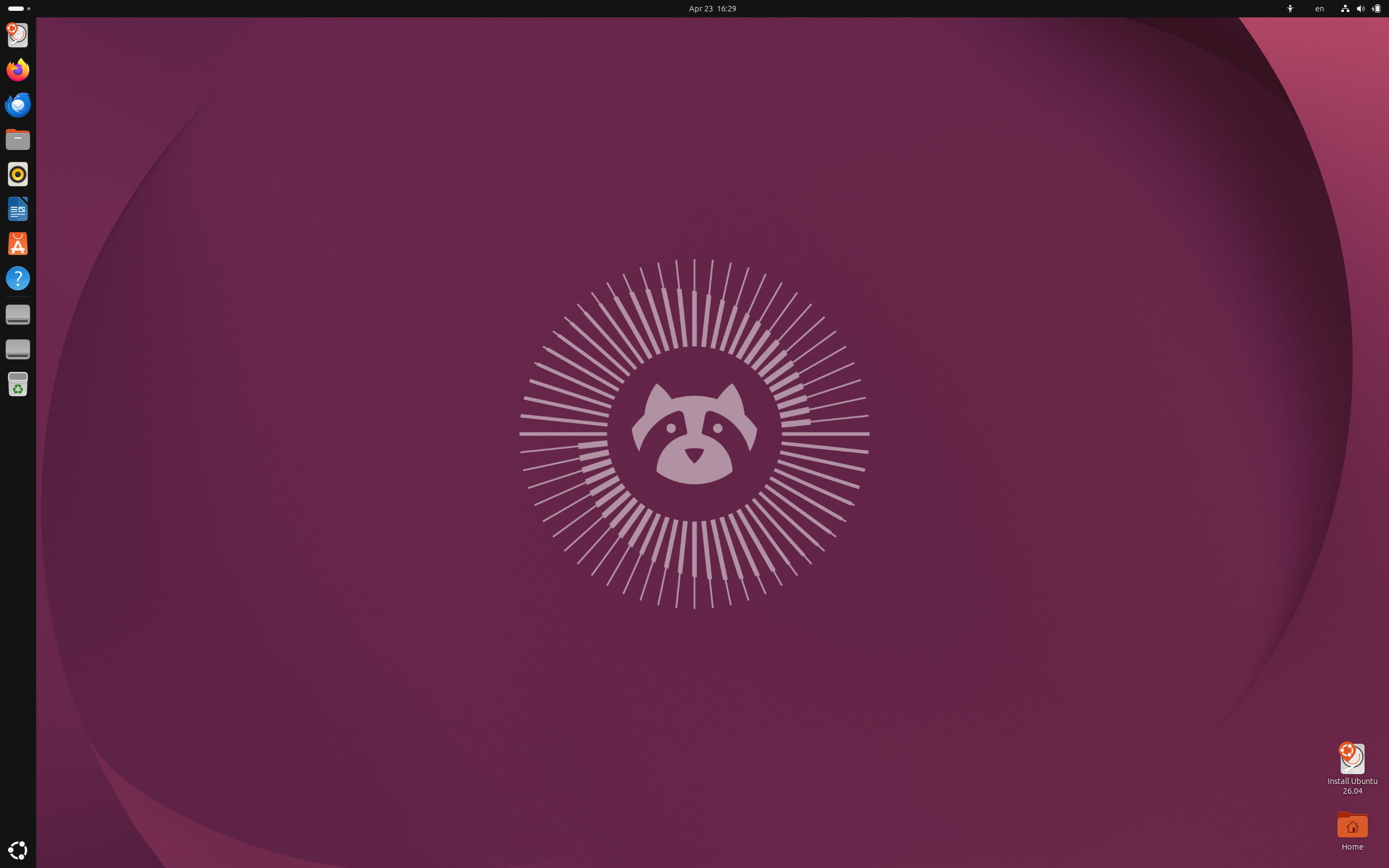
Standard Ubuntu is the yardstick for every flavor. It ships GNOME 50 with Canonical’s Yaru theme, a dock on the left, and a workflow built around the Activities overview and keyboard shortcuts.
Key features
- GNOME 50 on Linux kernel 7.0, with a Wayland-only desktop session
- Installer support for hardware-backed disk encryption on machines with a TPM chip
- App Center for installing both snaps and .deb packages
Pros
- Biggest community, the most tutorials and the widest third-party software support
- Longest support window of any edition
- Solid hardware support, including NVIDIA graphics
Cons
- Uses more RAM than Xfce or LXQt
- Leans heavily on snaps, and some snap apps start slowly the first time
- GNOME leaves less room for tweaking without extensions
Best for: anyone who wants the default, best-documented choice. Official site
Kubuntu: Ubuntu With KDE Plasma
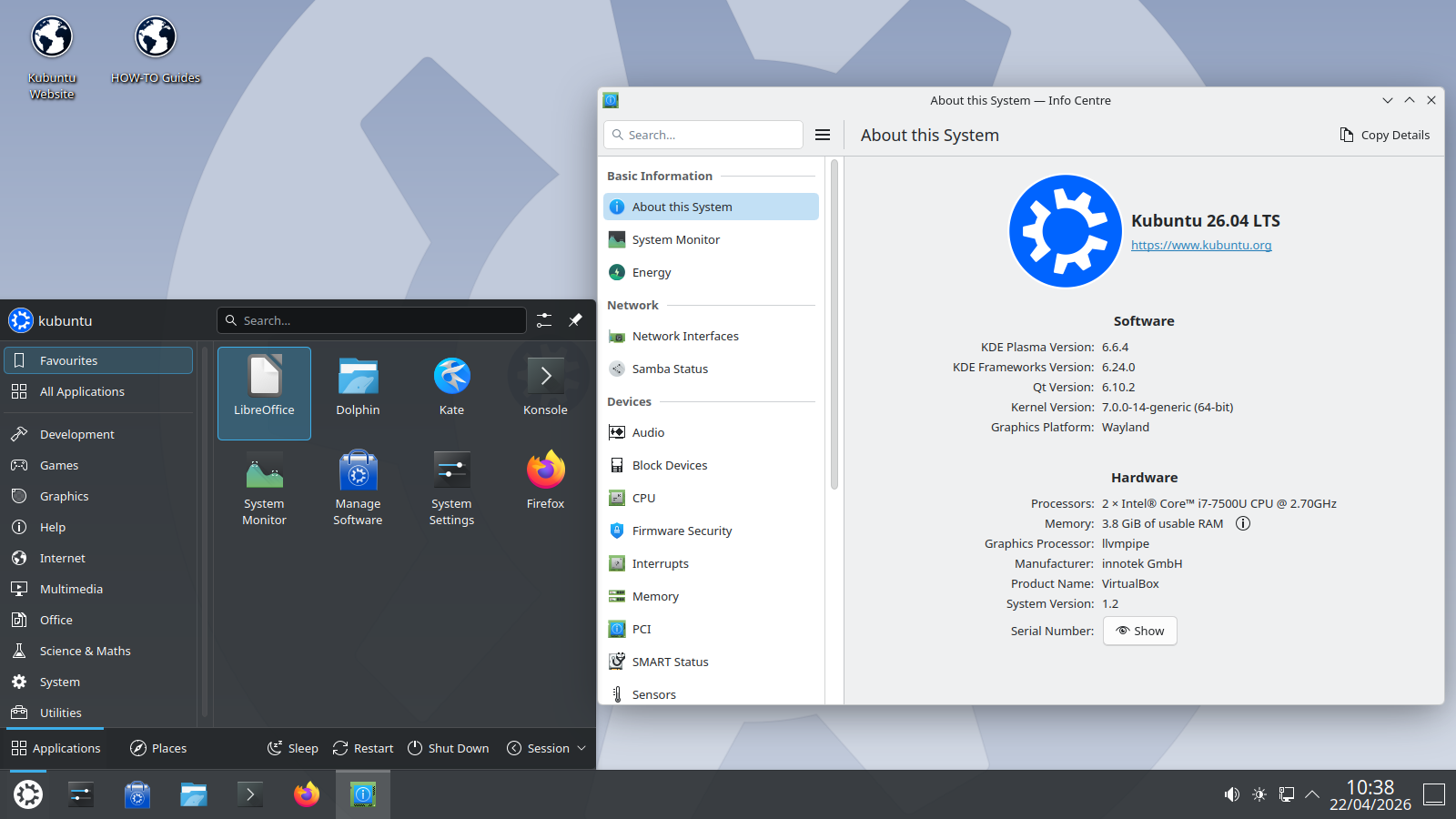
Kubuntu pairs the Ubuntu base with KDE Plasma. Version 26.04 ships Plasma 6.6 and uses Wayland by default. The layout will feel familiar to Windows users, with a panel along the bottom, an application menu and a system tray, and nearly everything about it can be changed.
Key features
- KDE Plasma 6.6 with a Wayland session by default
- KDE apps including Dolphin, Kate, Konsole and Okular
- KDE Connect for linking your phone to your desktop
Pros
- The most customizable desktop in the Ubuntu family
- Polished and modern without feeling locked down
- Plasma’s Wayland features, such as variable refresh rate, suit gaming setups
Cons
- The settings panel can overwhelm new users
- Uses more memory than Xfce or LXQt
- Plasma stays at the same major version for the whole LTS unless you add the Kubuntu Backports PPA
Best for: Windows switchers, tweakers and gamers. Official site
Xubuntu: Ubuntu With Xfce
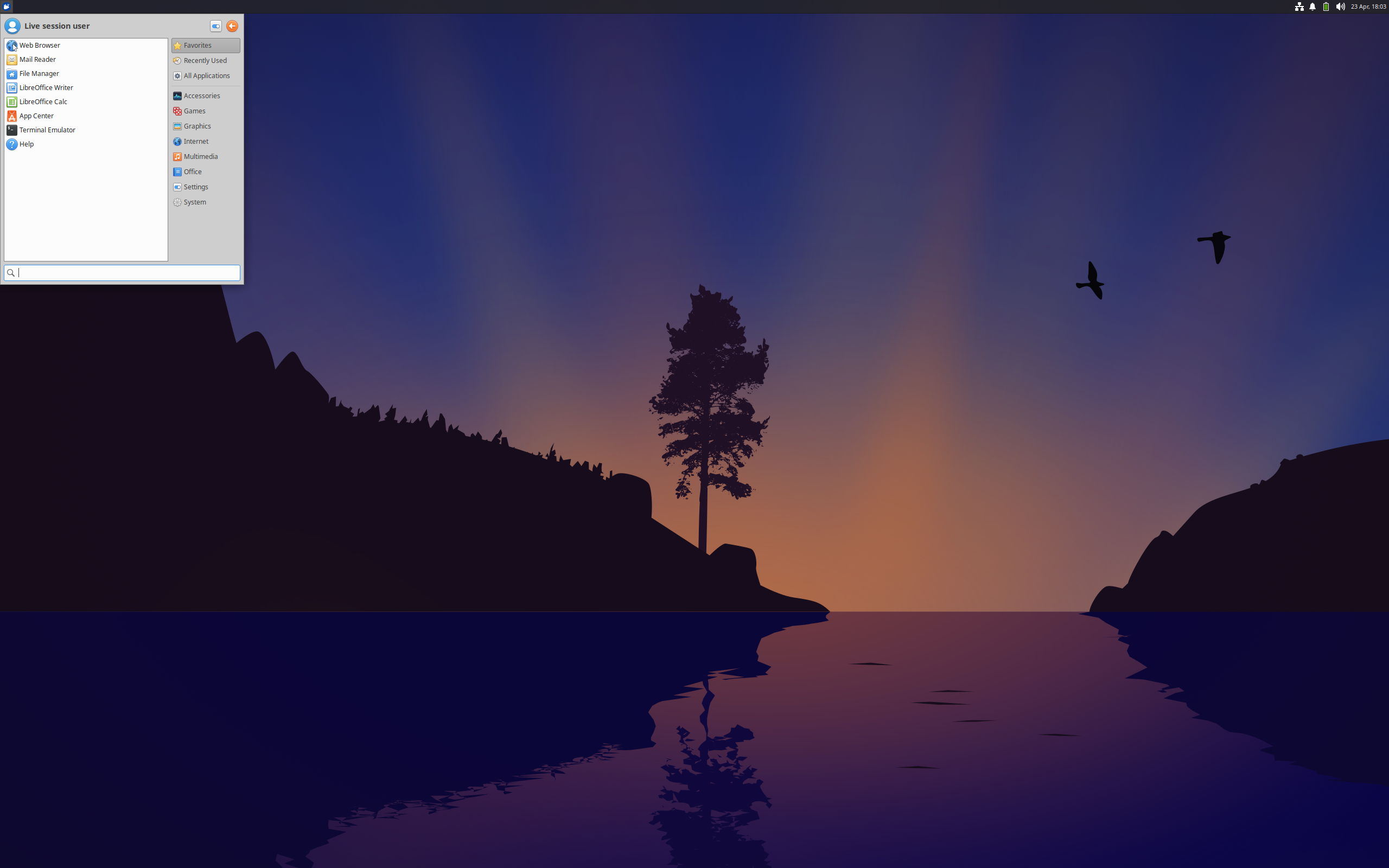
Xubuntu runs Xfce 4.20, a desktop that has kept the same basic approach for years and is better for it. You get a panel, the Whisker Menu, the Thunar file manager and very few surprises. It is the flavor people recommend when someone says “my old laptop is slow.”
Key features
- Xfce 4.20 with the Whisker Menu and Thunar
- Lightweight GTK apps such as Mousepad
- A session that still centers on X11, with Wayland support only experimental
Pros
- Low RAM and CPU use
- Stable and predictable from one update to the next
- Easy to learn for anyone who has used Windows or older versions of GNOME
Cons
- Looks dated until you apply a theme
- Fewer built-in extras than Plasma or GNOME
- Wayland is not ready for everyday use yet
Best for: older laptops and anyone who wants a quick, steady desktop. Official site
Lubuntu: The Lightest Official Flavor
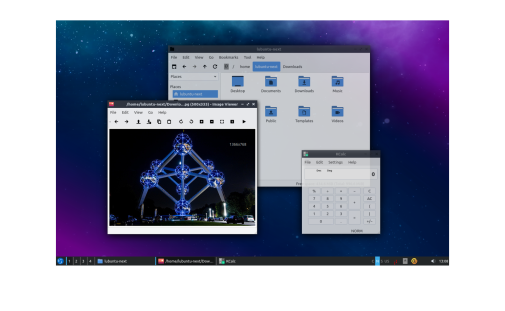
Lubuntu uses LXQt 2.3, a minimal Qt desktop with a simple panel and menu. It is the flavor to try when even Xubuntu feels heavy. The installer is Calamares, and the default app list is short on purpose.
Key features
- LXQt 2.3 with the PCManFM-Qt file manager
- Calamares installer
- A deliberately small set of default apps
Pros
- Lowest resource use of any official flavor
- Fast on very old or low-spec hardware
- Clean and uncluttered
Cons
- Plain look by default
- Fewer settings and features than Plasma or Xfce
- A modern web browser still eats RAM no matter which desktop you run
Best for: very old PCs, low-RAM machines and minimalists. Official site
Ubuntu MATE: The Classic Desktop, Now in Transition
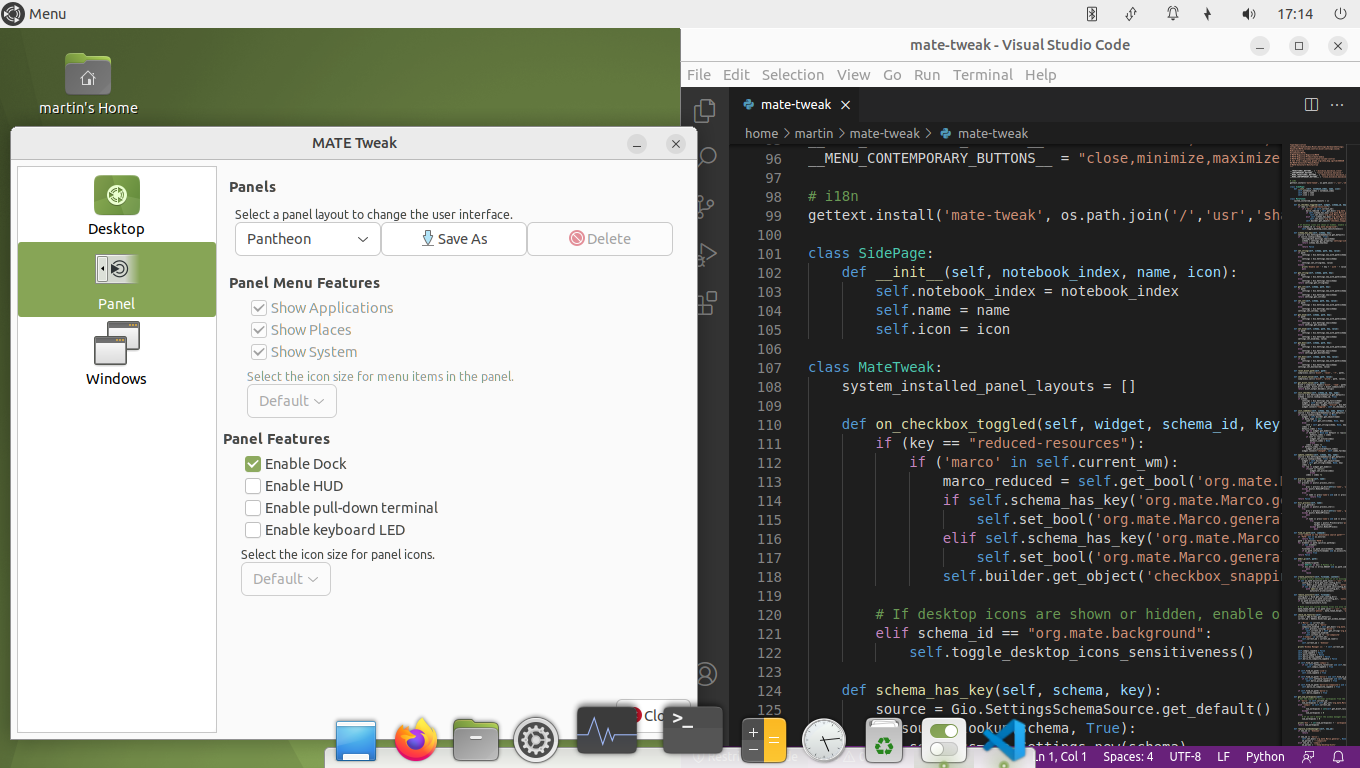
MATE continues the GNOME 2 look: panels on the top and bottom, a traditional menu and a layout that never moves. Ubuntu MATE has a loyal following among people who never warmed to GNOME 3.
The project is in a rough patch. Longtime lead Martin Wimpress stepped down in March 2026, and there is no Ubuntu MATE 26.04 installer image. The project is continuing under a new team, and the MATE packages are still in the Ubuntu 26.04 archive. To get MATE on 26.04, install Ubuntu or Ubuntu Server first, then run sudo apt install ubuntu-mate-desktop. A new team is also working toward a 26.10 image.
Key features
- MATE desktop with traditional panels
- MATE Tweak for switching between panel layouts
- The Caja file manager and a classic menu
Pros
- Familiar, stable and easy to understand
- Modest resource use
- Highly configurable panels
Cons
- No 26.04 ISO, so you have to install MATE on top of another edition
- A very small team after the leadership change
- Future release schedule is less certain than other flavors
Best for: classic desktop fans who are fine using the 24.04 image or adding MATE to Ubuntu 26.04. Official site
Ubuntu Budgie: Clean and Modern
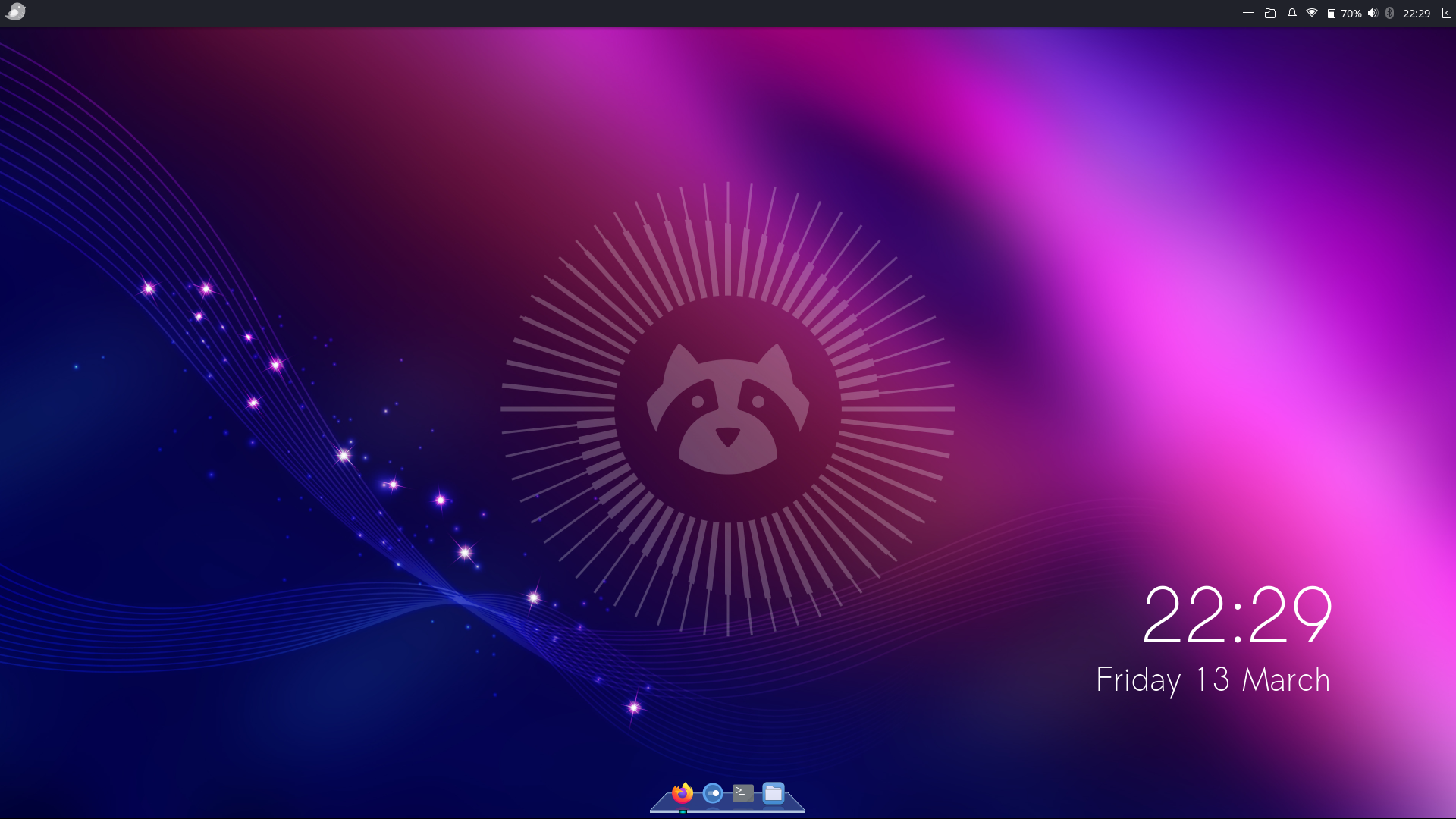
Ubuntu Budgie uses the Budgie desktop, which pairs a tidy panel with a side panel called Raven for notifications and widgets. Version 26.04 ships Budgie 10.10 and moves fully to Wayland, using the labwc compositor by default.
Key features
- Budgie 10.10 on a Wayland session
- Raven side panel for notifications and quick settings
- Several panel layouts to choose from
Pros
- Attractive and simple out of the box
- Gentle learning curve
- Moderate resource use
Cons
- The Wayland move is recent, so some applets may lag behind
- Smaller team and fewer tutorials than GNOME or KDE
Best for: people who want a good-looking, uncomplicated desktop without GNOME’s workflow. Official site
Ubuntu Cinnamon: Linux Mint’s Desktop on an Ubuntu Base
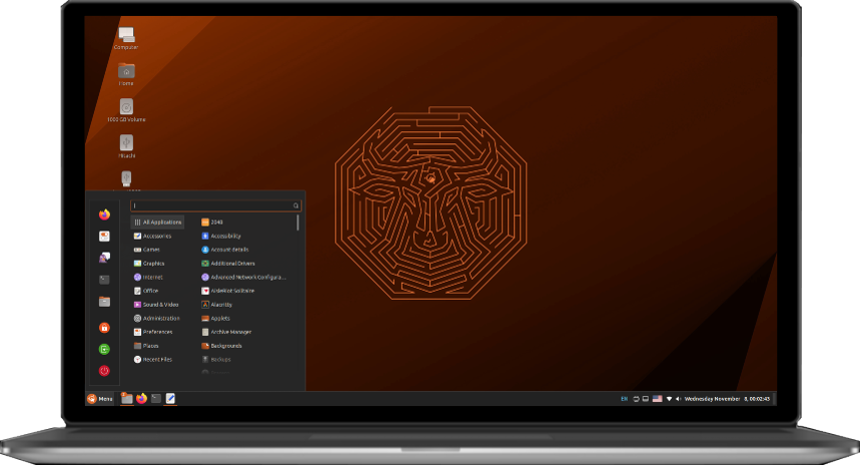
Ubuntu Cinnamon pairs the Cinnamon desktop from Linux Mint with a pure Ubuntu foundation. It began as an unofficial remix, became an official flavor with 23.10, and shipped its first official LTS with 24.04. Version 26.04 includes Cinnamon 6.4. For how it differs from Linux Mint, see the comparison below.
Key features
- Cinnamon 6.4 with a Windows-style panel, menu and system tray
- Nemo file manager, plus applets and desklets
- Ubuntu’s own release schedule, with no waiting on a downstream project
Pros
- Very easy for Windows users to pick up
- Polished and stable
- Gets new Ubuntu bases on release day
Cons
- Wayland support is still maturing
- Lacks Linux Mint’s own utilities, such as its update and software tools
- Three years of support on an LTS, not five
Best for: Windows switchers and Mint fans who want to stay on straight Ubuntu. Official site
Ubuntu Studio: Built for Creators
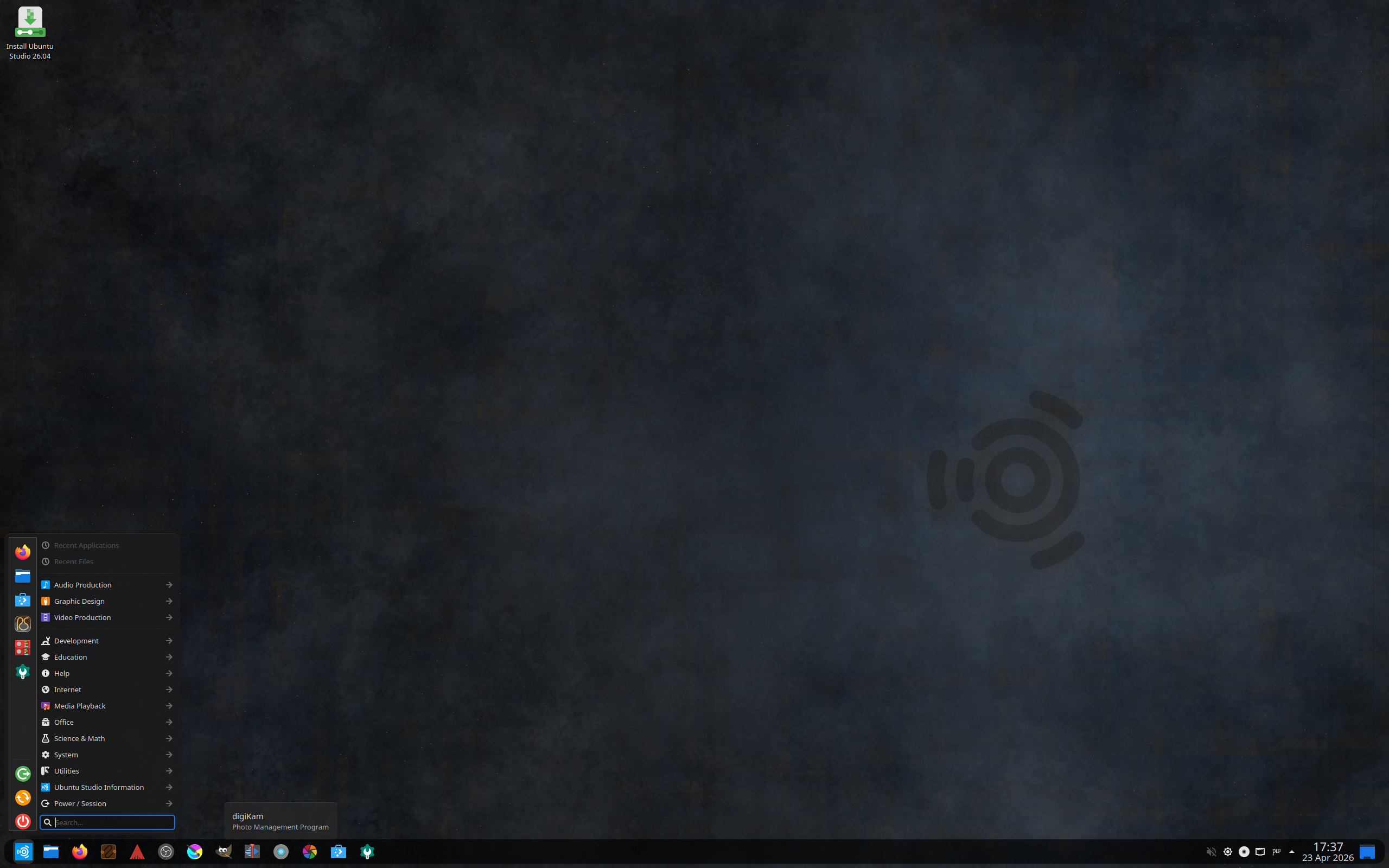
Ubuntu Studio is Ubuntu preloaded for audio, video, graphics and photography. It recently moved from Xfce to KDE Plasma, and 26.04 ships Plasma 6.6. The audio stack is set up for low-latency work, and the creative software is installed from the start.
Key features
- Ubuntu Studio Controls for managing audio routing and settings
- Creative apps such as Ardour, Blender, Kdenlive, Krita and OBS Studio
- KDE Plasma 6.6 as the desktop
Pros
- Ready to record, edit or render right after installation
- Audio configured sensibly instead of left for you to sort out
- Full access to the Ubuntu archive
Cons
- Large download and install with apps you may never open
- The recent switch to Plasma means older tutorials may not match
- Not a good fit for low-spec hardware
Best for: musicians, video editors, photographers and 3D artists. Official site
Ubuntu Unity: The Old Desktop Returns
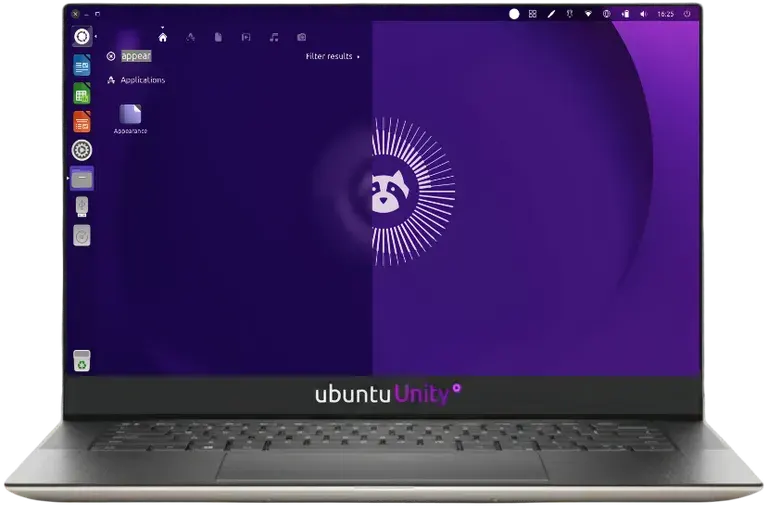
Unity 7 was Canonical’s default desktop until 2017. Ubuntu Unity is a community revival of it, with the launcher on the left, a global menu and the HUD for searching menu commands. Version 26.04 ships Unity 7.7.
The project has had a bumpy stretch. It missed the 25.10 release, and 26.04 is not an LTS, although the team says it will support it as if it were. The project’s own site recommends staying on 24.04 LTS for stability.
Key features
- Unity 7.7 with launcher, global menu and HUD
- Built on the same Ubuntu 26.04 base and Linux kernel 7.0
- Ongoing fixes for packages that stopped building
Pros
- Nostalgic and efficient once you learn the layout
- Lighter than GNOME
Cons
- Very small team and a missed release
- Not an official LTS
- Unity 7 is an X11 desktop in a world moving to Wayland
Best for: Unity loyalists. Skip it for a work machine. Official site
Edubuntu: Ubuntu for Education

Edubuntu targets classrooms, teachers and home learners. Version 26.04 runs GNOME 50 and bundles learning software for different age groups, along with tools that help schools manage groups of computers.
Key features
- GNOME 50 desktop
- Educational apps such as GCompris
- Classroom-oriented tooling on top of a standard Ubuntu base
Pros
- Learning software ready to go after install
- Same base that school IT teams already know
- Free and open source from top to bottom
Cons
- Narrow audience
- Heavier than the lightweight flavors
- Extra apps are clutter outside of education
Best for: schools, teachers and parents. Official site
Ubuntu Kylin: Ubuntu for Chinese-Speaking Users
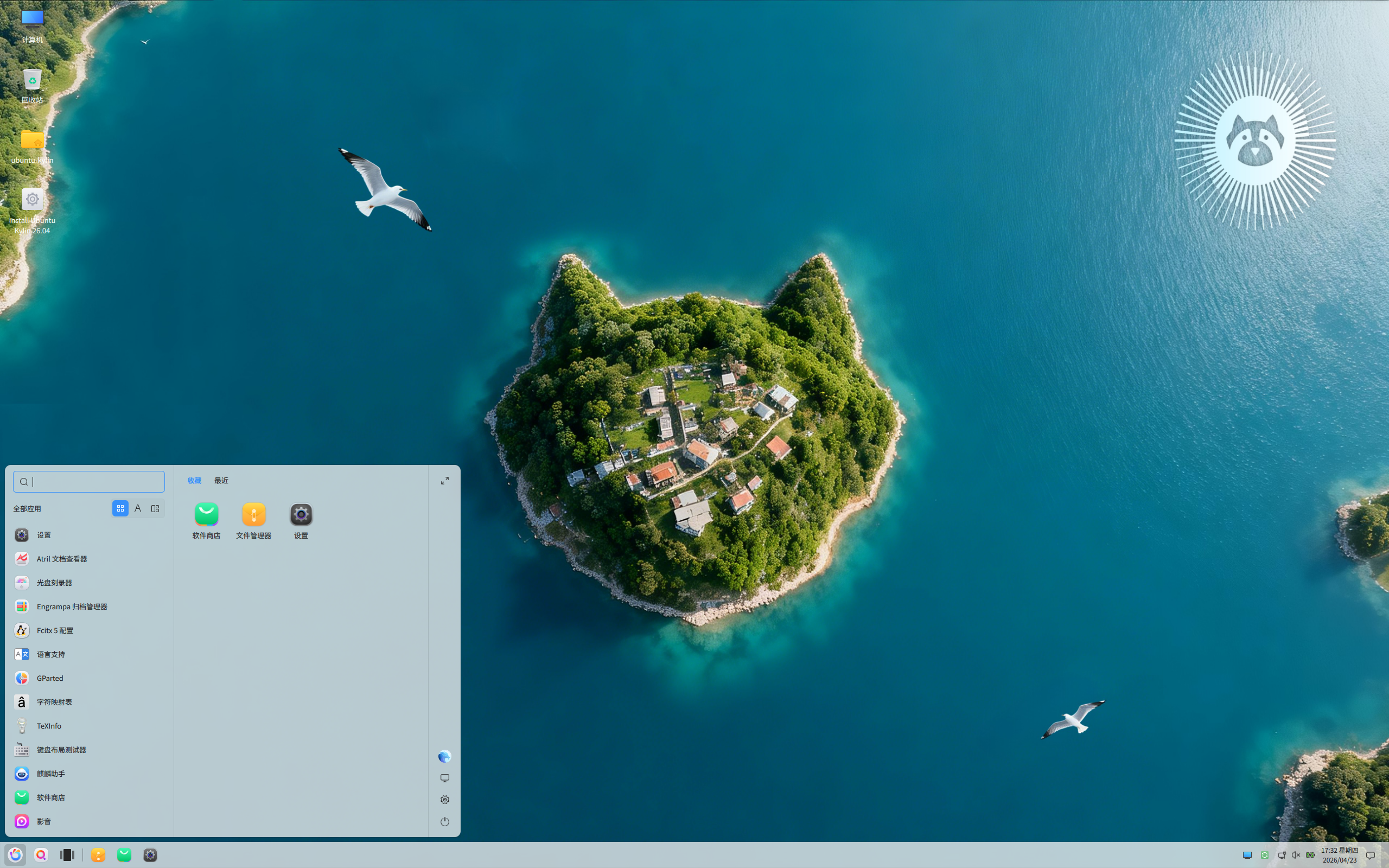
Ubuntu Kylin is built for Chinese-speaking users. Version 26.04 ships the UKUI 4.2 desktop, which has a Windows-style layout. Chinese input methods and localization work out of the box. It did not receive LTS status for 26.04.
Key features
- UKUI 4.2 desktop
- Chinese input methods and localized apps built in
- Same Ubuntu base as every other flavor
Pros
- Native Chinese-language experience
- Familiar layout for Windows users
Cons
- Interface and documentation are aimed at Chinese speakers
- No LTS for 26.04
Best for: Chinese-speaking users who want a localized Ubuntu. Official site
Ubuntu Editions That Are Not Flavors
A few other names float around the Ubuntu ecosystem. Ubuntu Server and Ubuntu Core are Canonical products for servers and embedded devices. Ubuntu Touch is a community project run by UBports. Ubuntu GNOME no longer exists because it merged into standard Ubuntu when Ubuntu went back to GNOME in 17.10. Mythbuntu was retired in 2018.
Ubuntu Flavor vs Ubuntu-Based Distro: Ubuntu Cinnamon vs Linux Mint
This is where the terminology trips people up, and the cleanest way to see the difference is to compare two projects that look almost identical on screen. Ubuntu Cinnamon is an official Ubuntu flavor. Linux Mint is an independent distro built on Ubuntu. Both give you the Cinnamon desktop, a Windows-style panel and a gentle learning curve. They are still run very differently.
An official flavor is Ubuntu with a different desktop. A derivative distro is a separate operating system that starts from Ubuntu and then makes its own decisions about what to ship. Cinnamon itself was created by the Linux Mint team, so Mint is also where the desktop is developed first.
| Category | Ubuntu Cinnamon (official flavor) | Linux Mint (Ubuntu-based distro) |
|---|---|---|
| Project status | Recognized by Ubuntu and uses the Ubuntu name | Independent project with its own name and team |
| Desktop | Cinnamon 6.4 in the 26.04 release | Cinnamon, developed by the Mint team. Mint 23 test builds already use a pre-release of Cinnamon 6.7 |
| Ubuntu base | Ubuntu 26.04 with Linux kernel 7.0 | Ubuntu 24.04 for Mint 22.x. Mint 23 moves to Ubuntu 26.04 |
| Release timing | Same day as Ubuntu (April 23, 2026) | Own schedule. Mint 23 is targeted for December 2026, about eight months after Ubuntu 26.04 |
| Support | LTS, 3 years (to April 2029) | Mint 22.x is supported until April 2029 |
| Package sources | The Ubuntu archive, plus optional PPAs | The Ubuntu archive plus Mint’s own repositories |
| Snap packages | Follows Ubuntu’s approach, including snaps | Blocks snap by default and offers Firefox as a regular package |
| Own tools | Few, relies on Ubuntu’s defaults | Its own update manager, software manager, driver tool and more |
| Branding and theme | Ubuntu branding | Mint’s own branding and Mint-Y theme |
| Other editions | Cinnamon only | MATE and Xfce editions, plus LMDE, which is built on Debian |
The table boils down to a trade. Ubuntu Cinnamon gets you a newer Ubuntu base sooner, with the newer kernel and hardware support that comes with it. Linux Mint gets you a more conservative base, no snaps by default and a set of tools built around the desktop. Cinnamon features also tend to reach Mint first, because the Mint team builds the desktop.
Ubuntu Cinnamon or Linux Mint: which should you pick?
Choose Ubuntu Cinnamon if:
- You want the newest Ubuntu base and kernel on release day, especially for recent hardware
- You want to stay inside the Ubuntu ecosystem, with its standard upgrade path and documentation
- You are fine without Mint’s own utilities
Choose Linux Mint if:
- You want a system that keeps snap out of the picture by default
- You like Mint’s update manager, driver manager and other built-in tools
- You prefer a more conservative base that gets extra months of polish before release
- You want new Cinnamon features as soon as they exist
Mint also shows how loosely a derivative distro is tied to Ubuntu. Its LMDE edition is built on Debian instead. Mint 22.x currently sits on Ubuntu 24.04, and Mint 23 moves to Ubuntu 26.04.
Other popular Ubuntu-based distros
- Linux Mint: Cinnamon-first, no snaps, very beginner friendly
- Pop!_OS: System76’s distro, built around its own COSMIC desktop
- elementary OS: a macOS-inspired desktop called Pantheon, with its own app store
- Zorin OS: designed to look familiar to Windows and macOS users
- KDE neon: an Ubuntu LTS base with the newest KDE software on top
A quick rule of thumb: if the project has its own name, its own release dates and its own repositories, it is a derivative distro. If it carries the Ubuntu name, appears on Ubuntu’s official flavors page and releases on Ubuntu’s schedule, it is a flavor. Some projects borrow the “buntu” ending without any official status, so check before you assume.
Can You Switch Flavors Without Reinstalling?
Yes, because every flavor shares the same repositories. Installing another desktop is a single metapackage away. For example:
sudo apt update
sudo apt install kubuntu-desktop
Other metapackages follow the same pattern:
xubuntu-desktopfor Xfcelubuntu-desktopfor LXQtubuntu-mate-desktopfor MATEubuntu-budgie-desktopfor Budgie
After installation, log out, click the gear or session icon on the login screen and choose the new desktop. The installer may ask which display manager to keep. Either works.
The catch is clutter. You end up with two file managers, two terminals, two sets of settings and sometimes duplicate background services. Trying a desktop this way is fine. For a permanent switch, a fresh install is tidier. Back up your files first either way.
Which Ubuntu Flavor Should You Choose?
- New to Linux and want the safest path: Ubuntu 26.04 LTS. Most guides and forum answers assume it.
- Coming from Windows: Kubuntu or Ubuntu Cinnamon.
- Old laptop or low RAM: Lubuntu first, Xubuntu second.
- A stable, boring desktop that stays out of the way: Xubuntu.
- Gaming: Kubuntu or Ubuntu.
- Music, video, art or 3D: Ubuntu Studio.
- Classroom or homeschool: Edubuntu.
- A clean, modern look: Ubuntu Budgie.
- Classic panels: Ubuntu MATE on 24.04, or Xubuntu.
- Chinese-language desktop: Ubuntu Kylin.
Do not agonize over it. Every flavor boots into a live session from a USB stick, so you can test a few before committing. And because the packages are shared, switching later costs you an afternoon, not a lost system.
LTS or 26.10?
Ubuntu 26.10 is due October 15, 2026. It will bring newer desktops and a newer kernel, and it gets only nine months of updates. Pick the 26.04 LTS version of your chosen flavor unless you want the freshest software and are happy to upgrade every six months.
The Short Version
Ubuntu flavors are Ubuntu with a different face. The foundation, the software and the release schedule stay the same, so the decision comes down to the desktop you enjoy using and how much hardware you have to spare. Lubuntu and Xubuntu suit tired machines, Kubuntu and Ubuntu Cinnamon suit people coming from Windows, Ubuntu Studio suits creators, and standard Ubuntu suits almost everyone else. Linux Mint is a separate distro with a similar goal, not a flavor.
Ubuntu Flavors FAQ
What are the official Ubuntu flavors?
As of October 2026 there are ten official flavors: Kubuntu, Xubuntu, Lubuntu, Ubuntu MATE, Ubuntu Budgie, Ubuntu Cinnamon, Ubuntu Studio, Ubuntu Unity, Edubuntu and Ubuntu Kylin. Standard Ubuntu with GNOME is the main edition.
What is the difference between Ubuntu and Kubuntu?
The desktop environment and the default apps. Ubuntu uses GNOME and Kubuntu uses KDE Plasma. Both share the same package archive, the same kernel and the same release dates, so software that runs on one runs on the other.
What is the difference between Xubuntu and Lubuntu?
Xubuntu uses the Xfce desktop and Lubuntu uses LXQt. Both are lightweight and suit older hardware. Lubuntu uses fewer resources and is more minimal, while Xubuntu offers a more traditional layout with a few more built-in features.
Is Linux Mint an Ubuntu flavor?
No. Linux Mint is an independent distro built on top of Ubuntu. It has its own repositories, its own release schedule, its own tools and its own decisions, such as blocking snap packages by default. Ubuntu Cinnamon is the official Ubuntu flavor that uses the Cinnamon desktop.
What is the difference between Ubuntu Cinnamon and Linux Mint?
Both use the Cinnamon desktop. Ubuntu Cinnamon is an official Ubuntu flavor that follows Ubuntu’s release schedule and package archive, including snaps. Linux Mint is an independent distro built on Ubuntu, with its own repositories, tools and release schedule, and it blocks snap by default. Ubuntu Cinnamon 26.04 runs on the newer Ubuntu 26.04 base, while Linux Mint 22.x uses Ubuntu 24.04 until Mint 23 arrives, targeted for December 2026.
Which Ubuntu flavor is best for beginners?
Standard Ubuntu is the safest pick because it has the most tutorials and community help. Kubuntu and Ubuntu Cinnamon are good for people switching from Windows, and Xubuntu works well on older computers.
Which Ubuntu flavor is the lightest?
Lubuntu is the lightest official flavor, followed by Xubuntu. Actual memory use depends on your hardware, your drivers and the apps you run, and a modern web browser will use plenty of RAM on any desktop.
How long are Ubuntu flavors supported?
LTS flavors receive three years of support, which means April 2029 for the 26.04 releases. Standard Ubuntu 26.04 LTS gets five years, until April 2031, and up to ten years with Ubuntu Pro. Interim releases such as 26.10 receive nine months of updates.
Is Ubuntu MATE discontinued?
No, but there is no Ubuntu MATE 26.04 installer image. The MATE packages remain in the Ubuntu 26.04 archive, so you can install Ubuntu and run sudo apt install ubuntu-mate-desktop. The project continues under a new team after longtime lead Martin Wimpress stepped down in March 2026.
Can I install more than one Ubuntu flavor on the same computer?
You can install more than one desktop on a single Ubuntu system by installing a metapackage such as kubuntu-desktop or xubuntu-desktop, then picking the session at the login screen. It works, but it leaves duplicate apps and settings behind. A clean install is tidier for a permanent change.
Should I install Ubuntu 26.04 LTS or wait for 26.10?
Most people should choose 26.04 LTS. Ubuntu 26.10 is due October 15, 2026 and gets only nine months of updates. Choose it only if you want the newest desktop software and do not mind upgrading every six months.